Shot Continuity on Gemini Omni 1.1 Flash: Which Endpoint Fixes Which Drift
Google published two sentences about this model on the same launch, and they point in opposite directions.
The first is in the announcement: when Omni continues a clip it now reads "up to 10 seconds of prior context — a leap from previous models that only referenced the final second." Ten times the memory. The second is in DeepMind's model card, under limitations: "maintaining complete consistency throughout edits, generating scenes with complex motion, or rendering perfectly accurate text remains a challenge."
Both are true, and together they describe the job. Continuity here is not a switch you enable but a set of choices made at the input — which endpoint you call, what you pin with an image, which sentences you repeat word for word. The cost of a four-part sequence is a separate argument we will not rerun.
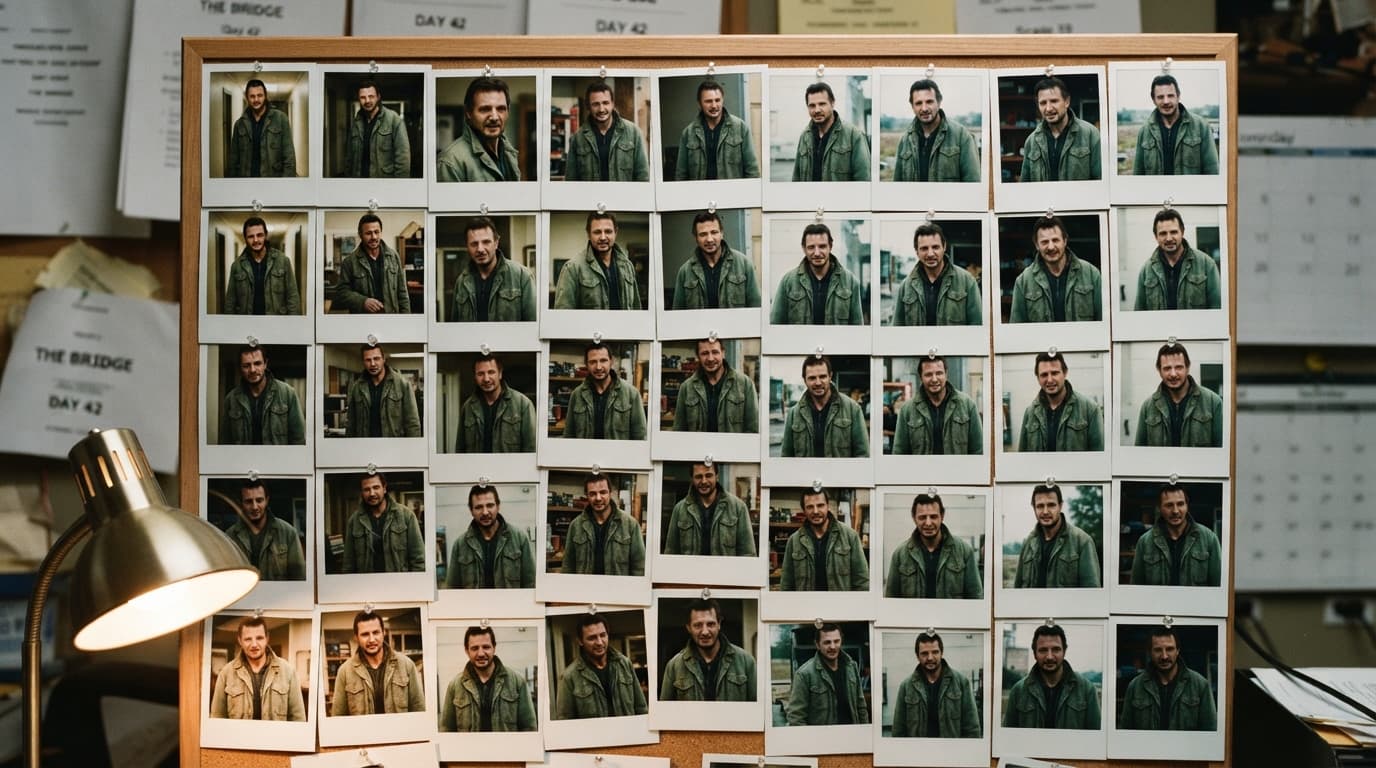
Four endpoints, four different things held still
On E2X, gemini-omni-1.1-flash ships as four capabilities at one price — $0.18 a second at 4K whichever one you call. That changes how to think about them: choosing between them is never a budget decision, only a craft one.
What each one pins:
| Capability | What it holds still | What it will not hold |
|---|---|---|
| text-to-video | Nothing but your words | Anything you did not write down |
| image-to-video | The opening frame, exactly | Everything after roughly the first second |
| start-end-frame-to-video | Both ends of the shot | The path between them |
| reference-to-video | Subject identity and look | Framing, staging, camera position |
Read that as a diagnostic rather than a feature list: name the drift you are seeing, then pick the endpoint that addresses it.
The shot starts wrong. Your second angle opens on a different room, or the character walks in already mid-gesture. Give it a frame: image-to-video takes a still and begins there, so shot two can open on a grab from the last frame of shot one, or on a stills render you approved earlier. It is the cheapest continuity fix the model offers.
The shot ends wrong. The move is right and the landing is not — the hand reaches for the door and the door is somewhere else. That is start-end-frame-to-video. You supply start_frame_url and end_frame_url, the model fills the interval, and the frame your next cut has to match is one you chose rather than one you were handed.
The person changes. Not framing, not staging — the face, the hair, the jacket. That is reference-to-video, the only one of the four whose purpose is identity. Our image_urls array takes a minimum of one and a maximum of seven; Runware documents the same ceiling — "up to 7 images" — while Google's reference states no number, though its worked example runs six tags. Treat seven as third-party consensus, not a published guarantee.
Video references are capped harder and Google does publish those numbers: "Video references support a maximum of 3 clips, up to 3 seconds each", alongside "Referencing or reasoning across multiple videos is not supported" — three is a ceiling you approach, not a target you fill. On what belongs in a reference image, Runware's documentation is more specific than Google's, recommending a clean mid-shot portrait — waist-up framing, neutral background, identifying details visible — because "Full-body shots, busy backgrounds, or extreme angles dilute the model's read on the character."
What seed pins, and what it does not
There is no sampler on this endpoint. Google's documentation is flat about it: "System instructions, temperature, top_p, stop sequences, and negative prompts are not supported." No sampling surface means one reproducibility control, and it is seed — an optional integer that all four of our capability schemas accept.
Worth knowing where that field comes from, because it is not in Google's reference at all. Runware's 1.1 documentation carries a seed and describes returning "the randomly generated seed" when you supply none; we expose the field on every capability; Google, on the page you would check first, says nothing. Use it, but do not treat it as a contract.
The part that catches people: seed pins the sample, not the subject. Same seed and a byte-identical prompt is a repeat. Same seed and one edited word is a new draw — sampling fresh, not nudging. That is the opposite of a temperature knob, and it means the image-model habit of holding the seed while tuning the prompt does not transfer.
Which leaves seed useful for exactly two things in a multi-shot job, and useless for a third:
- Re-rendering a keeper at a higher tier. Draft, find the take, then run the same prompt and seed at your delivery resolution. Nothing changed, so nothing resamples.
- Isolating one variable. Change the lighting sentence, hold the seed, and what moves is attributable to that sentence. Not a controlled experiment, but faster than resampling blind.
- Carrying a face between two different shots. It will not. Two prompts are two prompts; the seed does not remember your character. Identity across shots comes from reference images, not from an integer.
Write the seed down beside the prompt at the moment a take works. There is no history to recover it from later.
Lock blocks: the same paragraph, repeated verbatim
Because a text-to-video call has no memory of your previous call, the most common continuity instruction in the wild is addressed to nobody: "Keep everything consistent with the previous shot" points at a shot the model has never seen.
The fix is unglamorous. Write one block of appearance and set facts and paste it into every prompt in the sequence, unchanged — not paraphrased, not tightened, not reordered. A new description is a new draw.
Here are two versions of the same second shot in a two-shot sequence. First the one that drifts:
Continuing the same scene, a tighter shot of the same man at his
workbench in the garage. Cinematic lighting, moody atmosphere,
highly detailed, professional colour grading. He lifts the machined
part into the light and turns it slowly while his colleague watches
from the right. Keep the characters and the location consistent
with the previous shot. Single continuous shot, no scene cuts.
Sound design: workshop room tone and quiet handling noise.
Count what that prompt leaves unpinned and you have the list of things free to change: the exact green of the jacket, whether the cuff is frayed, whether there is a bandana at all, what hangs on the pegboard, where the light comes from. None of it is written down, so none of it is owed to you — a competent shot of a different afternoon is a correct answer to what was asked.
The rewrite keeps the action and spends its words on facts instead of adjectives:
In a single continuous shot, no scene cuts. Medium two-shot in a
cluttered garage workshop, 40mm lens at f/4, both subjects sharp.

[Lock - repeat verbatim in every shot of this sequence]
Man: mid-forties, close-cropped grey hair parted on his left, faded
green canvas work jacket, frayed left cuff, oil stain on the right
pocket, steel watch on his left wrist. Woman: thirties, dark hair
tied back, grey knit sweater, red bandana at her neck, clipboard in
her right hand. Set: steel workbench, pegboard behind with three
wrenches hanging left of centre, one overhead fluorescent tube,
cold white key from above, no window light.

Action: he lifts a machined aluminium part into the light and turns
it once; she does not move. Sound design: fluorescent hum, the part
clicking down onto steel. No dialogue.
The bracketed label is for you, not the model — it marks the region you copy. What earns a place in the block is anything asymmetric or damaged: which side the hair parts, which cuff is frayed, which wrist carries the watch, which hand holds the clipboard. Symmetry is where drift hides, because a mirrored symmetric detail looks correct alone and wrong in a cut. Colour names belong there, and so does the light: direction, hardness, and the explicit absence of a source you do not want.
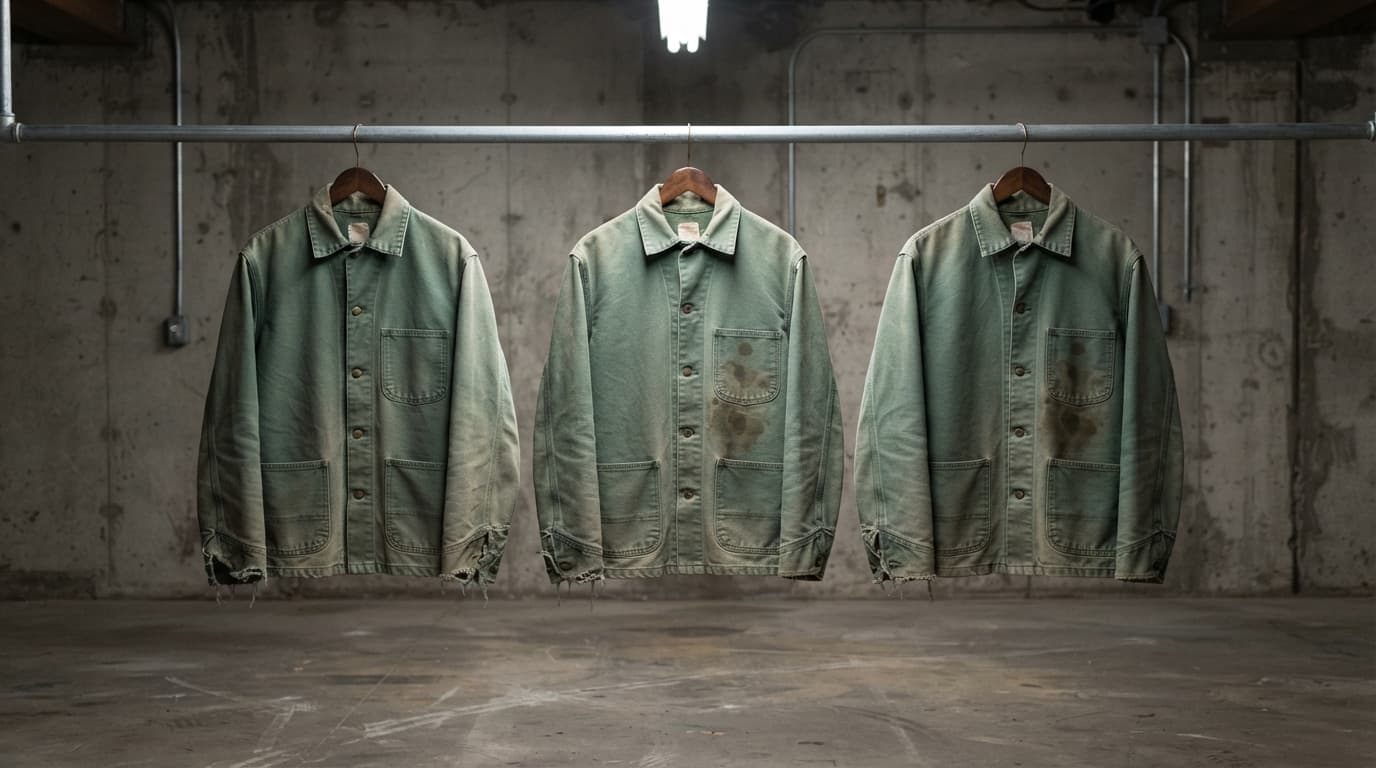
One thing to keep out of the block: printed labels, signage, readable text on props. The model card lists accurate text among the open problems, so a prop that must read the same in two shots is the least reliable anchor available. Anchor on shape and stain instead.
Extension runs forward, so plan backwards
Google's phrasing leaves no room: "Video extension is limited to appending to the end of a video; prepending or extending the middle of a clip is not supported." Continuations run in ten-second steps "up to a total length of 40s", and an uploaded clip must be "10 seconds or less in length" before you can extend it.
The planning consequence is larger than it looks: a chain has no undo. Shot one sets palette, light and camera grammar for everything appended to it, so an error there is a sequence you rebuild rather than a shot you re-render. And the riskiest shot — the difficult gesture, the tricky reflection — usually sits in the middle, exactly where you cannot reach.
So there is a structural choice to make before the first call:
- One extension chain buys you genuine frame-to-frame continuation and ten seconds of context the model actually reads. It costs you the ability to fix anything but the tail.
- Independent generations stitched in an editor, each anchored by a reference image or a start frame, cost you the seamless join and buy you the ability to re-roll shot three thirty times without touching shots one and two.
For an action that must not visibly cut, extend. For a sequence that has cuts in it anyway, generate separately — that is also the option that survives a client note, and most sequences get one.
That clip is one generation carrying a reframe rather than two shots joined:
A two-shot in a cluttered garage workshop, 40mm lens at f/4, both
subjects sharp. A man in a faded green work jacket with a torn left
cuff stands at the bench; a woman in a grey knit sweater with a red
bandana tied at her neck stands to his right holding a clipboard.
The camera holds the wide two-shot for four seconds while he lifts
a machined aluminium part into the light and turns it. Then the
camera pushes in and reframes to a tighter two-shot from the same
axis - same jacket, same torn cuff, same bandana, same bench clutter
behind them, same overhead fluorescent light. No cut, no wardrobe
change, no relight. Sound: fluorescent hum and the part clicking
down onto steel.
Cut points are audio cuts too
Audio is generated with the picture and there is no switch to decline it. That is normally filed under sound design; for continuity it is a constraint, because your cut lands in the middle of a soundtrack you did not compose and cannot trim at the source.
Two rules follow. Describe ambience in identical words on both sides of a cut, the same way you repeat the wardrobe block — "fluorescent hum" in both prompts, not "fluorescent hum" and then "the buzz of the overhead light." A room tone that shifts at the join is harder to ignore than a jacket that shifts shade, because the ear has no shot boundary to hide behind.
Then choose where to cut with the sound in mind. Cutting mid-gesture demands the model reproduce the same motion vector on the far side — exactly the "complex motion" case the model card flags. Cutting on a settled pose, the part set down and the hand still, gives the next generation an unambiguous starting condition and the audio a natural seam. It costs a beat of pace and buys a join that holds.
One decision belongs before any of this: aspect ratio. The model offers 16:9 and 9:16 and nothing else. Because extension only appends and reference images inherit the framing you shot them in, switching orientation partway through a sequence is not a setting change — it invalidates every asset upstream of it. Pick the orientation with the delivery in mind, at shot one.
What a four-shot sequence costs
Continuity tooling on this model is free. A reference-to-video call with seven images costs what a bare text-to-video call costs; the frames you pass to start-end-frame-to-video add nothing. You pay for seconds and resolution.
Four eight-second shots is thirty-two seconds. At the top tier:
| Where | 32s at 4K |
|---|---|
| E2X | $5.76 |
| Google, from published token rates | $9.73 |
| fal | $9.60 |
| Runware | $10.24 |
| WaveSpeed | $12.48 |
That gap is a multiplier story, not a discount story. Both ladders climb the same way from 360p to 1080p; at the top rung Google triples its 720p rate and we double ours, so the spread is widest exactly where finished sequences get delivered. The tier-by-tier working, including why the top tier is an upscale, is in our 4K post.
Now apply it to how continuity work goes. Nobody lands four shots in four generations. If shot three takes six attempts and shot four takes three, that is fifteen jobs — $21.60 here against $36.49 direct at 4K. Which is the strongest argument for independent generations over one chain: a re-roll costs one shot, not the tail of the sequence. Run the continuity tests at 360p, a sixth of the 4K rate per second, and promote the take.
Where it still slips
The honest version, since the model card gives us the language for it.
The split follows from what the two mechanisms can encode. A sentence and a reference photograph carry coarse, nameable properties: silhouette and garment colour, hair length and colour, room geometry, palette, light direction and hardness, the rough placement of large props. Those a lock block can state and a reference image can show.
What neither carries is precision below the level of a name — exact facial geometry between distant framings, jewellery, small background objects, fine fabric detail, and anything printed, which the model card separately lists as unreliable. Google names the pattern only in general terms, and third-party reviewers describe it landing hardest at scene changes and camera moves rather than within a held shot. That is our reading of the documentation and the reporting, not a measured claim; we have not run a rig that would put a number on it.
Practically: a sequence with a hero close-up needs that close-up generated from a reference set rather than inherited from a wide, because identity survives a reframe better than a scale change. The single-shot face technique itself is its own post, and the camera vocabulary that keeps two shots on one axis is in the camera one.
Nobody should sell a thirty-shot narrative on this model and promise a face that never moves. What you can sell is a sequence where the drift is small enough to sit inside a cut — reachable with references, lock blocks and cut points chosen on stillness.
Start from the table at the top: name the drift, pick the tool, write the block once, repeat it exactly. Google's API reference carries the tag forms for binding references by name, and the capability pages carry current rates and schemas.
Prices and product terms change. Check each provider's current pricing before making a purchasing decision.
Common questions
How do you keep a character consistent across shots in Gemini Omni 1.1 Flash?
Two mechanisms together. Pass the character as reference images through reference-to-video — our schema accepts one to seven, and Runware documents the same ceiling — and repeat an identical block of appearance facts in every prompt, copied rather than paraphrased. References carry identity; the repeated text carries wardrobe, props and light. Google's model card is explicit that complete consistency across edits is still open, so neither alone is enough.
Does the seed keep the same character across two Gemini Omni prompts?
No. Seed pins a sample, not a subject. Two different prompts are two different draws regardless of the seed, and one edited word in an otherwise identical prompt is a fresh sample rather than a variation. Seed earns its keep for re-rendering an approved take at a higher resolution and for isolating one changed sentence. Cross-shot identity comes from reference images.
Which Omni capability should I use for a shot that has to end on a specific frame?
start-end-frame-to-video. You supply a start and an end image, the model generates the interval, and the frame your next cut has to match is one you chose. On E2X it costs the same per second as plain text-to-video, so there is no price reason to avoid it.
Can Gemini Omni 1.1 Flash extend a video backwards?
No. Google's documentation says extension only appends to the end of a clip, with no way to prepend or extend the middle. Continuations run in ten-second steps to a forty-second total, and the clip you extend must be ten seconds or shorter. So the first generation fixes the look for everything after it, and an early mistake cannot be repaired without rebuilding the chain.
How many reference images does Gemini Omni 1.1 Flash accept?
Our reference-to-video schema takes one to seven, and Runware's documentation states the same maximum. Google's own reference publishes no number, though its worked example binds six tagged images in one prompt — so treat seven as third-party consensus, not a documented guarantee. Video references are separately capped by Google at three clips of up to three seconds each.
Where is the best place to cut between two generated shots?
On stillness rather than mid-motion. A settled pose gives the next generation an unambiguous starting condition; a cut inside a gesture asks the model to reproduce a motion vector, the complex-motion case Google's model card lists as a known weakness. And since every clip arrives with a soundtrack you cannot decline, describe the ambience in identical words on both sides of the join or the room tone shifts at the cut.
Can I mix 16:9 and 9:16 shots in one Omni sequence?
Not usefully. Those two ratios are the only options, extension appends in the orientation it started in, and reference images carry the framing they were shot in — so changing orientation partway invalidates every asset upstream. Decide landscape or portrait against the delivery format before shot one.
Is it cheaper to build a sequence by extending or by generating shots separately?
The per-second rate is identical either way — extension carries no discount — so the difference is what a re-roll costs. In a chain, fixing an early shot discards everything appended to it. With independent generations anchored by reference images or start frames, a bad shot costs one shot. On E2X thirty-two seconds of 4K is $5.76 against $9.73 direct from Google, and that gap widens with every take you discard.