OpenAI GPT Image 2.5 API on E2X: xhigh and max Quality up to 4K from $0.0525
OpenAI's GPT Image 2.5 is live on the E2X API across two specialized model families:
- GPT Image 2.5 Sunburst (
openai/gpt-image-2.5-sunburst/text-to-imageandopenai/gpt-image-2.5-sunburst/edit-image) supports1K,2K, and4Kresolutions alongside all five quality tiers:low,medium,high,xhigh, andmax. - GPT Image 2.5 Flare (
openai/gpt-image-2.5-flare/text-to-imageandopenai/gpt-image-2.5-flare/edit-image) supports1K,2K, and4Kresolutions with the three standard quality tiers:low,medium, andhigh.
With our standing 75% discount applied, both Sunburst and Flare bill at the exact same rate: a 1K request bills $0.0525, a 2K request bills $0.105, and a 4K request bills $0.1575.
Those rates stay flat across every quality setting in the schema. On E2X, the xhigh and max quality tiers on Sunburst share the exact same ×7 multiplier as low, medium, and high on both Sunburst and Flare. You can run every Sunburst job at xhigh or max without adding a cent to your invoice.
This walkthrough covers the complete integration: how the base rate and multipliers determine your invoice, the full input schema for Sunburst and Flare, production curl and TypeScript code for polling and webhooks, and the exact prompts behind the sample renders on this page.
How the $0.0525 price is calculated
Understanding the billing formula on E2X prevents two common mistakes: paying for 4K resolution while you are still testing prompt wording, and lowering quality to save money when quality does not change the price.
Both the Sunburst routes (openai/gpt-image-2.5-sunburst/text-to-image and openai/gpt-image-2.5-sunburst/edit-image) and the Flare routes (openai/gpt-image-2.5-flare/text-to-image and openai/gpt-image-2.5-flare/edit-image) share a list base figure of $0.03 (30,000 micro-cents in the API response). E2X applies a standing 75% discount to that base, reducing the starting unit to $0.0075 (7,500 micro-cents). From there, the billing engine multiplies by two parameter factors:
- The
qualityfactor:low,medium, andhigh(the schema default on both families), plusxhighandmax(on Sunburst), each use a ×7 multiplier. Multiplying$0.0075by7produces$0.0525. - The
resolutionfactor:1K(the schema default) applies ×1,2Kapplies ×2, and4Kapplies ×3.
Because all valid quality values map to the same ×7 factor in the dynamic pricing table, resolution is the only parameter that moves your per-image cost. You never see an unmultiplied $0.0075 charge on a completed job because quality defaults to high (×7) whenever you omit it. And because xhigh and max on Sunburst share that ×7 factor, dropping down to low or medium saves zero dollars. Set quality to high on Flare or xhigh / max on Sunburst according to the visual density of your prompt and leave low alone.
| Resolution | Multiplier formula | E2X list rate ($0.03 × 7) | E2X rate (75% off) | API micro-cents | fal.ai on-demand (high tier) | E2X savings |
|---|---|---|---|---|---|---|
1K (default) | $0.0075 × 7 × 1 | $0.21 | $0.0525 | 52500 | $0.211 | 75% |
2K | $0.0075 × 7 × 2 | $0.42 | $0.1050 | 105000 | $0.222 | 53% |
4K | $0.0075 × 7 × 3 | $0.63 | $0.1575 | 157500 | $0.401 | 61% |
Rate comparison checked November 4, 2026 against fal.ai on-demand pricing. Provider rates and terms can change; check our pricing page for live numbers.
For teams running iterative design loops, that multiplier curve makes budgeting straightforward. Keep resolution pinned to "1K" while you refine lighting, camera angle, and embedded text at "xhigh" or "max" on Sunburst. Eight 1K draft generations come to $0.42 in total. Once the layout is locked, run a single "4K" master render for $0.1575. The entire nine-image sequence comes out to $0.5775, compared to $1.4175 if every draft ran at 4K.
Note the fifth column in the table above. Every monetary field returned by the E2X API is an integer in micro-cents, where 1,000,000 micro-cents equal $1.00 USD. A 1K generation returns 52500, a 2K generation returns 105000, and a 4K generation returns 157500. Store those integers directly in your ledger table and divide by 1,000,000 only when formatting numbers for a human dashboard.
Full parameter schema for Sunburst and Flare endpoints
All four GPT Image 2.5 routes sit behind the standard E2X job envelope at POST https://api.e2x.ai/v1/jobs/submit. You pass the model identifier (openai/gpt-image-2.5-sunburst/* or openai/gpt-image-2.5-flare/*) at the top level of the JSON body and place all model-specific controls inside the input object.
| Parameter | Endpoint availability | Type | Required | Default | Accepted values / limits |
|---|---|---|---|---|---|
prompt | All endpoints | string | Yes | None | Up to 32,000 chars on text-to-image; up to 50,000 chars on edit-image. |
image_urls | edit-image only | string[] | Yes (on edit) | None | Publicly reachable HTTPS URLs for reference conditioning, compositing, or editing. |
aspect_ratio | All endpoints | string | No | "1:1" | "auto", "1:1", "4:3", "3:4", "3:2", "2:3", "5:4", "4:5", "16:9", "9:16", "2:1", "1:2", "21:9", "9:21", "3:1", "1:3" (16 total). |
resolution | All endpoints | string | No | "1K" | "1K", "2K", "4K" (must be uppercase). |
quality | Sunburst vs Flare | string | No | "high" | Sunburst: "low", "medium", "high", "xhigh", "max". Flare: "low", "medium", "high". |
Three schema details deserve attention before you write your validation layer:
- Uppercase
resolutionstrings are required on OpenAI models. Pass"1K","2K", or"4K". If your codebase already calls Google models in our text-to-image catalog where resolutions are lowercase ("1k","2k","4k"), normalize the casing per model slug rather than sharing a single string constant. aspect_ratiodefaults to"1:1", and supports"auto". When you omitaspect_ratio, GPT Image 2.5 renders a square frame. When you explicitly pass"auto", the model selects one of the supported ratios based on the subject described in your prompt (or preserves the framing of your primary reference image onedit-image).- GPT Image 2.5 omits the
backgroundparameter. Neither theopenai/gpt-image-2.5-sunburst/*nor theopenai/gpt-image-2.5-flare/*routes include thebackgroundfield ("transparent","opaque","auto"). If your workflow needs a single-call transparent PNG cutout with an alpha channel, route that request toopenai/gpt-image-2/text-to-imageoropenai/gpt-image-2/edit-imagefor the same$0.0525price. We break down that routing decision in our GPT Image 2.5 vs GPT Image 2 comparison.
Generating your first image with curl
Because GPT Image 2.5 jobs take around 60 seconds on average, the E2X API is asynchronous. Your POST request validates the payload, enqueues the work, and immediately returns a jobId.
Here is a complete curl request calling openai/gpt-image-2.5-sunburst/text-to-image at "1K" resolution and "xhigh" quality ($0.0525):
curl -X POST https://api.e2x.ai/v1/jobs/submit \
  -H "Authorization: Bearer $E2X_API_KEY" \
  -H "Content-Type: application/json" \
  -d '{
    "model": "openai/gpt-image-2.5-sunburst/text-to-image",
    "input": {
      "prompt": "Overhead editorial photograph of an anodized aluminum mechanical keyboard on a dark walnut desk. Keycaps in matte charcoal with a single signal orange Esc key. Soft north-window daylight from the top left, crisp key legends.",
      "aspect_ratio": "3:2",
      "resolution": "1K",
      "quality": "xhigh"
    }
  }'
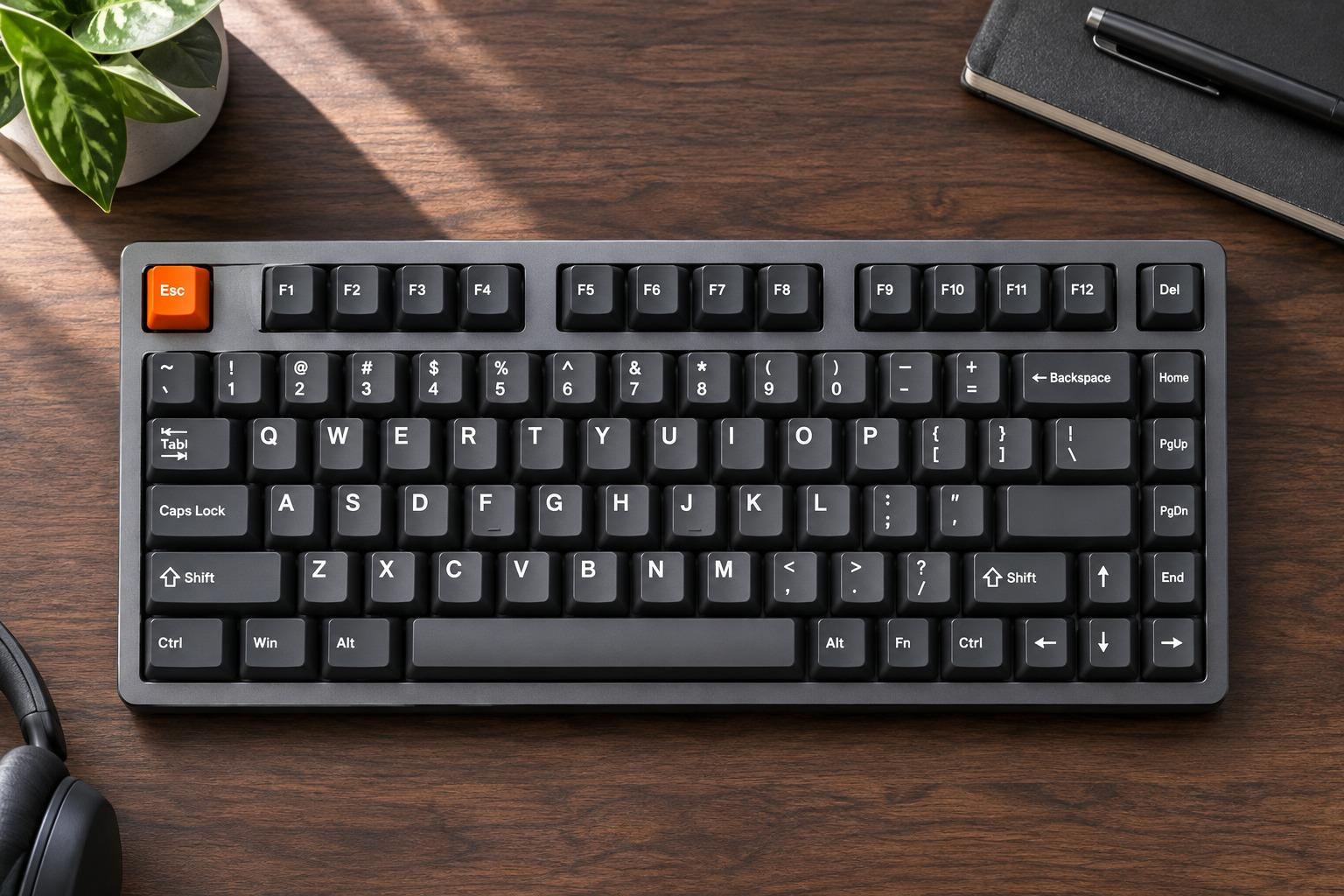
Prompt used for the image above:
"Overhead editorial photograph of an anodized aluminum mechanical keyboard on a dark walnut desk. Keycaps in matte charcoal with a single signal orange Esc key. Soft north-window daylight from the top left, crisp key legends."
Why this prompt works well at "xhigh" quality on Sunburst: mechanical keyboards are a classic stress test for image generators because irregular keycap spacing, warped rows, or smeared legends immediately ruin the shot. Specifying an overhead camera angle, naming the exact housing material (anodized aluminum), isolating a single color accent (single signal orange Esc key), and requesting "xhigh" quality gives the model enough sampling budget to keep the switch grid straight and the keycap legends sharp.
When the submit call succeeds, the API responds with a 200 OK and a JSON envelope containing your job identifier:
{
  "success": true,
  "data": {
    "jobId": "job_01J9X7K3M8P2Q4R6S8T0V2W4Y6",
    "status": "pending"
  }
}
To check the status from your terminal, call GET https://api.e2x.ai/v1/jobs/{jobId} with the same Authorization header:
curl -s https://api.e2x.ai/v1/jobs/job_01J9X7K3M8P2Q4R6S8T0V2W4Y6 \
  -H "Authorization: Bearer $E2X_API_KEY"
When data.status transitions from pending to processing and finally to completed, the finished image URL sits at data.outputs[0].url.
Typography and poster layout at max quality
One of the strongest reasons to choose GPT Image 2.5 Sunburst (xhigh or max) over standard high quality is text rendering inside structured graphic layouts. Posters, book covers, packaging flats, and UI cards require strict baseline alignment and clean letterforms.
Here is the prompt and parameter configuration used to generate a 2:3 Swiss exhibition poster at "2K" resolution and "max" quality ($0.105):
'Minimalist museum poster on textured cotton paper. Centered Swiss grid typography reading "ZURICH DESIGN WERKSCHAU 2026" in bold black grotesque type above a cobalt blue geometric arch.'

Three practical rules make in-image lettering reliable on GPT Image 2.5 Sunburst:
- Put the exact display string in quotation marks. Everything inside the quotes is treated as literal copy to render on the canvas, while the surrounding words describe the typeface (
bold black grotesque type), substrate (textured cotton paper), and placement (Centered Swiss grid typography). - Use
xhighormaxonopenai/gpt-image-2.5-sunburst/text-to-imagewhenever lettering is the focal point. Because E2X billsmaxat the same ×7 multiplier ashigh, requesting"quality": "max"gives the tightest kerning and cleanest stroke edges without increasing your cost. - Choose the final aspect ratio upfront. A poster belongs in
"2:3"or"3:4". Generating in"1:1"and cropping later cuts off margins that the grid layout depends on.
Production TypeScript integration: polling and storage
In a Node.js or TypeScript backend, your integration needs to do three things cleanly: submit the job (routing to Sunburst or Flare depending on the requested quality tier), poll at a reasonable cadence (around 3 seconds matches our worker poll interval), and copy the finished file from E2X's temporary delivery URL into your own S3, R2, or GCS bucket.
Do not skip the download step. The URL returned in data.outputs[0].url is a short-lived delivery link. Storing that string directly in your application database will result in broken images once the delivery object expires.
import { writeFile, mkdir } from "node:fs/promises";
import path from "node:path";

const E2X_BASE_URL = "https://api.e2x.ai/v1";
const API_KEY = process.env.E2X_API_KEY;

if (!API_KEY) {
  throw new Error("Missing E2X_API_KEY environment variable");
}

type GptImageResolution = "1K" | "2K" | "4K";
type GptImageQuality = "low" | "medium" | "high" | "xhigh" | "max";

interface SubmitTextToImageInput {
  prompt: string;
  aspect_ratio?: string;
  resolution?: GptImageResolution;
  quality?: GptImageQuality;
  family?: "sunburst" | "flare";
  webhookUrl?: string;
}

const headers = {
  Authorization: `Bearer ${API_KEY}`,
  "Content-Type": "application/json",
};

export async function submitGptImage25(
  options: SubmitTextToImageInput
): Promise<string> {
  const { webhookUrl, family = "sunburst", ...input } = options;
  const quality = input.quality ?? (family === "sunburst" ? "max" : "high");
  const model =
    family === "flare" && quality !== "xhigh" && quality !== "max"
      ? "openai/gpt-image-2.5-flare/text-to-image"
      : "openai/gpt-image-2.5-sunburst/text-to-image";

  const response = await fetch(`${E2X_BASE_URL}/jobs/submit`, {
    method: "POST",
    headers,
    body: JSON.stringify({
      model,
      input: {
        prompt: input.prompt,
        aspect_ratio: input.aspect_ratio ?? "2:3",
        resolution: input.resolution ?? "2K",
        quality,
      },
      ...(webhookUrl ? { webhookUrl } : {}),
    }),
  });

  if (!response.ok) {
    throw new Error(`Submit failed (${response.status}): ${await response.text()}`);
  }

  const payload = (await response.json()) as { data: { jobId: string } };
  return payload.data.jobId;
}

export async function pollUntilComplete(
  jobId: string,
  timeoutMs = 300_000
): Promise<string> {
  const deadline = Date.now() + timeoutMs;
  let delayMs = 3000;

  while (Date.now() < deadline) {
    await new Promise((resolve) => setTimeout(resolve, delayMs));

    const response = await fetch(`${E2X_BASE_URL}/jobs/${jobId}`, { headers });
    if (!response.ok) {
      throw new Error(`Status check failed with HTTP ${response.status}`);
    }

    const { data } = (await response.json()) as {
      data: {
        status: string;
        outputs?: Array<{ url: string }>;
        error?: { message?: string };
      };
    };

    if (data.status === "completed" && data.outputs?.[0]?.url) {
      return data.outputs[0].url;
    }
    if (data.status === "failed" || data.status === "cancelled") {
      throw new Error(data.error?.message ?? `Job ended in ${data.status}`);
    }

    delayMs = Math.min(Math.round(delayMs * 1.25), 8000);
  }

  throw new Error(`Timed out waiting for job ${jobId}`);
}

async function saveImage(url: string, destination: string): Promise<void> {
  const res = await fetch(url);
  if (!res.ok) throw new Error(`Download failed: HTTP ${res.status}`);
  await mkdir(path.dirname(destination), { recursive: true });
  await writeFile(destination, Buffer.from(await res.arrayBuffer()));
}
If you prefer using a prebuilt client rather than writing raw fetch wrappers, check the E2X SDKs page for official packages and configuration examples.
Switching to webhooks for batch workloads
All GPT Image 2.5 Sunburst and Flare endpoints support a concurrency limit of 100 active jobs per account, alongside rate ceilings of 100 calls per minute, 5,000 calls per hour, and 50,000 calls per day. When you run close to 100 jobs in parallel, holding open 100 in-memory polling loops ties up worker processes and makes deployments fragile.
Passing webhookUrl at the root of the /v1/jobs/submit body eliminates the polling loop. As soon as the job reaches completed, failed, or cancelled, E2X sends an HTTP POST notification to your server:
curl -X POST https://api.e2x.ai/v1/jobs/submit \
  -H "Authorization: Bearer $E2X_API_KEY" \
  -H "Content-Type: application/json" \
  -d '{
    "model": "openai/gpt-image-2.5-sunburst/text-to-image",
    "input": {
      "prompt": "Overhead editorial photograph of an anodized aluminum mechanical keyboard on a dark walnut desk. Keycaps in matte charcoal with a single signal orange Esc key. Soft north-window daylight from the top left, crisp key legends.",
      "aspect_ratio": "3:2",
      "resolution": "1K",
      "quality": "xhigh"
    },
    "webhookUrl": "https://api.yourcompany.com/webhooks/e2x-image"
  }'
In your webhook handler, record the incoming jobId, verify the state by calling GET /v1/jobs/{jobId} with your API key, download the image from data.outputs[0].url into your permanent object store, and mark the database row complete.
Editing and compositing with openai/gpt-image-2.5-sunburst/edit-image and flare/edit-image
When you already have a product photo, packaging layout, or architectural render and need to modify specific regions or combine multiple references, switch the model slug to openai/gpt-image-2.5-sunburst/edit-image (or openai/gpt-image-2.5-flare/edit-image for standard low / medium / high tiers).
The pricing matches text-to-image (1K is $0.0525, 2K is $0.105, 4K is $0.1575), and two schema rules change:
image_urlsis required. Pass an array of one or more publicly reachable HTTPS URLs pointing to your source images.- The
promptceiling expands to 50,000 characters. That extra space (up from 32,000 ontext-to-image) lets automated catalog pipelines pass full OCR transcripts, strict brand color constraints, and per-reference placement rules without hitting a length error.
Here is a curl request that passes two source images in image_urls and composites them on Sunburst at "1K" resolution and "max" quality ($0.0525):
curl -X POST https://api.e2x.ai/v1/jobs/submit \
  -H "Authorization: Bearer $E2X_API_KEY" \
  -H "Content-Type: application/json" \
  -d '{
    "model": "openai/gpt-image-2.5-sunburst/edit-image",
    "input": {
      "prompt": "Place the brushed titanium chronograph watch from image 1 onto the wet dark slate surface from image 2. Preserve the exact dial markings, hands, and bezel knurling from image 1, and match the cool cyan rim reflections from image 2.",
      "image_urls": [
        "https://your-cdn.example.com/catalog/chronograph-cutout.png",
        "https://your-cdn.example.com/backdrops/wet-slate-studio.jpg"
      ],
      "aspect_ratio": "1:1",
      "resolution": "1K",
      "quality": "max"
    }
  }'
When writing prompts for edit-image, state explicitly what should change and what must stay locked, and refer to your inputs by their 1-based position in image_urls (image 1, image 2). We cover multi-image indexing, packaging label replacement, and 50K prompt templates in detail in our GPT Image 2.5 multi-image editing guide.
How GPT Image 2.5 fits into the E2X model catalog
You can browse every image model we host in the E2X model catalog or filter specifically by the text-to-image category and image-to-image category. Because every model on E2X shares the same /v1/jobs/submit contract, switching between OpenAI and Google models only requires changing the model string and matching the casing of resolution.
- Pick GPT Image 2.5 Sunburst (
1Kat$0.0525,4Kat$0.1575) when you want OpenAI's prompt adherence and typography rendering paired with all five quality tiers (low,medium,high,xhigh, andmax) andaspect_ratio: "auto". - Pick GPT Image 2.5 Flare (
1Kat$0.0525,4Kat$0.1575) when your pipeline standardizes on the three core quality tiers (low,medium, andhigh) across1K,2K, and4Kresolutions. - Pick GPT Image 2 (
1Kat$0.0525,4Kat$0.1575) when your pipeline requires native alpha-channel PNG cutouts viabackground: "transparent". - Pick Google Nano Banana 2.1 (
1Kat$0.03,2Kat$0.04,4Kat$0.09) when you need the lowest 4K generation price on E2X or extreme panoramic ratios like8:1and1:8. - Pick Google Nano Banana Pro (
1K/2Kat$0.075,4Kat$0.15) when you need multi-reference character consistency separated by role.
Frequently asked questions
What is the difference between GPT Image 2.5 Sunburst and GPT Image 2.5 Flare?
Both families support 1K, 2K, and 4K resolutions at the exact same E2X price ($0.0525 at 1K, $0.105 at 2K, $0.1575 at 4K). GPT Image 2.5 Sunburst (openai/gpt-image-2.5-sunburst/text-to-image and openai/gpt-image-2.5-sunburst/edit-image) exposes all five quality tiers: low, medium, high, xhigh, and max. GPT Image 2.5 Flare (openai/gpt-image-2.5-flare/text-to-image and openai/gpt-image-2.5-flare/edit-image) exposes the three standard quality tiers: low, medium, and high.
Why do xhigh and max cost the same as low and high on E2X?
In E2X's pricing schema for openai/gpt-image-2.5-sunburst/text-to-image and openai/gpt-image-2.5-sunburst/edit-image, all five quality values (low, medium, high, xhigh, max) map to the same ×7 multiplier against the $0.0075 discounted base cost. That gives you $0.0525 (1K), $0.105 (2K), and $0.1575 (4K) across every quality setting on both Sunburst and Flare.
What is the difference between the text-to-image and edit-image endpoints?
openai/gpt-image-2.5-sunburst/text-to-image (and openai/gpt-image-2.5-flare/text-to-image) generates new images from a text prompt alone (32,000-character limit). openai/gpt-image-2.5-sunburst/edit-image (and openai/gpt-image-2.5-flare/edit-image) requires both prompt (50,000-character limit) and image_urls (source image URLs) to edit, restyle, or composite existing visuals. All endpoints share the exact same pricing and rate limits.