E2X OpenAI GPT Image 2.6 API 完全指南:Sunburst 与 Flare、原生 GIF/SVG 生成、最高 4K 仅需 $0.0525 起
OpenAI 最新一代旗舰图像生成与编辑模型家族 GPT Image 2.6 现已正式上线 E2X API 的四大生产级端点:主打深度空间推理并支持五档画质(low、medium、high、xhigh、max)的旗舰版 GPT Image 2.6 Sunburst(/models/openai/gpt-image-2.6-sunburst/text-to-image 与 /models/openai/gpt-image-2.6-sunburst/edit-image),以及专为低延迟、高吞吐生产环境打造的极速版 GPT Image 2.6 Flare(/models/openai/gpt-image-2.6-flare/text-to-image 与 /models/openai/gpt-image-2.6-flare/edit-image)。
得益于 E2X 全场常驻的 75% 折扣与统一的 ×7 画质倍率,在 E2X 上调用 1K 分辨率仅需 $0.0525(52500 微美分),2K 分辨率仅需 $0.105(105000 微美分),4K 分辨率仅需 $0.1575(157500 微美分)。更重要的是,无论你选择 low、medium 还是顶级的 xhigh 与 max 画质档位,价格完全一致,无需为最高画质支付任何额外溢价。
GPT Image 2.6 带来了三大颠覆性的架构升级:
- 原生动态
.gif与矢量.svg直接输出:在text-to-image接口中将output_format设为"gif"或"svg",即可直接从文本提示词生成流畅循环的多帧 GIF 动图或干净的可缩放矢量路径(<svg>),彻底告别繁琐的视频转 GIF 或第三方矢量化工具链。 - 多达 16 张参考图的多图协同编辑:
edit-image接口的image_urls上限从上一代的 10 张大幅提升至 16 张,配合长达50,000字符的编辑提示词,轻松实现多角色一致性保持、电商多商品组合拍摄与包装标签精准替换。 - 15 种原生画幅比例与 1K/2K/4K 分辨率:全面覆盖从
"1:1"正方形到"21:9"、"3:1"超宽横幅及"9:21"、"1:3"超长竖版的 15 种画幅比例。
本文将全面解析 E2X 的微美分计费公式、四大端点的完整参数规范、真实生成的图片与 GIF 动图作品集(附完整 Prompt),以及 Python、TypeScript 与 curl 生产环境接入代码。
E2X 上的 GPT Image 2.6 四大端点概览
你可以根据业务对推理深度或响应速度的需求,在 Sunburst 与 Flare 两个变体之间自由切换:
| 模型变体 | 任务类型 | E2X 模型路由标识 | 支持画质档位 (quality) | 支持输出格式 (output_format) | 核心适用场景 |
|---|---|---|---|---|---|
| GPT Image 2.6 Sunburst | 文生图 (Text-to-Image) | openai/gpt-image-2.6-sunburst/text-to-image | low, medium, high, xhigh, max | png, jpeg, webp, gif, svg | 多行精准排版海报、工程蓝图、4K 商业广告大图、原生 GIF/SVG 生成 |
| GPT Image 2.6 Sunburst | 多图编辑 (Edit-Image) | openai/gpt-image-2.6-sunburst/edit-image | low, medium, high, xhigh, max | png, jpeg, webp | 最多 16 张参考图融合、产品瓶身标签改字、电影级重打光 |
| GPT Image 2.6 Flare | 文生图 (Text-to-Image) | openai/gpt-image-2.6-flare/text-to-image | low, medium, high | png, jpeg, webp, gif, svg | 实时交互式设计工具、高频 A/B 测试、社交媒体动态 GIF 吉祥物 |
| GPT Image 2.6 Flare | 多图编辑 (Edit-Image) | openai/gpt-image-2.6-flare/edit-image | low, medium, high | png, jpeg, webp | 电商海量 SKU 背景批量替换、最多 16 张参考图快速合成 |
GPT Image 2.6 Sunburst 在发布首日即登顶 Design Arena 文生图排行榜全球第一(#1),在绘制前空间布局规划与微观材质(如皮肤次表面散射、拉丝金属雕刻)方面表现卓越;而 GPT Image 2.6 Flare 的生成速度比上一代 2.5 Flare 提升了 2 至 2.5 倍(在 low 档位下仅需约 6 秒),非常适合对延迟敏感的实时应用。
定价机制解析:为什么 xhigh 和 max 画质也只需 $0.0525?
在上游 OpenAI API 或其他按阶梯倍率计费的平台上,将画质从 low 提升到 xhigh 或 max 往往意味着费用翻倍甚至暴涨至 12x(单张高达 $0.90)。
而在 E2X 上,所有四个 GPT Image 2.6 端点均采用透明的固定倍率计费:官方列表基础价为 $0.03(30,000 微美分),享受 E2X 常驻 75% 折扣后折后基础价为 $0.0075(7,500 微美分),随后仅乘以以下两个系数:
- 画质系数(
quality):low、medium(默认)、high、xhigh、max五个档位全部统一采用×7倍率,即$0.0075 × 7 = $0.0525。 - 分辨率系数(
resolution):"1K"(默认)为×1,"2K"为×2,"4K"为×3。
分辨率 (resolution) | 计费公式 | E2X 列表原价 ($0.03 × 7) | E2X 75% 折后价 | API 微美分 (micro_cents) | fal.ai 按需参考价 (high) | E2X 节省比例 |
|---|---|---|---|---|---|---|
1K(默认) | $0.0075 × 7 × 1 | $0.2100 | $0.0525 | 52500 | $0.211 | 立省 75% |
2K | $0.0075 × 7 × 2 | $0.4200 | $0.1050 | 105000 | $0.222 | 立省 53% |
4K | $0.0075 × 7 × 3 | $0.6300 | $0.1575 | 157500 | $0.401 | 立省 61% |
※ 所有画质档位均享相同的 ×7 倍率。最新费率请随时查阅 E2X 定价页面。
这意味着在 E2X 上你完全不需要为了省钱而降低 quality 档位。调用 Sunburst 时建议直接固定使用 "xhigh" 或 "max"。
完整输入参数规范与 Schema 说明
所有请求均通过 POST https://api.e2x.ai/v1/jobs/submit 提交:
| 参数名 | 适用端点 | 类型 | 必填 | 默认值 | 允许取值与限制说明 |
|---|---|---|---|---|---|
prompt | 所有端点 | string | 是 | — | text-to-image 最高 32,000 字符;edit-image 最高 50,000 字符。 |
image_urls | 仅 edit-image | string[] | 是 | — | 包含 1 至 16 张公开可访问 HTTPS 图像 URL 的数组。 |
quality | 所有端点 | string | 否 | "medium" | Sunburst: "low", "medium", "high", "xhigh", "max";Flare: "low", "medium", "high"。 |
resolution | 所有端点 | string | 否 | "1K" | "1K", "2K", "4K"(必须使用大写字母 K)。 |
aspect_ratio | 所有端点 | string | 否 | "1:1" | "1:1", "1:2", "2:1", "1:3", "3:1", "2:3", "3:2", "3:4", "4:3", "4:5", "5:4", "9:16", "16:9", "9:21", "21:9"(共 15 种)。 |
output_format | 所有端点 | string | 否 | "png" | text-to-image: "png", "jpeg", "webp", "gif", "svg";edit-image: "png", "jpeg", "webp"。 |
complexity | 上游扩展参数 | string | 否 | "medium" | "low", "medium", "high"。控制绘制前的空间布局与排版推理深度。 |
frame_count | GIF 模式 (output_format: "gif") | integer | 否 | 8 | 2 至 16 帧,控制多帧循环动图的帧数。 |
frame_duration_ms | GIF 模式 (output_format: "gif") | integer | 否 | 140 | 20 至 2000 毫秒,控制单帧停留时长。 |
视觉与原生 GIF 动图画廊(真实生成作品与完整 Prompt)
以下作品全部由 E2X 上的 GPT Image 2.6 端点真实生成,你可以直接复制对应的 Prompt 进行测试:
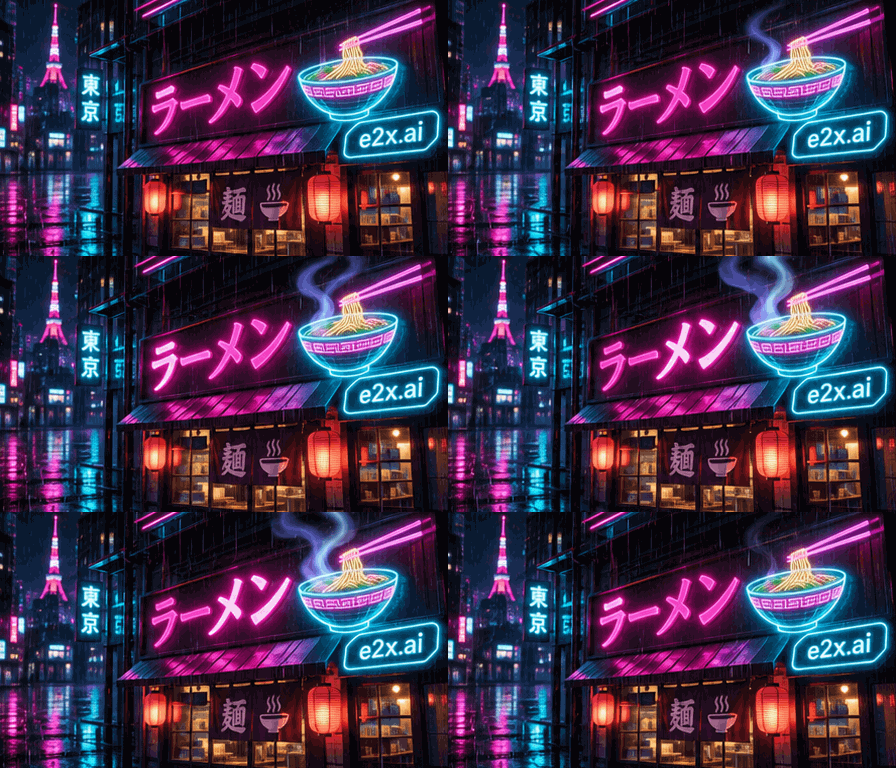
1. Sunburst 原生多帧 GIF 动图生成(东京赛博朋克拉面霓虹招牌)
通过 openai/gpt-image-2.6-sunburst/text-to-image 设置 output_format: "gif"、frame_count: 9、frame_duration_ms: 140 直接生成的循环动图。全息面碗升腾的蒸汽、雨夜闪烁的洋红与青色霓虹倒影,以及清晰锐利的 "e2x.ai" 徽标在一次调用中完美成型。
生成 Prompt:
A glowing neon cyberpunk ramen shop sign at night in Tokyo with animated rising steam from a holographic noodle bowl, flickering magenta and cyan rain reflections, and crisp neon badge reading "e2x.ai", smooth looping multi-frame animation
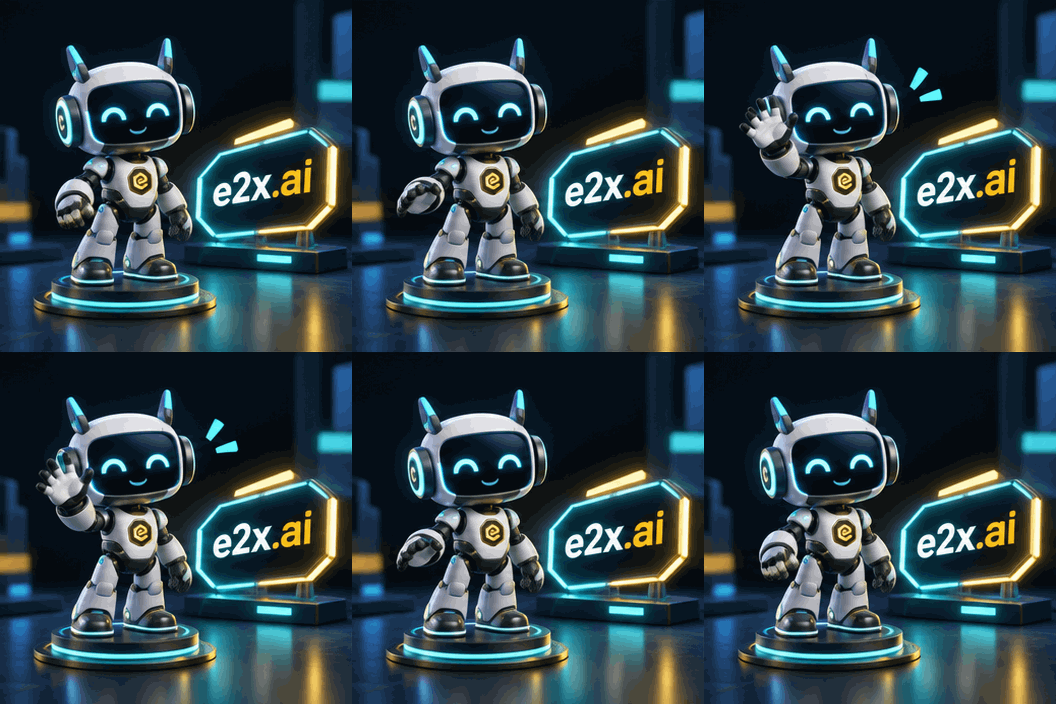
2. Flare 极速 GIF 动图生成(挥手致意的 3D 赛博机器人吉祥物)
通过 openai/gpt-image-2.6-flare/text-to-image 设置 output_format: "gif"、aspect_ratio: "1:1" 生成的等距视角 3D 吉祥物动图。
生成 Prompt:
A cute 3D isometric cyber-robot mascot character waving cheerfully beside a glowing cyan and gold neon badge reading "e2x.ai" in a sleek dark studio, smooth looping animation
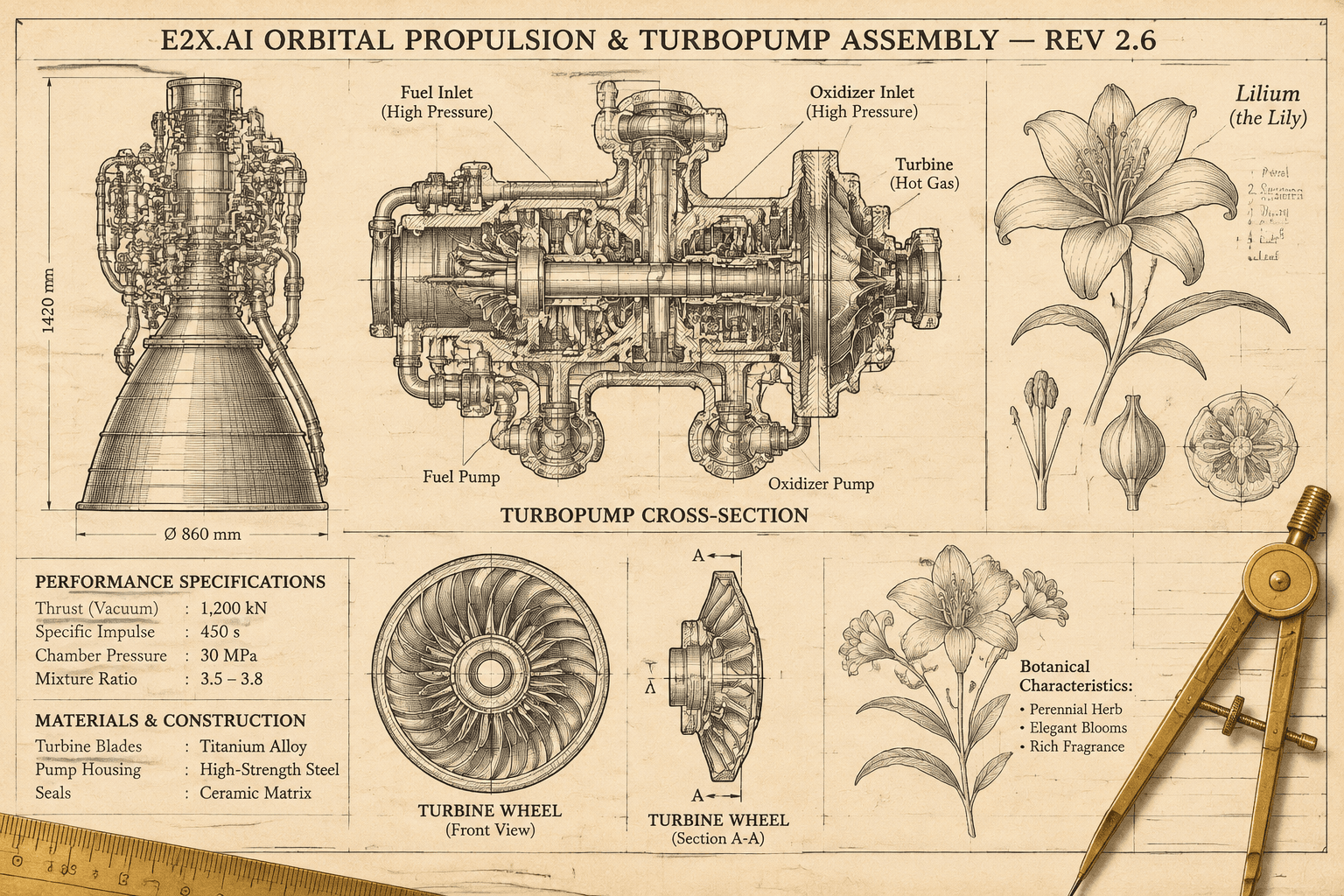
3. 超高密度空间文字排版与复古航天推进器蓝图海报
展现 GPT Image 2.6 Sunburst 登顶 Design Arena 榜首的排版硬实力:多行技术标题 "E2X.AI ORBITAL PROPULSION & TURBOPUMP ASSEMBLY — REV 2.6" 与精密的涡轮剖面图、引线标注零拼写错误。
生成 Prompt:
Intricate vintage aerospace propulsion blueprint and botanical encyclopedia poster on aged cream archival paper with crisp multi-line technical typography reading "E2X.AI ORBITAL PROPULSION & TURBOPUMP ASSEMBLY — REV 2.6", detailed cross-section turbine diagrams, callout labels, and brass drafting compasses
4. 电影级写实人像与皮肤次表面散射(Subsurface Scattering)
精准还原 85mm f/1.4 大光圈浅景深、睫毛上的雨滴、真实的皮肤微纹理、耳廓透出的温暖琥珀色次表面散射(SSS),以及领口微光闪烁的 "e2x.ai" 青色徽章。
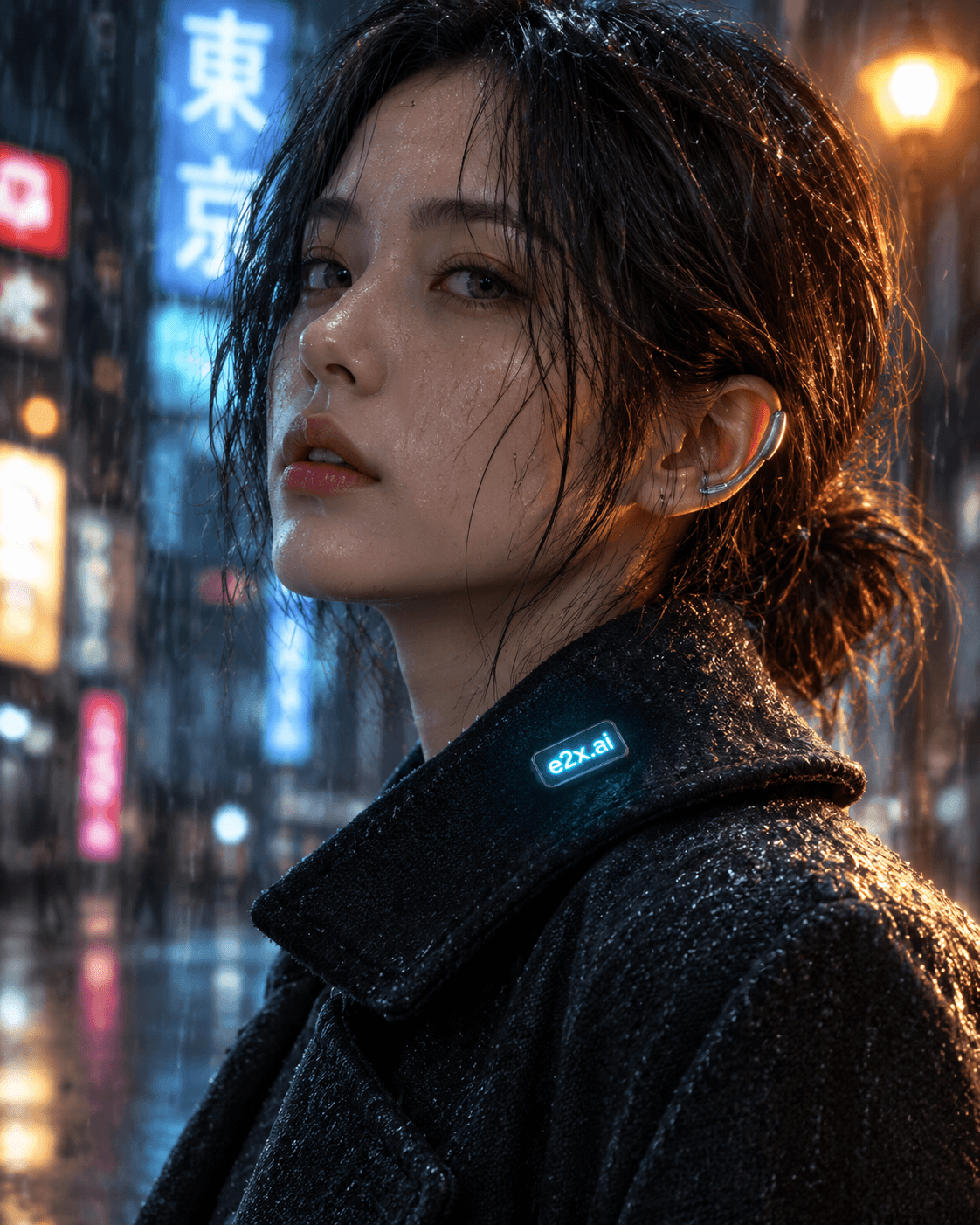
生成 Prompt:
Editorial close-up portrait of a cybernetic artisan in rain-soaked dark wool coat under neon Tokyo streetlamps, natural skin micro-texture, water droplets on eyelashes, warm amber subsurface scattering on the ear, and a subtle glowing cyan collar pin reading "e2x.ai", shallow depth of field 85mm f/1.4 lens
5. 多图参考编辑(Before / After):锁定瓶身几何结构并替换烫金标签与火山岩场景
向 openai/gpt-image-2.6-sunburst/edit-image 传入白底棚拍原图(Before),在 100% 保持磨砂祖母绿玻璃瓶身与拉丝黄铜滴管盖不变的前提下,将标签文字替换为 "E2X.AI NIGHT SERUM 2.6" 浮雕烫金衬线体,并置入湿润黑玄武岩与发光生物苔藓场景中(After)。
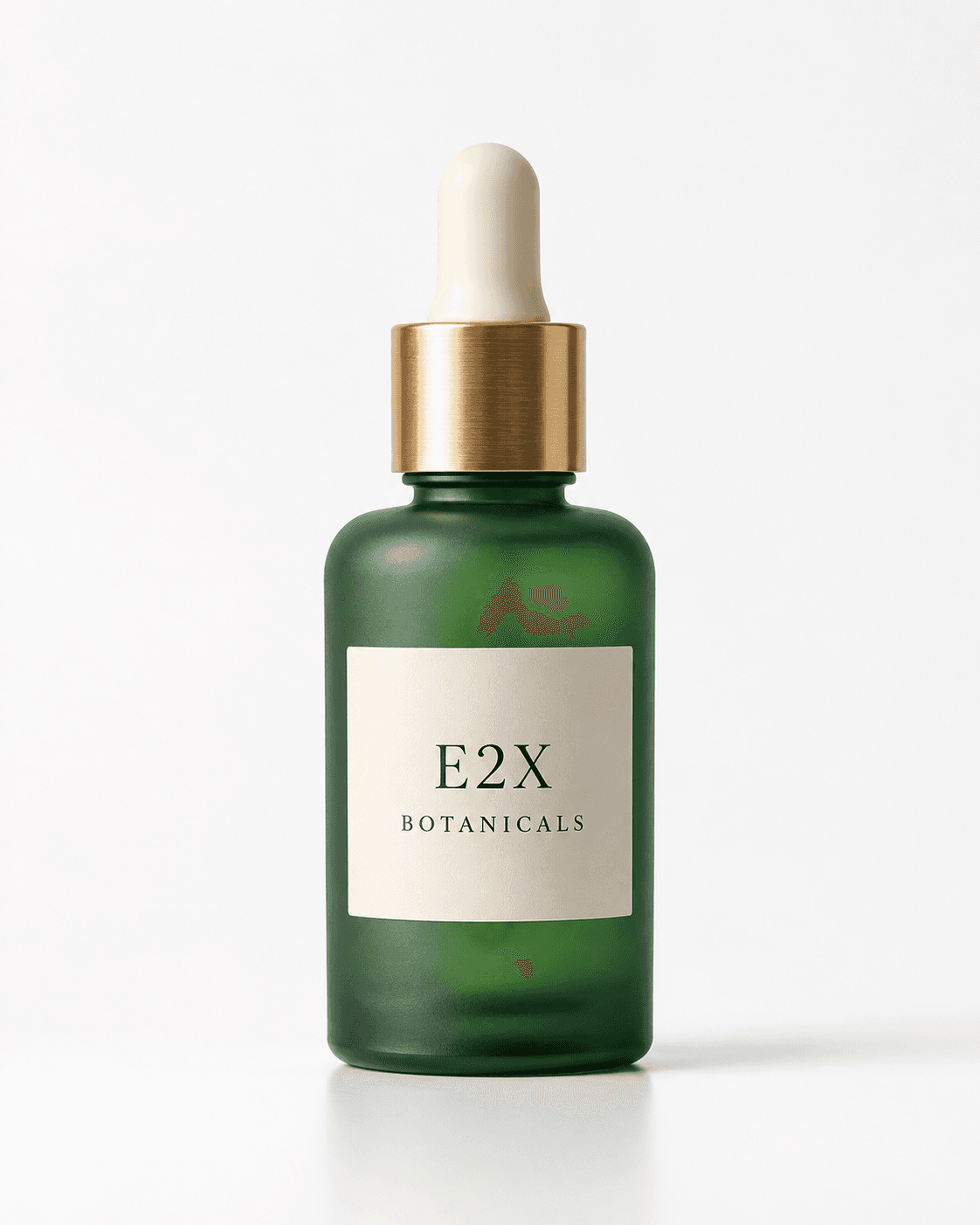
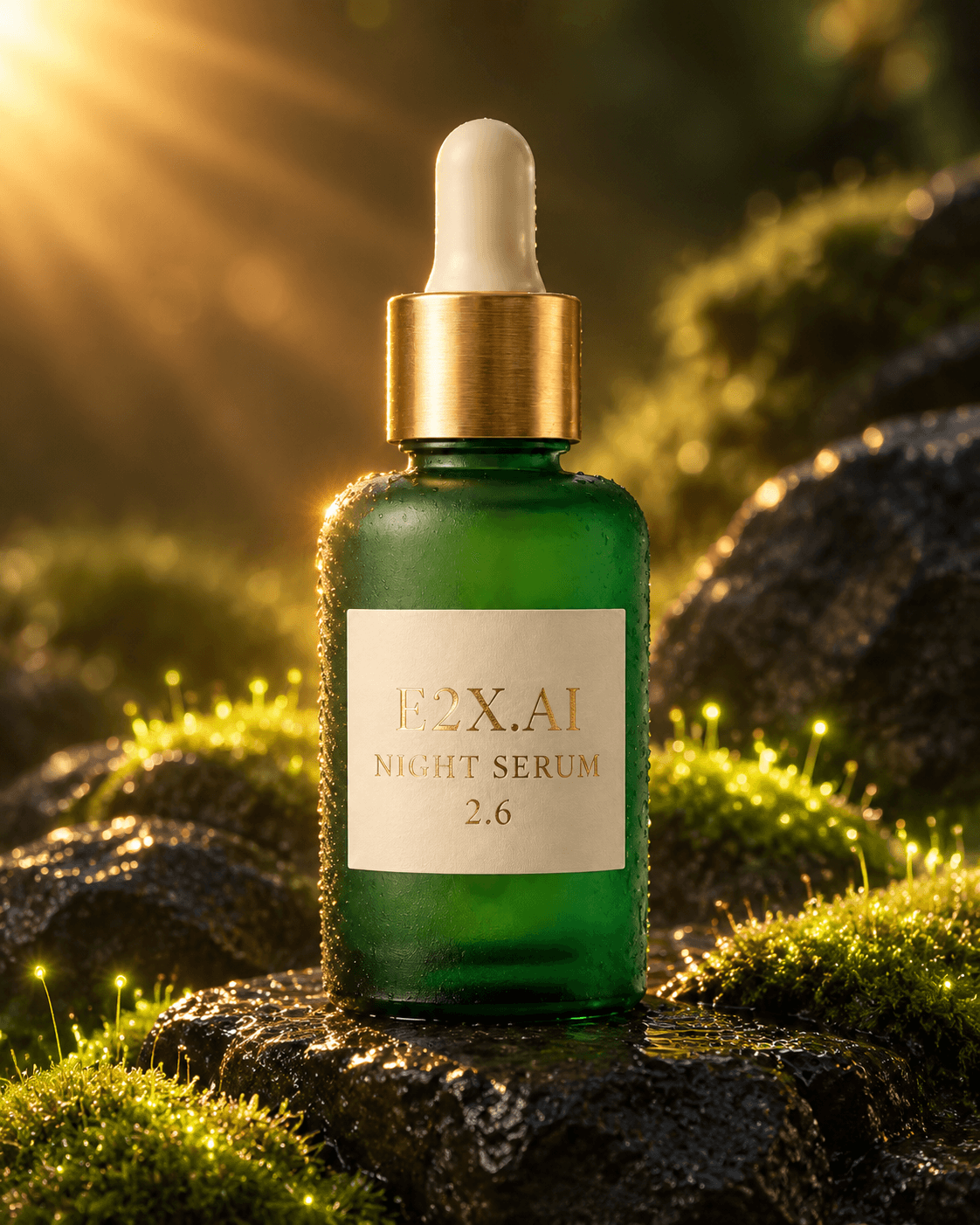
编辑 Prompt (edit-image):
Keep the exact frosted emerald glass botanical elixir bottle and brushed brass dropper cap from image 1 unchanged. Change the label text to read "E2X.AI NIGHT SERUM 2.6" in embossed gold foil serif lettering, and place the bottle on wet black volcanic basalt stones surrounded by glowing bioluminescent moss and warm golden sunburst rim lighting.
实战接入代码示例:cURL、TypeScript 与 Python
1. 使用 cURL 调用 Sunburst 文生图(quality: "max")
curl -X POST https://api.e2x.ai/v1/jobs/submit \
  -H "Authorization: Bearer $E2X_API_KEY" \
  -H "Content-Type: application/json" \
  -d '{
    "model": "openai/gpt-image-2.6-sunburst/text-to-image",
    "input": {
      "prompt": "Intricate vintage aerospace propulsion blueprint and botanical encyclopedia poster on aged cream archival paper with crisp multi-line technical typography reading \"E2X.AI ORBITAL PROPULSION & TURBOPUMP ASSEMBLY — REV 2.6\", detailed cross-section turbine diagrams, callout labels, and brass drafting compasses",
      "aspect_ratio": "3:2",
      "resolution": "2K",
      "quality": "max",
      "output_format": "png"
    }
  }'
2. 使用 TypeScript 生成原生 GIF 动图并轮询结果
const E2X_API_KEY = process.env.E2X_API_KEY!;

export async function createAnimatedGif(): Promise<string[]> {
  const submitRes = await fetch("https://api.e2x.ai/v1/jobs/submit", {
    method: "POST",
    headers: {
      Authorization: `Bearer ${E2X_API_KEY}`,
      "Content-Type": "application/json",
    },
    body: JSON.stringify({
      model: "openai/gpt-image-2.6-sunburst/text-to-image",
      input: {
        prompt:
          'A glowing neon cyberpunk ramen shop sign at night in Tokyo with animated rising steam from a holographic noodle bowl, flickering magenta and cyan rain reflections, and crisp neon badge reading "e2x.ai", smooth looping multi-frame animation',
        aspect_ratio: "16:9",
        resolution: "1K",
        quality: "xhigh",
        output_format: "gif",
      },
    }),
  });

  if (!submitRes.ok) {
    throw new Error(`Submit failed: ${submitRes.status} ${await submitRes.text()}`);
  }

  const { jobId } = (await submitRes.json()) as { jobId: string };

  while (true) {
    await new Promise((resolve) => setTimeout(resolve, 3000));
    const statusRes = await fetch(
      `https://api.e2x.ai/v1/jobs/status?jobId=${encodeURIComponent(jobId)}`,
      { headers: { Authorization: `Bearer ${E2X_API_KEY}` } }
    );
    const data = await statusRes.json();

    if (data.status === "COMPLETED") {
      return data.output?.images ?? data.urls ?? [];
    }
    if (data.status === "FAILED" || data.status === "CANCELLED") {
      throw new Error(`Job failed: ${JSON.stringify(data.error)}`);
    }
  }
}
3. 使用 Python 进行最多 16 张参考图的多图编辑 (edit-image)
import os
import time
import requests

API_KEY = os.environ["E2X_API_KEY"]
HEADERS = {
    "Authorization": f"Bearer {API_KEY}",
    "Content-Type": "application/json",
}

def edit_product_with_references(image_urls: list[str], prompt: str) -> dict:
    payload = {
        "model": "openai/gpt-image-2.6-sunburst/edit-image",
        "input": {
            "prompt": prompt,
            "image_urls": image_urls[:16],  # 最多支持 16 张参考图
            "aspect_ratio": "4:5",
            "resolution": "2K",
            "quality": "max",
            "output_format": "png",
        },
    }
    res = requests.post(
        "https://api.e2x.ai/v1/jobs/submit",
        headers=HEADERS,
        json=payload,
        timeout=30,
    )
    res.raise_for_status()
    job_id = res.json()["jobId"]

    while True:
        time.sleep(3)
        status_res = requests.get(
            "https://api.e2x.ai/v1/jobs/status",
            headers=HEADERS,
            params={"jobId": job_id},
            timeout=15,
        )
        status_res.raise_for_status()
        data = status_res.json()
        if data["status"] == "COMPLETED":
            return data
        if data["status"] in ("FAILED", "CANCELLED"):
            raise RuntimeError(f"Edit job failed: {data}")
常见问题解答 (FAQ)
GPT Image 2.6 Sunburst 与 GPT Image 2.6 Flare 有什么区别?
openai/gpt-image-2.6-sunburst/text-to-image 是主打深度空间推理与极致微观细节的旗舰模型,提供 low、medium、high、xhigh、max 五档画质;而 openai/gpt-image-2.6-flare/text-to-image 则针对高并发、低延迟场景进行了专门加速,提供 low、medium、high 三档画质,生成速度比上一代快达 2.5 倍(low 档约 6 秒)。
在 E2X 上开启 xhigh 或 max 画质会额外收费吗?
不会。E2X 对所有画质档位(low 到 max)均采用统一的 ×7 倍率,因此 1K 分辨率下无论选择哪一档画质,统一定价均为 $0.0525(52500 微美分),2K 为 $0.105,4K 为 $0.1575。
如何直接生成动态 GIF 或矢量 SVG 文件?
只需在调用 openai/gpt-image-2.6-sunburst/text-to-image 或 openai/gpt-image-2.6-flare/text-to-image 时,将 input.output_format 设为 "gif" 或 "svg" 即可。
edit-image 接口最多支持传入多少张参考图片?
GPT Image 2.6 的 edit-image 接口支持在 image_urls 数组中传入最多 16 张公开 HTTPS 图像链接,并支持长达 50,000 字符的编辑提示词。