GPT Image 2.6 Flare Image Editing and 16-Reference API on E2X
GPT Image 2.6 Flare edit-image is OpenAI's high-speed reference-conditioned image editing and multi-image compositing endpoint on E2X, available at openai/gpt-image-2.6-flare/edit-image. Pass up to 16 reference images in image_urls (expanded from 10 in GPT Image 2.5) alongside a natural-language instruction up to 50,000 characters, and the model updates product labels, restyles environments, or composites multiple assets into a cohesive scene at up to 2×–2.5× the speed of 2.5 Flare. With our standing 75% discount, a 1K edit bills $0.0525 per output image across 1K, 2K, and 4K resolutions with three quality tiers (low, medium, high), 75% below the $0.211 high-tier benchmark on fal.ai.
When an edit requires the heavier xhigh or max quality tiers for micro-engraved packaging copy or dense technical diagrams, call GPT Image 2.6 Sunburst edit-image at the exact same $0.0525 (1K) rate. Generating from a text prompt alone—or creating native animated .gif (output_format: "gif") and vector .svg (output_format: "svg") files without source images? Use GPT Image 2.6 Flare text-to-image (Sunburst text-to-image) instead.
Visual and animated GIF showcase gallery
Below are real reference-conditioned before/after edits, automotive scene transformations, 16-reference markup workflows, and companion animated .gif outputs generated with the GPT Image 2.6 family on E2X (assets.e2x.ai).
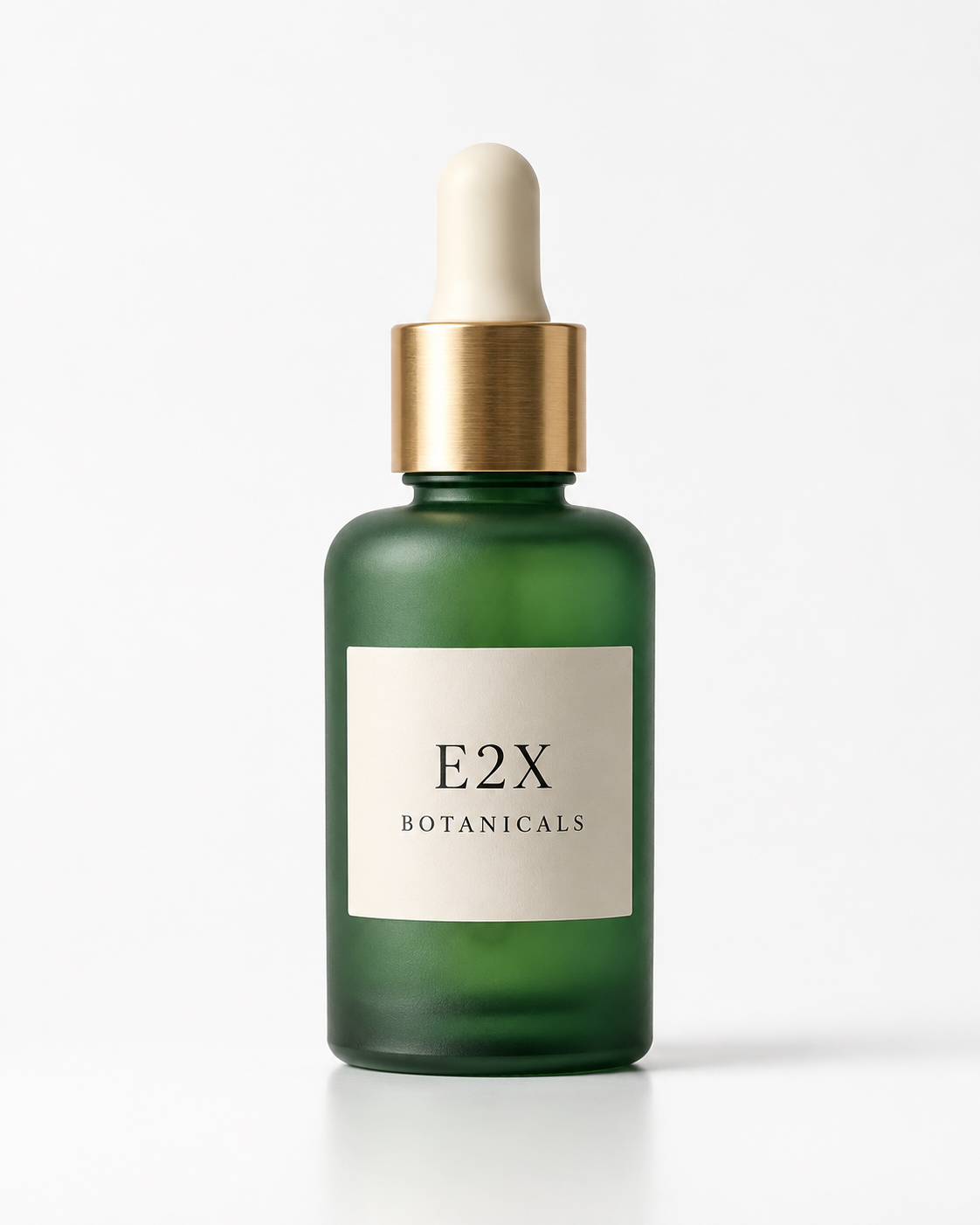
- Source Reference (
image_urls[0]): 1122×1402 (4:5 studio packshot)
- Source Generation Prompt:
"Clean studio packshot of a frosted emerald glass botanical elixir bottle with a brushed brass dropper cap resting on a plain white cyclorama table, minimalist cream paper label reading \"E2X BOTANICALS\" in fine black serif type, soft neutral lighting"
After: reference-locked scene relighting and embossed foil typography
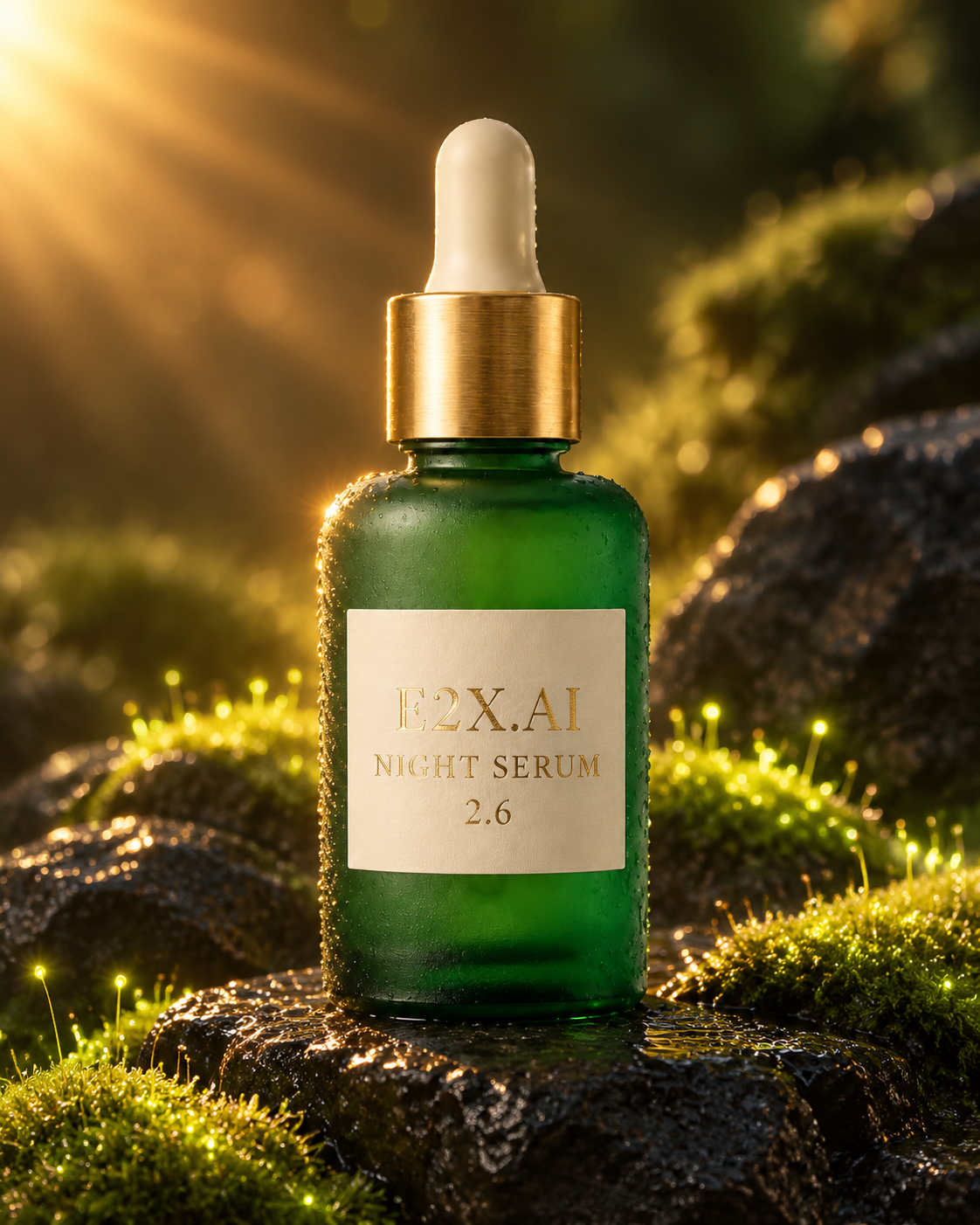
- Endpoint:
openai/gpt-image-2.6-flare/edit-image (aspect_ratio: "4:5", 1122×1402)
- Edit Prompt:
"Keep the exact frosted emerald glass botanical elixir bottle and brushed brass dropper cap from image 1 unchanged. Change the label text to read \"E2X.AI NIGHT SERUM 2.6\" in embossed gold foil serif lettering, and place the bottle on wet black volcanic basalt stones surrounded by glowing bioluminescent moss and warm golden sunburst rim lighting."
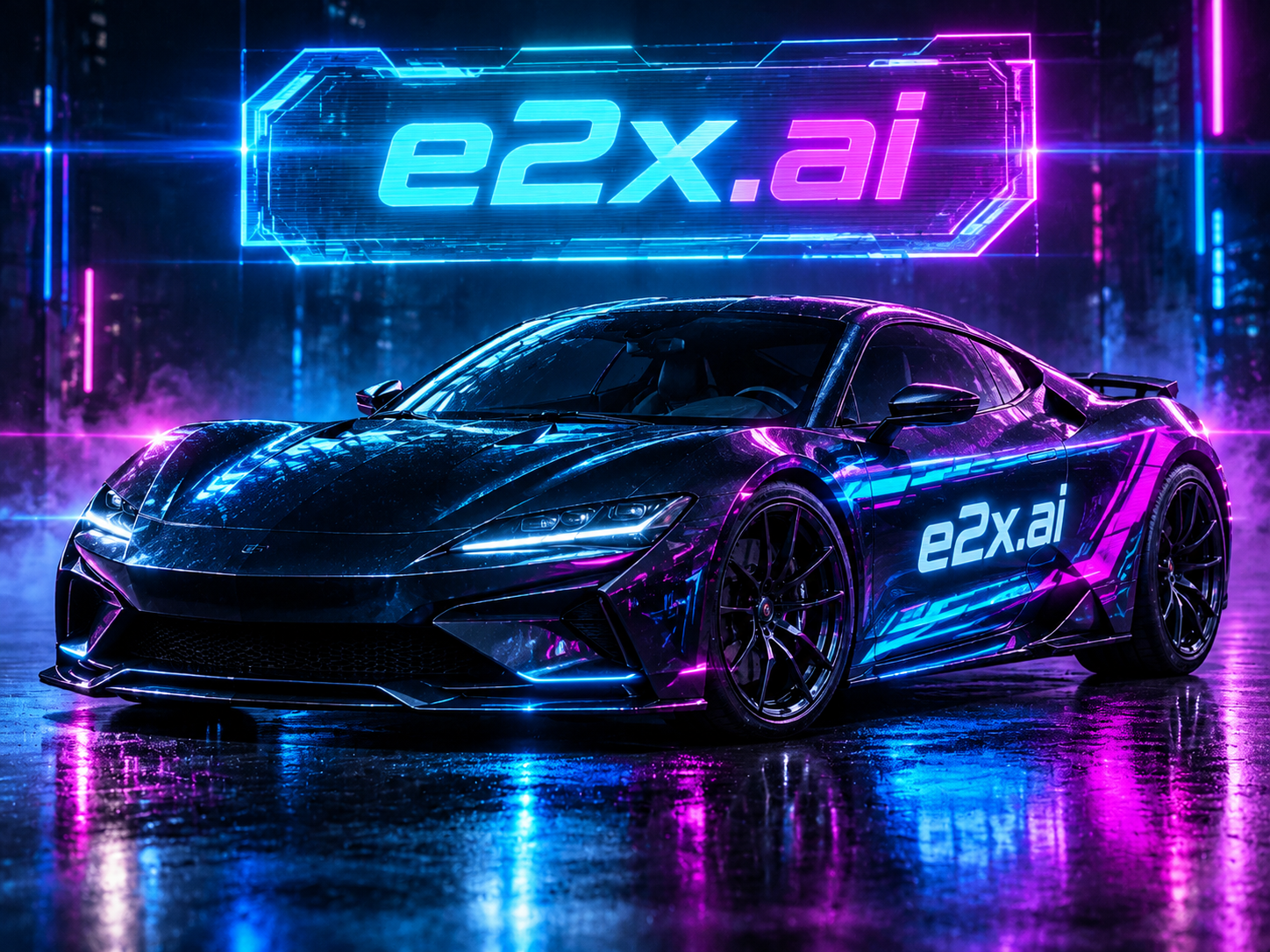
- Endpoint:
openai/gpt-image-2.6-flare/edit-image (aspect_ratio: "1:1", resolution: "1K", quality: "high")
- Edit Prompt:
"Transform this studio sports car scene into a high-contrast cyberpunk night showcase: add a glowing holographic neon marquee sign directly above the car and crisp illuminated custom livery on the door reading \"e2x.ai\" in bold legible lettering, bathed in electric cyan-blue and magenta anamorphic lens flares with neon reflections on wet asphalt."
16-reference multi-image compositing and visual markup guidance
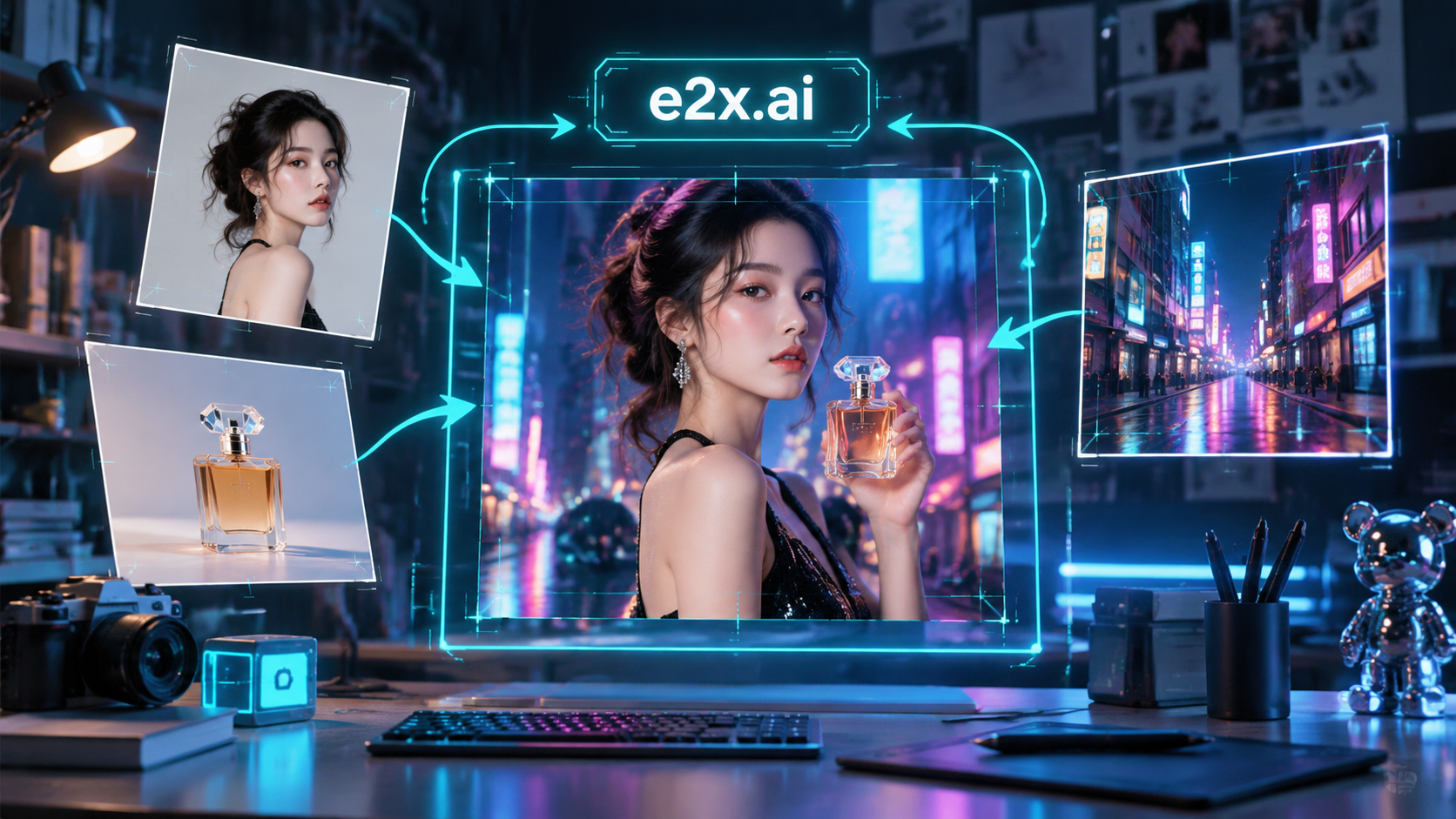
- Concept Showcase (
16:9, 1672×941): Combining character, product, and environment references with visual markup arrows and bounding boxes.
- Prompt:
"High-tech creative art direction studio workbench displaying floating reference photographs of a character, a luxury perfume bottle, and a neon street backdrop converging into a central master composite frame with glowing cyan markup annotation arrows, bounding boxes, and a crisp label reading \"e2x.ai\""
Companion text-to-image animated GIF (output_format: "gif")
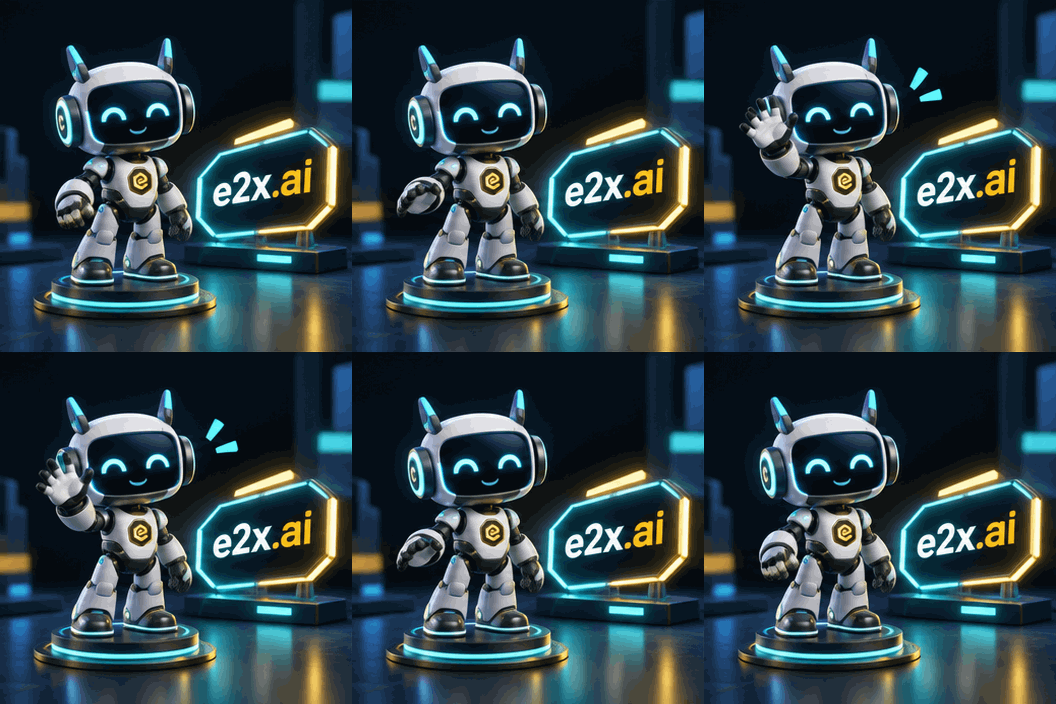
- Sibling Endpoint:
openai/gpt-image-2.6-flare/text-to-image (output_format: "gif", aspect_ratio: "1:1", 352×352)
- Prompt:
"A cute 3D isometric cyber-robot mascot character waving cheerfully beside a glowing cyan and gold neon badge reading \"e2x.ai\" in a sleek dark studio, smooth looping animation"
Per-edit pricing across resolution and quality tiers
Each edit request on openai/gpt-image-2.6-flare/edit-image begins with a $0.03 list base rate (30,000 micro-cents) that our 75% global discount brings down to $0.0075 (7,500 micro-cents) before applying two parameter coefficients:
resolution factor: 1K (default) = ×1, 2K = ×2, 4K = ×3.quality factor: low, medium (default), and high each carry a ×7 coefficient.
Because all three quality options multiply the $0.0075 discounted base by 7 ($0.0075 × 7 = $0.0525 at 1K), resolution is the sole cost lever. You can run high quality for the exact same price as low, or choose low when you want the fastest turnaround during interactive user sessions.
Full per-edit rate matrix verified on November 6, 2026:
| Output resolution | Discounted E2X rate | Pre-discount list rate | Combined factor | fal.ai equivalent | Typical editing stage |
|---|
1K (schema default) | $0.0525 | $0.21 | 1 × 7 | $0.211 (75% higher) | Rapid background swaps, label copy tests, interactive UI previews |
2K | $0.1050 | $0.42 | 2 × 7 | $0.222 (53% higher) | Production e-commerce packshots and web hero banners |
4K | $0.1575 | $0.63 | 3 × 7 | $0.401 (61% higher) | Print-ready composites and high-resolution master exports |
That pricing structure simplifies how you budget an editing loop. When you are adjusting a prompt to replace text on a bottle label or testing three different lighting environments for a product cutout, keep resolution at 1K ($0.0525 each) while running high quality. Five exploratory 1K edits plus one final 2K export ($0.105) come to $0.3675 total.
Prices and product terms can change. Check each provider's current pricing before making a purchasing decision. Google Batch or Flex pricing is not directly equivalent to a standard on-demand API request because scheduling, availability, and processing conditions differ; it is therefore excluded from this comparison. This is a scoped comparison, not a claim that E2X is the world's cheapest option in every configuration.
Core editing upgrades in GPT Image 2.6 Flare
- Up to 16 reference images (
image_urls): openai/gpt-image-2.6-flare/edit-image expands image_urls maxItems from 10 (in GPT Image 2.5) to 16 source URLs, enabling multi-product catalog scenes, style transfers, and character sheets in one request.
- Mask inpainting (
mask_image) and visual markup guidance (markup_image): Beyond image_urls, the GPT Image 2.6 editing pipeline supports mask_image for pixel-locked regional inpainting and markup_image for visual annotations (arrows, bounding boxes, and spatial callouts drawn directly on a reference photo).
- High-speed 3-tier execution (
low, medium, high): Engineered for low latency, Flare completes edits up to 2×–2.5× faster than 2.5 Flare, making it ideal for customer-facing design tools and bulk e-commerce catalog automation.
- 50,000-character delta prompt budget and 15 aspect ratios: Accepts up to 50,000 characters of structured editing instructions across 15 fixed ratios (
1:1, 1:2, 2:1, 1:3, 3:1, 2:3, 3:2, 3:4, 4:3, 4:5, 5:4, 9:16, 16:9, 9:21, 21:9) and outputs png (default), jpeg, or webp.
API request: submitting source URLs and polling
prompt and image_urls (1 to 16 public HTTPS URLs) are the two required parameters on openai/gpt-image-2.6-flare/edit-image. aspect_ratio (default 1:1), resolution (default 1K), quality (default medium), and output_format (default png) are optional.
Here is a curl call that submits a sports car scene transformation and custom livery edit at high quality and 2K resolution ($0.105):
curl -X POST https://api.e2x.ai/v1/jobs/submit \
  -H "Authorization: Bearer YOUR_API_KEY" \
  -H "Content-Type: application/json" \
  -d '{
    "model": "openai/gpt-image-2.6-flare/edit-image",
    "input": {
      "prompt": "Transform this studio sports car scene into a high-contrast cyberpunk night showcase: add a glowing holographic neon marquee sign directly above the car and crisp illuminated custom livery on the door reading \"e2x.ai\" in bold legible lettering, bathed in electric cyan-blue and magenta anamorphic lens flares with neon reflections on wet asphalt.",
      "image_urls": [
        "https://assets.e2x.ai/ui/assets/model-samples/2026/11/05/03f0e235-66e8-4a86-a375-ef80d30e3b9e_flare-ref-input.png"
      ],
      "aspect_ratio": "1:1",
      "resolution": "2K",
      "quality": "high",
      "output_format": "png"
    }
  }'
Below is a complete Node.js example that edits a botanical packshot at 1K ($0.0525) and polls the job until completion:
const headers = {
  Authorization: `Bearer ${process.env.E2X_API_KEY}`,
  "Content-Type": "application/json",
};

const createJob = await fetch("https://api.e2x.ai/v1/jobs/submit", {
  method: "POST",
  headers,
  body: JSON.stringify({
    model: "openai/gpt-image-2.6-flare/edit-image",
    input: {
      prompt: 'Keep the exact frosted emerald glass botanical elixir bottle and brushed brass dropper cap from image 1 unchanged. Change the label text to read "E2X.AI NIGHT SERUM 2.6" in embossed gold foil serif lettering, and place the bottle on wet black volcanic basalt stones.',
      image_urls: [
        "https://assets.e2x.ai/ui/assets/model-samples/2026/11/06/gallery-edit-before-botanical-bottle.png",
      ],
      aspect_ratio: "4:5",
      resolution: "1K",
      quality: "high",
      output_format: "png",
    },
  }),
}).then((res) => res.json());

const jobId = createJob.data.jobId;

while (true) {
  await new Promise((r) => setTimeout(r, 3000));
  const statusPayload = await fetch(`https://api.e2x.ai/v1/jobs/${jobId}`, {
    headers,
  }).then((res) => res.json());

  const state = statusPayload.data.status;
  if (state === "completed") {
    console.log("Edited output URL:", statusPayload.data.outputs[0].url);
    break;
  }
  if (state === "failed" || state === "cancelled") {
    throw new Error(statusPayload.data.error?.message || `Edit job ${state}`);
  }
}
Every URL inside image_urls must be publicly reachable over HTTPS so our workers can fetch the source file. You can inspect the full parameter definition in the machine-readable endpoint spec or integrate via our official SDKs.
Comparing image editing endpoints on E2X
Choose among our image-to-image endpoints based on whether your edit prioritizes high-speed turnaround, xhigh/max quality tiers, 16-reference compositing, transparent cutouts, or low-cost 4K exports:
| Editing model | 1K price | 4K price | Max references | Key advantage |
|---|
| GPT Image 2.6 Flare edit | $0.0525 | $0.1575 | 16 | High-speed 3-tier (low, medium, high) editing, 16 reference images, 50K prompts, markup & mask support |
| GPT Image 2.6 Sunburst edit | $0.0525 | $0.1575 | 16 | Adds xhigh and max quality tiers at the exact same $0.0525 (1K) price |
| GPT Image 2.5 Flare edit | $0.0525 | $0.1575 | 10 | Legacy 2.5 workflows requiring aspect_ratio: "auto" |
| GPT Image 2 edit | $0.0525 | $0.1575 | 10 | Supports background: "transparent" for alpha-channel PNG cutouts at the same price |
| Nano Banana 2.1 edit | $0.0300 | $0.0900 | — | Lowest 4K editing price ($0.09) and 15 ratios up to 8:1 |
| Nano Banana Pro edit | $0.0750 | $0.1500 | — | Facial identity retention across character reference angles |
Browse all editing models in the image-to-image category or the full model catalog.
Writing effective edit prompts
An edit prompt works best when it describes the delta rather than re-describing the entire source image from scratch:
- Name what changes and what stays locked: Explicitly state which elements must remain untouched ("keep the exact frosted emerald glass bottle and brushed brass dropper cap from image 1 unchanged").
- Index up to 16 reference images clearly: When passing multiple URLs in
image_urls, refer to them by 1-based position ("take the sports car from image 1, apply the wet neon street lighting from image 2, and place the badge from image 3 on the door").
- Quote replacement text verbatim: Put exact replacement copy inside double quotes and state how it should relate to the existing surface ("add crisp illuminated custom livery on the door reading "e2x.ai" in bold legible lettering").
- Choose
high quality for final text and low for rapid previews: Both tiers cost $0.0525 at 1K; low prioritizes speed while high sharpens small-font kerning and reflections.
For more examples of reference-driven workflows, read our consistent image generation guide and our Nano Banana model comparison.
Frequently asked questions
What does a single GPT Image 2.6 Flare edit cost on E2X?
After our 75% discount, an edit bills $0.0525 at resolution: "1K" (the default), $0.105 at 2K, and $0.1575 at 4K, whether quality is set to low, medium, or high.
How many reference images can I pass to GPT Image 2.6 Flare edit-image?
image_urls accepts up to 16 publicly accessible image URLs in a single request (up from 10 in GPT Image 2.5). Reference each image by number ("image 1" through "image 16") in your prompt so the model knows which role each file plays.
How does GPT Image 2.6 Flare edit-image differ from GPT Image 2.6 Sunburst edit-image?
Both endpoints share the same rate card ($0.0525 for 1K, $0.105 for 2K, $0.1575 for 4K), 50,000-character prompt limit, 16-reference capacity, and 15 aspect ratios. GPT Image 2.6 Flare is optimized for high-speed turnaround across three quality tiers (low, medium, high), whereas GPT Image 2.6 Sunburst edit-image adds xhigh and max quality tiers for maximum detail refinement.
Does GPT Image 2.6 Flare support mask_image and markup_image guidance?
Yes. The GPT Image 2.6 editing architecture supports mask_image for regional inpainting and markup_image for visual annotations (arrows, bounding boxes, and placement labels drawn onto reference images) alongside multi-image image_urls arrays.
Can I generate animated GIFs or SVGs on the edit-image endpoint?
The openai/gpt-image-2.6-flare/edit-image endpoint outputs png, jpeg, and webp rasters. When you want to generate native looping animated .gif (output_format: "gif") or scalable vector .svg (output_format: "svg") graphics, call GPT Image 2.6 Flare text-to-image at the same $0.0525 (1K) rate.
How do I keep iteration costs low when fine-tuning an edit?
Keep resolution: "1K" while you test prompt phrasing and composition placement at high quality. Each 1K pass costs $0.0525 instead of $0.105 (2K) or $0.1575 (4K). Bump resolution to 2K or 4K only for the final export.
 Image
 openaiNew