OpenAI GPT Image 2.6 API on E2X: Sunburst & Flare, Native GIF/SVG, and 4K from $0.0525
OpenAI's GPT Image 2.6 launched on November 5, 2026, claiming the #1 position on the Design Arena text-to-image leaderboard and expanding what a single image endpoint can return. On the E2X API, GPT Image 2.6 is served across two specialized model families with four production endpoints:
- GPT Image 2.6 Sunburst (
openai/gpt-image-2.6-sunburst/text-to-imageandopenai/gpt-image-2.6-sunburst/edit-image) is the reasoning-driven flagship supporting1K,2K, and4Kresolutions alongside all five quality tiers:low,medium,high,xhigh, andmax. - GPT Image 2.6 Flare (
openai/gpt-image-2.6-flare/text-to-imageandopenai/gpt-image-2.6-flare/edit-image) is the high-speed production variant running up to 2.5× faster than 2.5 Flare (~6 seconds atlowquality), supporting1K,2K, and4Kresolutions across the three core quality tiers:low,medium, andhigh.
Beyond denser micro-texture and multi-line typographic accuracy, GPT Image 2.6 introduces three major schema upgrades over GPT Image 2.5: native looping animated GIF generation (output_format: "gif"), native scalable vector SVG output (output_format: "svg"), and 16-reference multi-image editing (up from 10 in 2.5) paired with a 50,000-character edit prompt ceiling.
With E2X's standing 75% discount applied, both Sunburst and Flare bill at the exact same rate: a 1K request costs $0.0525, a 2K request costs $0.105, and a 4K request costs $0.1575. Because all five quality tiers (low, medium, high, xhigh, and max) share the same flat ×7 multiplier on E2X, upgrading a Sunburst request to xhigh or max adds $0.00 to your invoice.
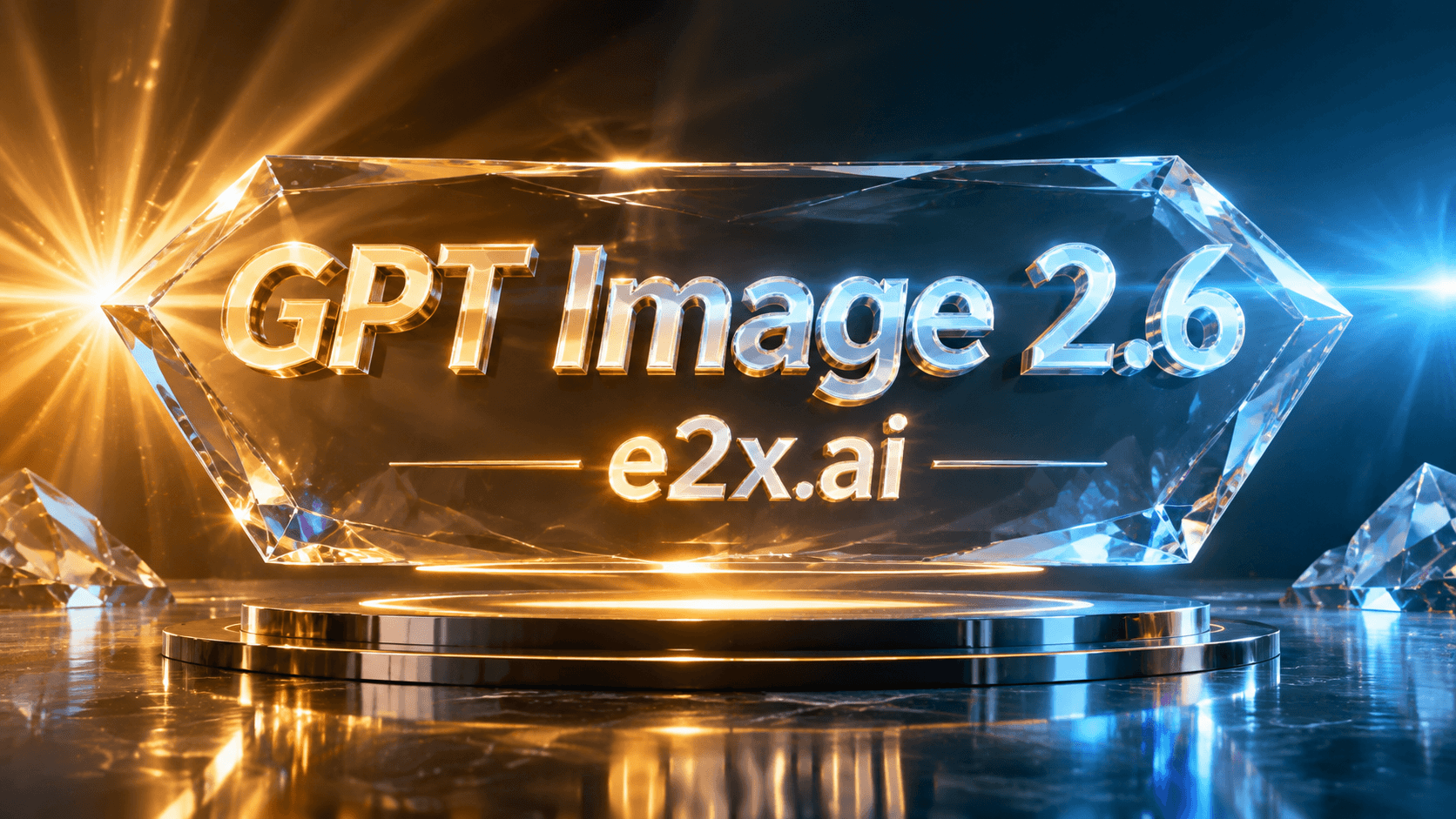
Prompt used for the cover image above:
Futuristic glassmorphic keynote studio showcasing bold glowing 3D typography reading "GPT Image 2.6" and "e2x.ai" suspended inside a faceted prism core, radiant golden sunburst volumetric rays on the left and electric cyan anamorphic lens flare on the right, dark obsidian reflection floor, ultra-detailed 8K commercial photography
This guide covers the complete E2X integration for GPT Image 2.6: how the $0.0525 pricing formula works across quality tiers, the full parameter schema for Sunburst and Flare, production curl, Python, and TypeScript examples, and a full showcase gallery of real still, edited, and animated .gif outputs generated on E2X.
How E2X flat pricing works across all 5 quality tiers
On upstream provider billing tables, higher reasoning and sampling tiers multiply token consumption steeply—on WaveSpeed, for instance, moving from low (1×) to max (12×) on a $0.075 base pushes a single generation to $0.90.
E2X eliminates quality-tier surcharges by mapping every quality value on both openai/gpt-image-2.6-sunburst/text-to-image and openai/gpt-image-2.6-flare/text-to-image (and their edit-image counterparts) to the exact same ×7 multiplier:
- Base cost:
$0.03list base (30,000micro-cents), reduced by E2X's standing 75% discount to$0.0075(7,500micro-cents). - Quality factor:
low,medium(schema default),high,xhigh, andmaxall apply×7, bringing a 1K request to$0.0525(52,500micro-cents). - Resolution factor:
1K(schema default) applies×1($0.0525),2Kapplies×2($0.1050), and4Kapplies×3($0.1575).
| Resolution | Multiplier formula | E2X list rate ($0.03 × 7) | E2X rate (75% off) | API micro-cents | fal.ai on-demand (high tier) | E2X savings |
|---|---|---|---|---|---|---|
1K (default) | $0.0075 × 7 × 1 | $0.21 | $0.0525 | 52500 | $0.211 | 75% |
2K | $0.0075 × 7 × 2 | $0.42 | $0.1050 | 105000 | $0.222 | 53% |
4K | $0.0075 × 7 × 3 | $0.63 | $0.1575 | 157500 | $0.401 | 61% |
Rate comparison checked November 6, 2026 against fal.ai on-demand pricing. Provider rates and terms can change; see our pricing page for live numbers.
Because resolution is the only parameter that changes your cost on E2X, you never need to downgrade quality to save money. Use low or medium on Flare only when you want sub-10-second turnaround for interactive UI previews, and use xhigh or max on Sunburst whenever your prompt demands dense typography, technical diagrams, or photorealistic skin and material physics.
Full parameter schema for GPT Image 2.6 Sunburst and Flare
All four GPT Image 2.6 endpoints run behind POST https://api.e2x.ai/v1/jobs/submit. Pass the model slug at the root of the JSON request body and place the generation parameters inside input.
| Parameter | Endpoint availability | Type | Required | Default | Accepted values / limits |
|---|---|---|---|---|---|
prompt | All 4 endpoints | string | Yes | None | Up to 32,000 chars on text-to-image; up to 50,000 chars on edit-image. |
image_urls | edit-image only | string[] | Yes (on edit) | None | 1 to 16 publicly reachable HTTPS image URLs for multi-reference editing and compositing. |
quality | Sunburst vs Flare | string | No | "medium" | Sunburst: "low", "medium", "high", "xhigh", "max". Flare: "low", "medium", "high". |
resolution | All 4 endpoints | string | No | "1K" | "1K", "2K", "4K" (uppercase strings required). |
aspect_ratio | All 4 endpoints | string | No | "1:1" | 15 fixed ratios: "1:1", "1:2", "2:1", "1:3", "3:1", "2:3", "3:2", "3:4", "4:3", "4:5", "5:4", "9:16", "16:9", "9:21", "21:9". |
output_format | text-to-image vs edit-image | string | No | "png" | text-to-image: "png", "jpeg", "webp", "gif", "svg". edit-image: "png", "jpeg", "webp". |
Key schema details to keep in mind when validating payloads:
output_format: "gif"and"svg"live ontext-to-image: Bothopenai/gpt-image-2.6-sunburst/text-to-imageandopenai/gpt-image-2.6-flare/text-to-imagecan emit looping multi-frame animated GIFs ("gif") and clean XML vector graphics ("svg") directly from a text prompt. We cover motion and vector prompting in detail in our GPT Image 2.6 GIF and SVG generation guide.image_urlsscales to 16 reference images: Bothopenai/gpt-image-2.6-sunburst/edit-imageandopenai/gpt-image-2.6-flare/edit-imageaccept up to 16 source images in a single call, up from 10 in GPT Image 2.5.- Rate limits and concurrency: Every GPT Image 2.6 endpoint supports up to
100concurrent jobs per account, alongside rate ceilings of100requests per minute,5,000per hour, and50,000per day.
Showcase gallery: Real GPT Image 2.6 outputs and prompts on E2X
Every visual below was generated directly through the GPT Image 2.6 endpoints and stored untouched on the E2X CDN. You can copy any prompt below to reproduce or adapt the style in your own pipeline.
1. Native animated GIF generation on Sunburst (output_format: "gif")
Setting "output_format": "gif" on openai/gpt-image-2.6-sunburst/text-to-image synthesizes a coherent, multi-frame looping animation directly from your prompt—complete with rising steam, flickering neon signage, and rain reflections.

Prompt used (aspect_ratio: "16:9", output_format: "gif"):
A glowing neon cyberpunk ramen shop sign at night in Tokyo with animated rising steam from a holographic noodle bowl, flickering magenta and cyan rain reflections, and crisp neon badge reading "e2x.ai", smooth looping multi-frame animation
2. High-speed animated mascot GIF on Flare (output_format: "gif")
openai/gpt-image-2.6-flare/text-to-image also supports native animated GIF output, making it well suited for character stickers, UI micro-animations, and looping social badges.
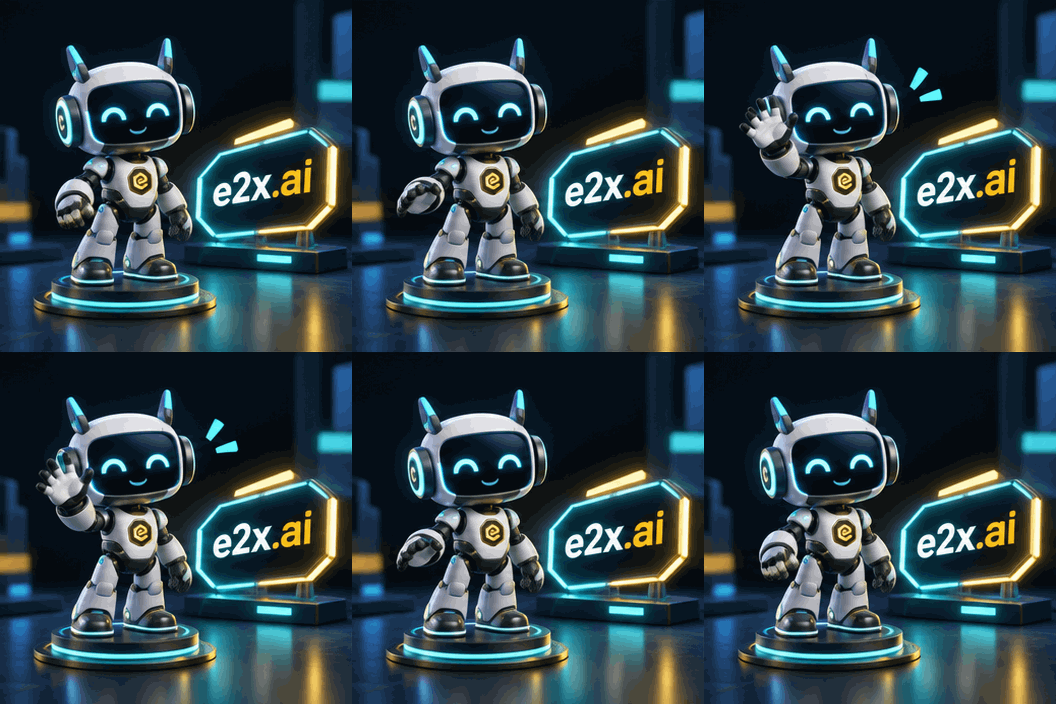
Prompt used (aspect_ratio: "1:1", output_format: "gif"):
A cute 3D isometric cyber-robot mascot character waving cheerfully beside a glowing cyan and gold neon badge reading "e2x.ai" in a sleek dark studio, smooth looping animation
3. Multi-line technical typography & blueprint layout (Sunburst max)
GPT Image 2.6 Sunburst at xhigh and max quality resolves dense technical diagrams and long uppercase title blocks without character drift or blurred callout lines.
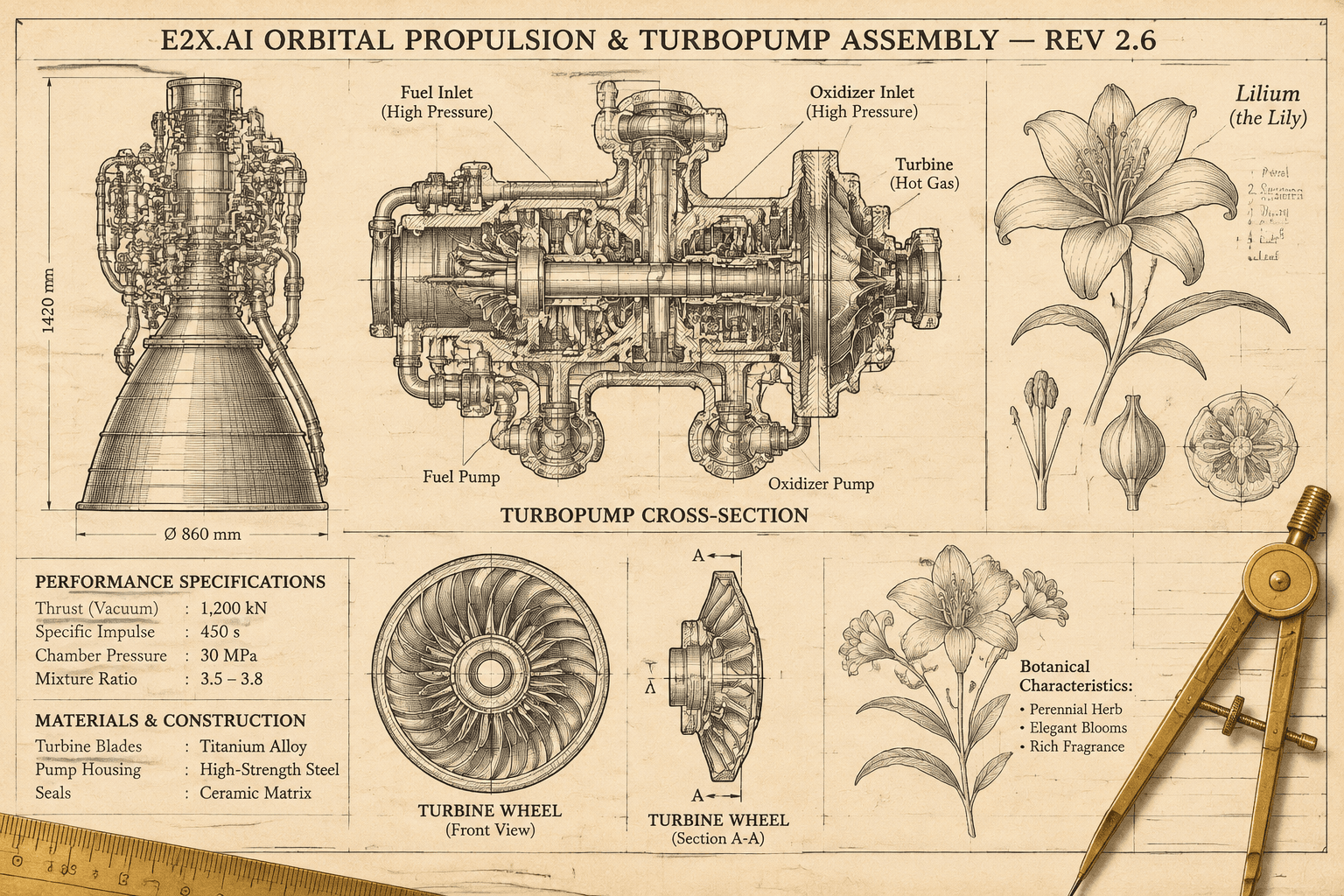
Prompt used (aspect_ratio: "3:2", quality: "max"):
Intricate vintage aerospace propulsion blueprint and botanical encyclopedia poster on aged cream archival paper with crisp multi-line technical typography reading "E2X.AI ORBITAL PROPULSION & TURBOPUMP ASSEMBLY — REV 2.6", detailed cross-section turbine diagrams, callout labels, and brass drafting compasses
4. Optical realism, subsurface scattering, and shallow depth of field
On portrait and lifestyle photography, GPT Image 2.6 renders natural skin micro-texture, individual water droplets on eyelashes, and physically accurate subsurface light scattering through ear cartilage alongside sharp collar badge lettering.

Prompt used (aspect_ratio: "4:5", quality: "xhigh"):
Editorial close-up portrait of a cybernetic artisan in rain-soaked dark wool coat under neon Tokyo streetlamps, natural skin micro-texture, water droplets on eyelashes, warm amber subsurface scattering on the ear, and a subtle glowing cyan collar pin reading "e2x.ai", shallow depth of field 85mm f/1.4 lens
5. Reference-locked packaging edit & scene relighting (edit-image)
Using openai/gpt-image-2.6-sunburst/edit-image, you can lock an existing studio packshot (image 1) while replacing the label copy in embossed gold foil and transporting the container into a new lighting environment.
Input reference (image 1 — generated at 4:5):
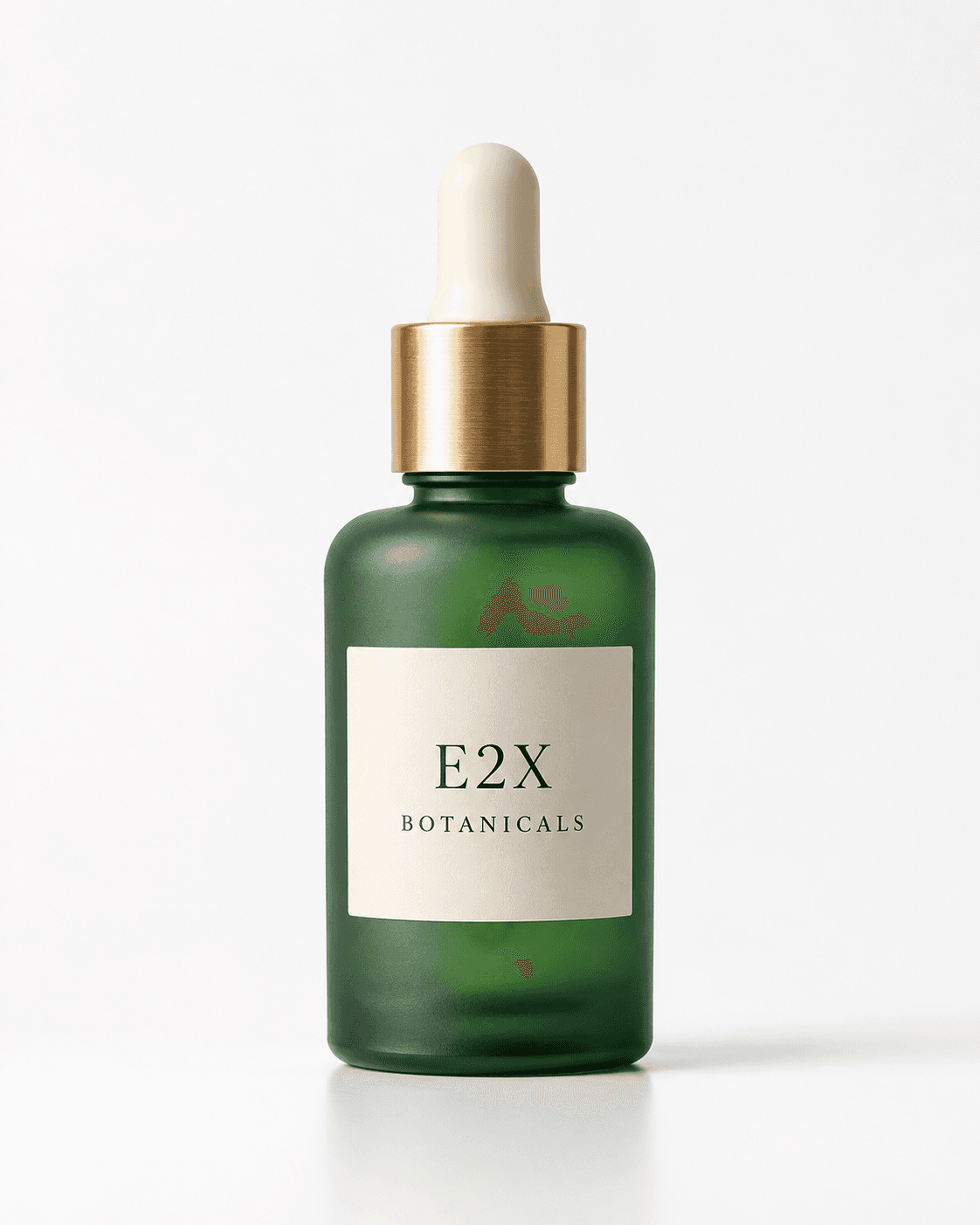
Edited output (openai/gpt-image-2.6-sunburst/edit-image):
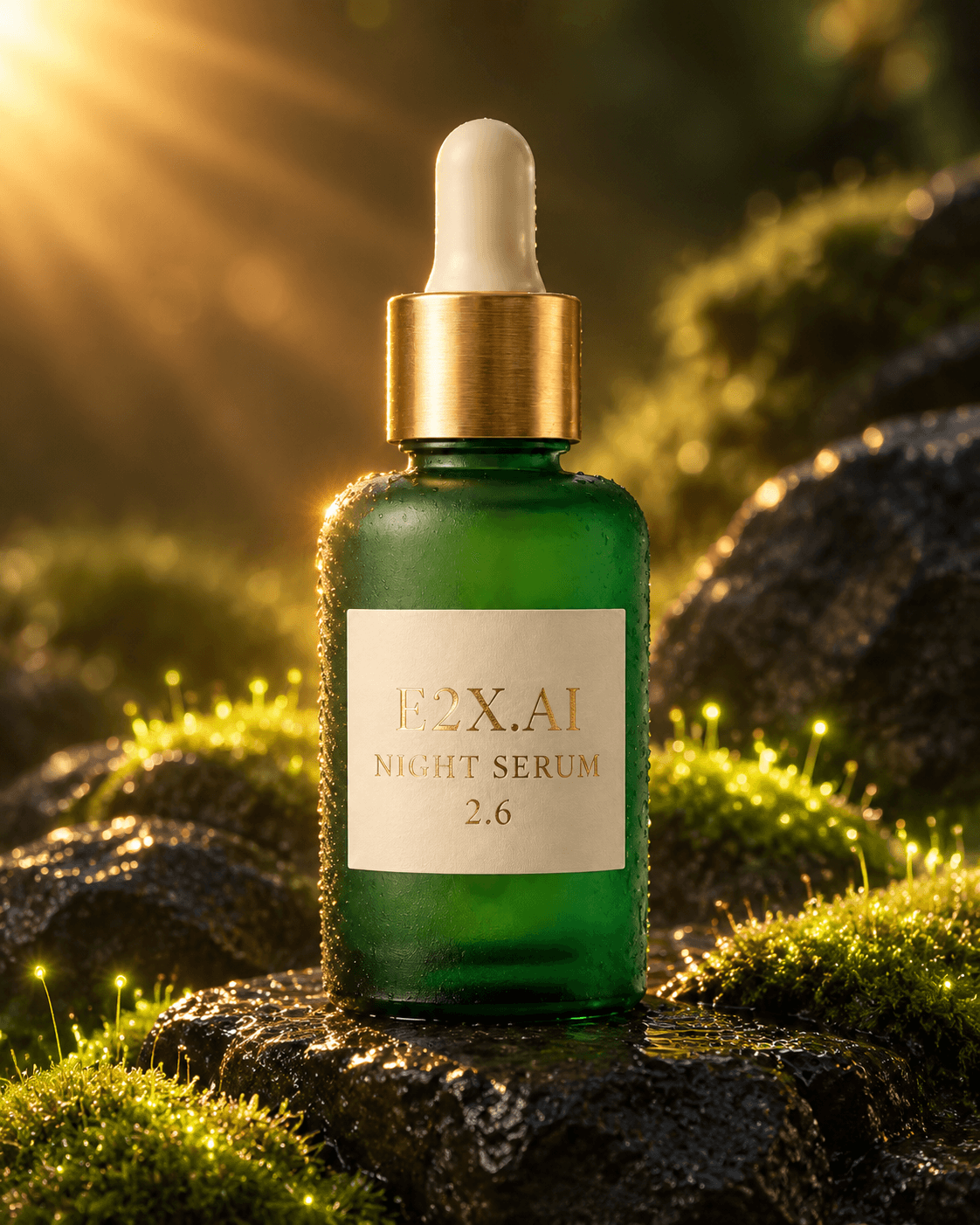
Delta edit prompt used on openai/gpt-image-2.6-sunburst/edit-image:
Keep the exact frosted emerald glass botanical elixir bottle and brushed brass dropper cap from image 1 unchanged. Change the label text to read "E2X.AI NIGHT SERUM 2.6" in embossed gold foil serif lettering, and place the bottle on wet black volcanic basalt stones surrounded by glowing bioluminescent moss and warm golden sunburst rim lighting.
Quickstart: Submitting jobs with cURL, Python, and TypeScript
Because high-resolution and multi-frame generations run asynchronously, POST https://api.e2x.ai/v1/jobs/submit validates your input immediately and returns a jobId. You then poll GET https://api.e2x.ai/v1/jobs/{jobId} or attach a webhookUrl to receive the finished asset URL.
cURL example (Sunburst text-to-image at max quality)
curl -X POST https://api.e2x.ai/v1/jobs/submit \
  -H "Authorization: Bearer $E2X_API_KEY" \
  -H "Content-Type: application/json" \
  -d '{
    "model": "openai/gpt-image-2.6-sunburst/text-to-image",
    "input": {
      "prompt": "Intricate vintage aerospace propulsion blueprint and botanical encyclopedia poster on aged cream archival paper with crisp multi-line technical typography reading \"E2X.AI ORBITAL PROPULSION & TURBOPUMP ASSEMBLY — REV 2.6\", detailed cross-section turbine diagrams, callout labels, and brass drafting compasses",
      "aspect_ratio": "3:2",
      "resolution": "1K",
      "quality": "max",
      "output_format": "png"
    }
  }'
Python example: Submitting and polling for completion
import os
import time
import requests

E2X_API_URL = "https://api.e2x.ai/v1"
API_KEY = os.environ["E2X_API_KEY"]
HEADERS = {
    "Authorization": f"Bearer {API_KEY}",
    "Content-Type": "application/json",
}

def generate_gpt_image_26(
    prompt: str,
    family: str = "sunburst",
    quality: str = "max",
    resolution: str = "1K",
    aspect_ratio: str = "16:9",
    output_format: str = "png",
) -> str:
    model = f"openai/gpt-image-2.6-{family}/text-to-image"
    submit_res = requests.post(
        f"{E2X_API_URL}/jobs/submit",
        headers=HEADERS,
        json={
            "model": model,
            "input": {
                "prompt": prompt,
                "quality": quality,
                "resolution": resolution,
                "aspect_ratio": aspect_ratio,
                "output_format": output_format,
            },
        },
        timeout=30,
    )
    submit_res.raise_for_status()
    job_id = submit_res.json()["data"]["jobId"]

    while True:
        time.sleep(3)
        poll_res = requests.get(f"{E2X_API_URL}/jobs/{job_id}", headers=HEADERS, timeout=30)
        poll_res.raise_for_status()
        data = poll_res.json()["data"]

        if data["status"] == "completed":
            return data["outputs"][0]["url"]
        if data["status"] in ("failed", "cancelled"):
            raise RuntimeError(f"Job {job_id} ended with {data['status']}: {data.get('error')}")
TypeScript example: Routing between Sunburst and Flare with R2/S3 persistence
Always download the output from data.outputs[0].url into your own permanent bucket (Cloudflare R2, AWS S3, or GCS) rather than storing temporary delivery URLs in your database.
import { writeFile, mkdir } from "node:fs/promises";
import path from "node:path";

const E2X_BASE_URL = "https://api.e2x.ai/v1";
const API_KEY = process.env.E2X_API_KEY;

if (!API_KEY) {
  throw new Error("Missing E2X_API_KEY environment variable");
}

export type GptImage26Resolution = "1K" | "2K" | "4K";
export type GptImage26Quality = "low" | "medium" | "high" | "xhigh" | "max";
export type GptImage26Format = "png" | "jpeg" | "webp" | "gif" | "svg";

export interface GptImage26Request {
  prompt: string;
  imageUrls?: string[];
  family?: "sunburst" | "flare";
  quality?: GptImage26Quality;
  resolution?: GptImage26Resolution;
  aspectRatio?: string;
  outputFormat?: GptImage26Format;
  webhookUrl?: string;
}

const headers = {
  Authorization: `Bearer ${API_KEY}`,
  "Content-Type": "application/json",
};

export async function submitGptImage26Job(req: GptImage26Request): Promise<string> {
  const isEdit = Array.isArray(req.imageUrls) && req.imageUrls.length > 0;
  const family = req.family ?? "sunburst";
  const quality: GptImage26Quality =
    req.quality ?? (family === "sunburst" ? "max" : "high");

  const resolvedFamily =
    family === "flare" && quality !== "xhigh" && quality !== "max"
      ? "flare"
      : "sunburst";

  const capability = isEdit ? "edit-image" : "text-to-image";
  const model = `openai/gpt-image-2.6-${resolvedFamily}/${capability}`;

  const outputFormat =
    isEdit && (req.outputFormat === "gif" || req.outputFormat === "svg")
      ? "png"
      : (req.outputFormat ?? "png");

  const response = await fetch(`${E2X_BASE_URL}/jobs/submit`, {
    method: "POST",
    headers,
    body: JSON.stringify({
      model,
      input: {
        prompt: req.prompt,
        aspect_ratio: req.aspectRatio ?? "16:9",
        resolution: req.resolution ?? "1K",
        quality,
        output_format: outputFormat,
        ...(isEdit ? { image_urls: req.imageUrls } : {}),
      },
      ...(req.webhookUrl ? { webhookUrl: req.webhookUrl } : {}),
    }),
  });

  if (!response.ok) {
    throw new Error(`Submit failed (${response.status}): ${await response.text()}`);
  }

  const payload = (await response.json()) as { data: { jobId: string } };
  return payload.data.jobId;
}

export async function downloadAsset(url: string, destination: string): Promise<void> {
  const res = await fetch(url);
  if (!res.ok) throw new Error(`Download failed: HTTP ${res.status}`);
  await mkdir(path.dirname(destination), { recursive: true });
  await writeFile(destination, Buffer.from(await res.arrayBuffer()));
}
For prebuilt client helpers and webhook signature verification, visit the E2X SDKs page.
Exploring the complete GPT Image 2.6 series on E2X
To dive deeper into specific workflows across the 2.6 release, explore the companion guides in this series:
- GPT Image 2.6 Sunburst vs. Flare vs. GPT Image 2.5: Architectural upgrades, latency benchmarks, and migration rules from 2.5.
- Native Animated GIF & Vector SVG Generation with GPT Image 2.6: How to prompt looping animations (
output_format: "gif") and scalable XML emblems (output_format: "svg"). - 16-Reference Multi-Image Editing & Visual Markup Guide: Role-indexed compositing (
image 1..image 16), packaging localization, and visual markup workflows. - GPT Image 2.6 Prompt Engineering Playbook: Spatial typography, grid layouts, optical cues, and quality tier selection.
- GPT Image 2.6 vs. Nano Banana 2.1 vs. FLUX.2 Pro: 2026 flagship model comparison across typography, reference capacity, and 4K pricing.
You can also browse all endpoints directly in the E2X model catalog, including the text-to-image category and image-to-image category.
Frequently asked questions
What is the difference between GPT Image 2.6 Sunburst and GPT Image 2.6 Flare?
GPT Image 2.6 Sunburst (openai/gpt-image-2.6-sunburst/text-to-image and edit-image) is the reasoning-first flagship model ranked #1 on Design Arena, offering five quality tiers (low, medium, high, xhigh, and max). GPT Image 2.6 Flare (openai/gpt-image-2.6-flare/text-to-image and edit-image) is tuned for high-speed production throughput—running up to 2.5× faster with low, medium, and high quality tiers. Both models cost the exact same $0.0525 at 1K, $0.105 at 2K, and $0.1575 at 4K on E2X.
Do xhigh and max quality tiers cost extra on E2X?
No. On E2X, every quality tier on both Sunburst (low, medium, high, xhigh, max) and Flare (low, medium, high) uses the same flat ×7 multiplier against our 75%-discounted $0.0075 base rate. Running Sunburst at max quality and 1K resolution costs a flat $0.0525.
How do I generate animated GIFs or vector SVGs with GPT Image 2.6?
Pass "output_format": "gif" or "output_format": "svg" inside the input object when calling openai/gpt-image-2.6-sunburst/text-to-image or openai/gpt-image-2.6-flare/text-to-image. Both formats are billed at the standard resolution rate ($0.0525 at 1K).
How many reference images can I pass to GPT Image 2.6 edit-image?
Both openai/gpt-image-2.6-sunburst/edit-image and openai/gpt-image-2.6-flare/edit-image accept between 1 and 16 publicly reachable HTTPS URLs in the image_urls array, alongside a prompt of up to 50,000 characters.