16-Reference Multi-Image Editing & Visual Markup with GPT Image 2.6 on E2X
Production creative pipelines rarely generate commercial assets from a blank canvas alone. E-commerce teams start with approved studio packshots, game and storyboard artists start with character turnaround sheets, and brand designers start with layout wireframes or visual markup guides.
With the launch of OpenAI GPT Image 2.6 on E2X, both openai/gpt-image-2.6-sunburst/edit-image and openai/gpt-image-2.6-flare/edit-image expand reference-conditioned editing to 16 simultaneous input images in image_urls (up from 10 in GPT Image 2.5), paired with a 50,000-character delta prompt ceiling.
Under E2X's standing 75% discount and flat ×7 quality multiplier, multi-reference editing bills at the exact same rate as text-to-image—regardless of whether you pass 1 reference image or all 16, or whether you run at high on Flare or max on Sunburst:
1Kedit: $0.0525 (52,500micro-cents)2Kedit: $0.1050 (105,000micro-cents)4Kedit: $0.1575 (157,500micro-cents)

Prompt used for the cover image above:
High-tech creative art direction studio workbench displaying floating reference photographs of a character, a luxury perfume bottle, and a neon street backdrop converging into a central master composite frame with glowing cyan markup annotation arrows, bounding boxes, and a crisp label reading "e2x.ai"
This guide covers the full edit-image schema on GPT Image 2.6, real before-and-after reference editing showcases across Sunburst and Flare, how to index up to 16 source images by role (image 1..image 16), visual markup conditioning, and production TypeScript code for automated catalog localization.
Full schema for openai/gpt-image-2.6-sunburst/edit-image and flare/edit-image
Both editing routes sit behind POST https://api.e2x.ai/v1/jobs/submit. Inside input, only prompt and image_urls are required.
| Parameter | Type | Required | Default | Accepted values / limits |
|---|---|---|---|---|
prompt | string | Yes | None | Up to 50,000 characters describing the targeted edits, locked invariants, and per-reference roles. |
image_urls | string[] | Yes | None | 1 to 16 publicly reachable HTTPS URLs pointing to reference images. |
quality | string | No | "medium" | Sunburst: "low", "medium", "high", "xhigh", "max". Flare: "low", "medium", "high". All share the flat ×7 multiplier on E2X. |
resolution | string | No | "1K" | "1K" ($0.0525), "2K" ($0.1050), "4K" ($0.1575). Must be uppercase. |
aspect_ratio | string | No | "1:1" | 15 ratios: "1:1", "1:2", "2:1", "1:3", "3:1", "2:3", "3:2", "3:4", "4:3", "4:5", "5:4", "9:16", "16:9", "9:21", "21:9". |
output_format | string | No | "png" | "png", "jpeg", "webp". |
Real before-and-after reference editing showcase on E2X
Below are three real reference-conditioned edit pairs executed on E2X across GPT Image 2.6 Sunburst and Flare, showing the exact source image passed in image_urls[0] alongside the edited output.
Pair 1: Packaging label foil replacement & volcanic environment relighting (Sunburst edit-image)
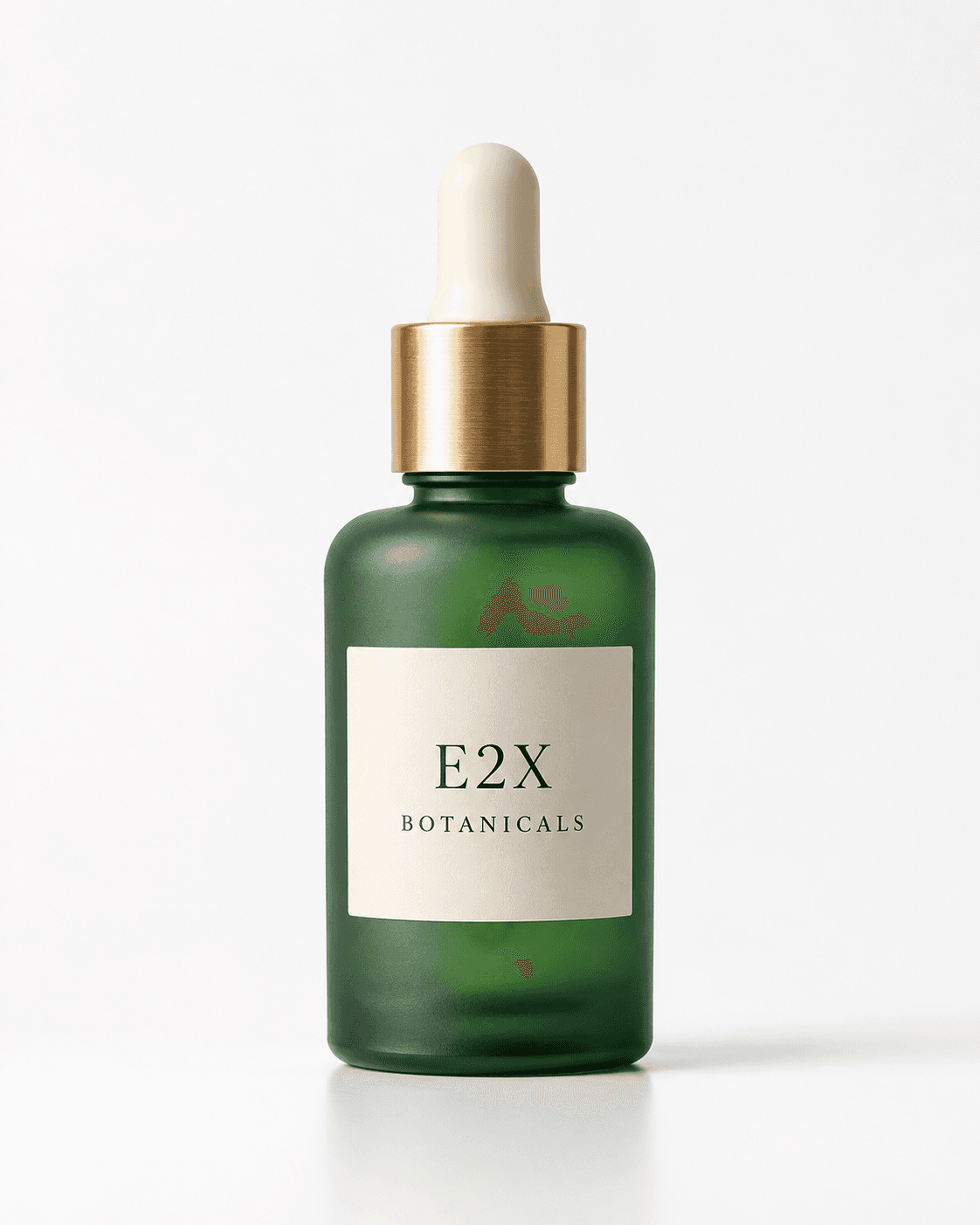
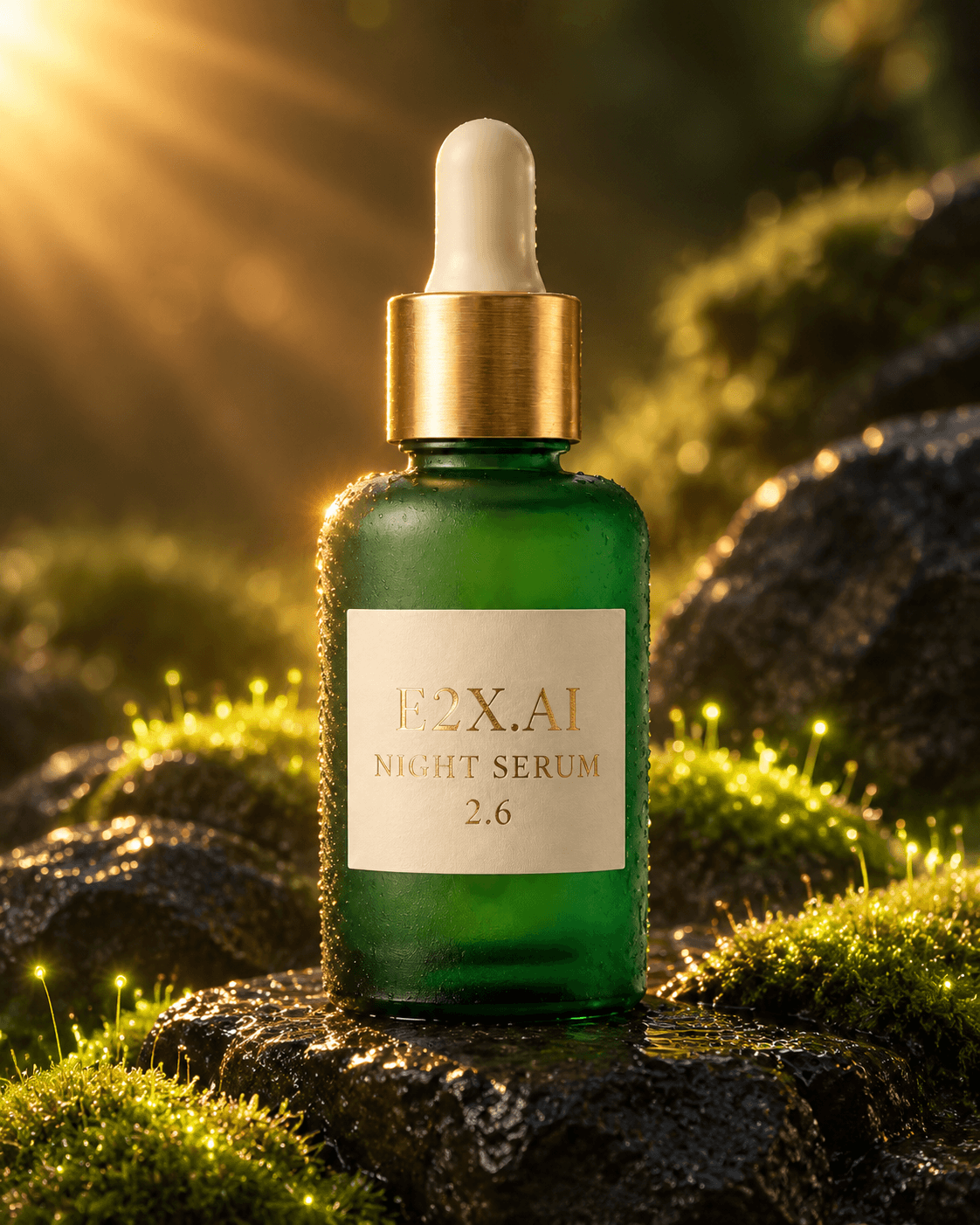
In this workflow, we take a clean studio packshot of a frosted emerald glass elixir bottle on a white cyclorama (image 1) and instruct openai/gpt-image-2.6-sunburst/edit-image to lock the container geometry and brushed brass dropper cap while changing the label copy to "E2X.AI NIGHT SERUM 2.6" in embossed gold foil and placing the bottle on wet volcanic basalt with bioluminescent moss.
Before — Reference Input (image 1):
After — Edited Output (openai/gpt-image-2.6-sunburst/edit-image):
Delta prompt used:
Keep the exact frosted emerald glass botanical elixir bottle and brushed brass dropper cap from image 1 unchanged. Change the label text to read "E2X.AI NIGHT SERUM 2.6" in embossed gold foil serif lettering, and place the bottle on wet black volcanic basalt stones surrounded by glowing bioluminescent moss and warm golden sunburst rim lighting.
Pair 2: Sunburst reference-locked scene & lighting transformation
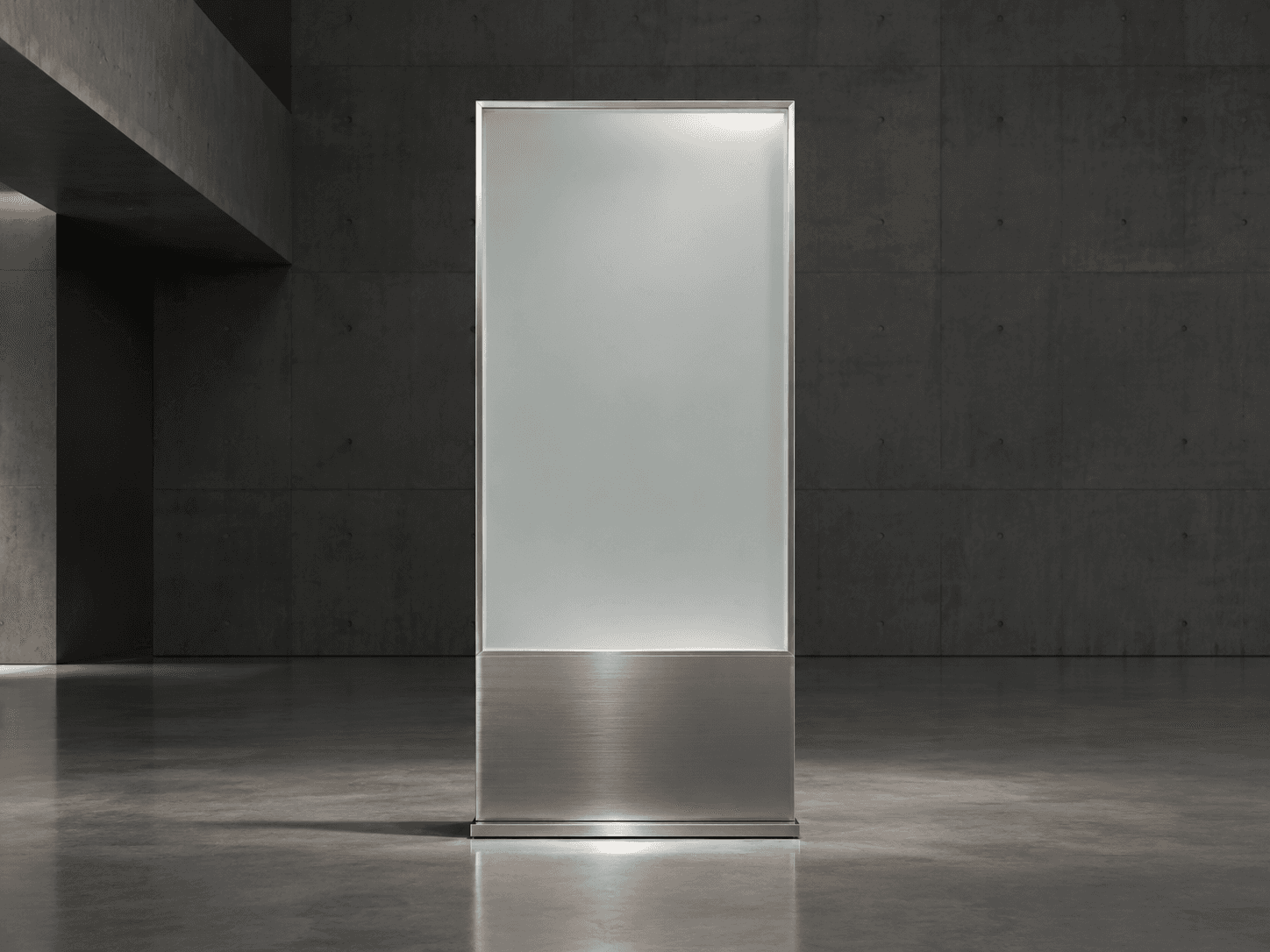
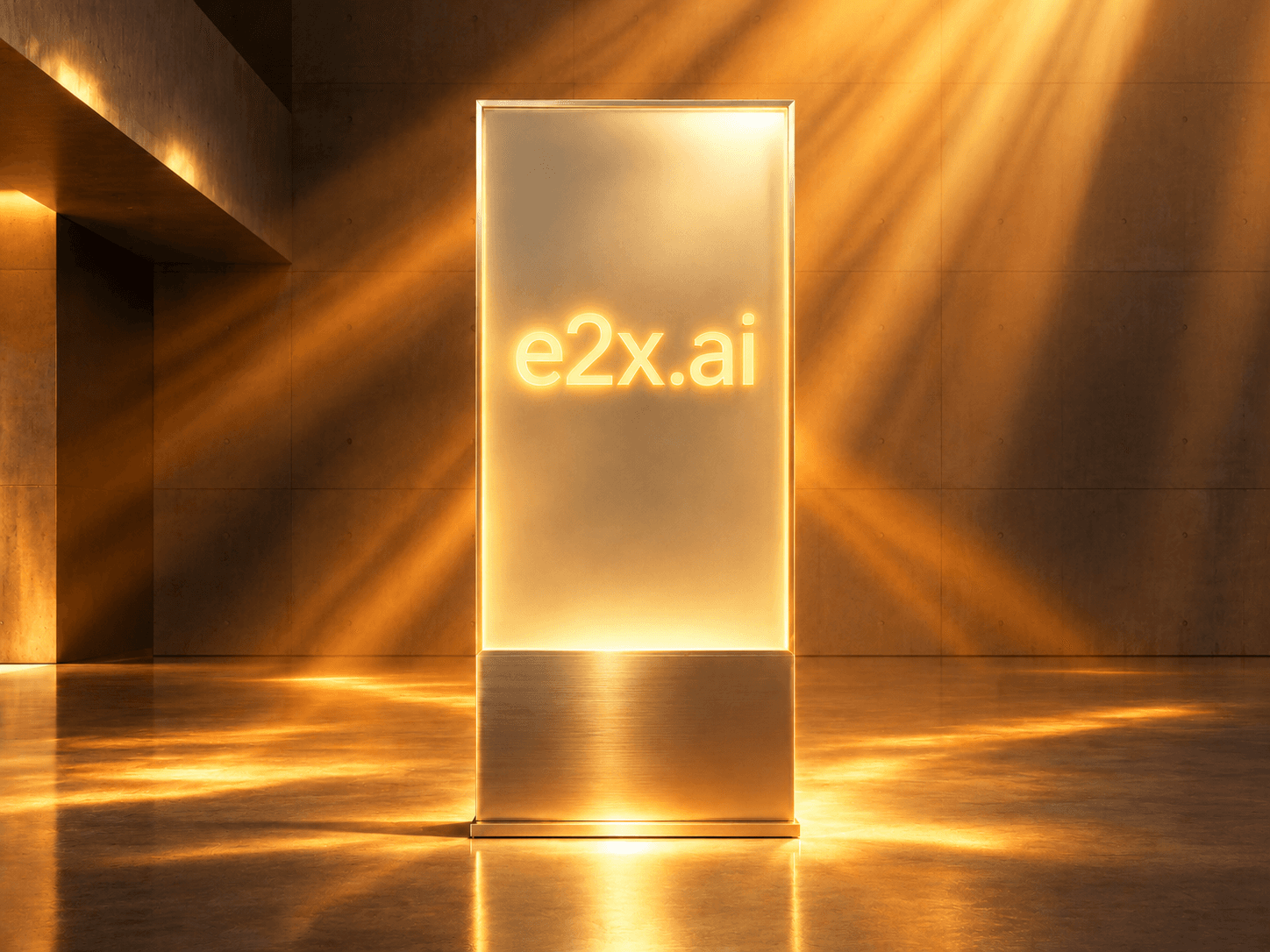
Here is a second reference edit executed on openai/gpt-image-2.6-sunburst/edit-image, preserving subject structure from the reference input while transforming the surrounding lighting and material accents:
Before — Sunburst Reference Input (image 1):
After — Sunburst Edited Output (openai/gpt-image-2.6-sunburst/edit-image):
Pair 3: High-speed Flare reference edit (openai/gpt-image-2.6-flare/edit-image)
When interactive applications need fast turnaround on reference-guided edits, openai/gpt-image-2.6-flare/edit-image applies delta instructions up to 2.5× faster while preserving core subject framing:
Before — Flare Reference Input (image 1):

After — Flare Edited Output (openai/gpt-image-2.6-flare/edit-image):

How to structure 16-reference role-indexed prompts (image 1..image 16)
When you pass more than two or three URLs in image_urls, an unstructured paragraph prompt leaves the model guessing which image supplies the character identity, which supplies the product SKU, and which supplies the lighting palette.
With 16 reference slots available in GPT Image 2.6, group your image_urls array into logical role buckets and reference each 1-based index explicitly in your prompt:
- Slots
image 1toimage 4(Primary Subject / Character Turnaround): Front, 3/4 profile, side, and close-up detail views of the main character or hero product to lock 3D geometry and facial/container identity. - Slots
image 5toimage 10(Secondary Props / Multi-SKU Ensemble): Additional products, accessories, garments, or typography badges to place in the scene. - Slots
image 11toimage 14(Environment & Lighting Plates): Architectural backdrop, tabletop surface texture, and color-grading reference frames. - Slots
image 15toimage 16(Visual Markup & Layout Guides): Wireframe sketches or annotated reference plates showing bounding boxes, directional arrows, and placement zones.
Visual markup conditioning: Guiding edits with arrows and bounding boxes
GPT Image 2.6 is trained to interpret visual markup cues drawn onto reference images (or supplied as a dedicated reference slot in image_urls). When an art director draws a cyan bounding box around a bottle cap or an arrow pointing to a wall space with a label reading "PLACE NEON SIGN HERE", you can reference those annotations directly in your delta prompt:
Use image 1 as the clean base room plate and image 2 as the visual markup guide. Replace the region inside the cyan bounding box in image 2 with the espresso machine from image 3, and mount a warm gold neon sign reading "e2x.ai CAFE" at the exact wall position indicated by the arrow in image 2. Do not render the cyan markup lines or arrows in the final output.
Always include the closing constraint "Do not render the markup lines, bounding boxes, or arrows in the final output" so the model treats the annotations strictly as spatial instructions rather than decorative paint.
Production cURL and TypeScript examples for 50K delta edits
cURL example: Botanical serum packshot transformation ($0.0525 at 1K)
curl -X POST https://api.e2x.ai/v1/jobs/submit \
  -H "Authorization: Bearer $E2X_API_KEY" \
  -H "Content-Type: application/json" \
  -d '{
    "model": "openai/gpt-image-2.6-sunburst/edit-image",
    "input": {
      "prompt": "Keep the exact frosted emerald glass botanical elixir bottle and brushed brass dropper cap from image 1 unchanged. Change the label text to read \"E2X.AI NIGHT SERUM 2.6\" in embossed gold foil serif lettering, and place the bottle on wet black volcanic basalt stones surrounded by glowing bioluminescent moss and warm golden sunburst rim lighting.",
      "image_urls": [
        "https://assets.e2x.ai/ui/assets/blog/gpt-image-2.6/gallery-edit-before-botanical-bottle.png"
      ],
      "aspect_ratio": "4:5",
      "resolution": "1K",
      "quality": "max",
      "output_format": "png"
    }
  }'
TypeScript builder for 16-reference catalog & character compositing
const E2X_API = "https://api.e2x.ai/v1";

export interface ReferenceSlot {
  url: string;
  role: "subject" | "prop" | "environment" | "lighting" | "markup";
  description: string;
}

export interface MultiRefEditRequest {
  slots: ReferenceSlot[];
  editInstruction: string;
  lockedInvariants: string[];
  aspectRatio?: string;
  resolution?: "1K" | "2K" | "4K";
  family?: "sunburst" | "flare";
}

export function build16RefDeltaPrompt(req: MultiRefEditRequest): string {
  if (req.slots.length === 0 || req.slots.length > 16) {
    throw new Error(`image_urls requires between 1 and 16 items (got ${req.slots.length})`);
  }

  const slotManifest = req.slots
    .map((s, idx) => `- image ${idx + 1} [${s.role.toUpperCase()}]: ${s.description}`)
    .join("\n");

  const locks = req.lockedInvariants.map((item) => `- ${item}`).join("\n");

  const prompt = [
    "TASK: Precision multi-reference image editing and compositing.",
    "",
    "REFERENCE INDEX MANIFEST:",
    slotManifest,
    "",
    "TARGETED MODIFICATION:",
    req.editInstruction,
    "",
    "LOCKED INVARIANTS (PRESERVE EXACTLY):",
    locks,
  ].join("\n");

  if (prompt.length > 50_000) {
    throw new Error(`Prompt length (${prompt.length}) exceeds 50,000-character edit limit`);
  }

  return prompt;
}

export async function submitMultiRefEdit(
  req: MultiRefEditRequest,
  apiKey = process.env.E2X_API_KEY
): Promise<string> {
  if (!apiKey) throw new Error("Missing E2X_API_KEY");

  const family = req.family ?? "sunburst";
  const model = `openai/gpt-image-2.6-${family}/edit-image`;
  const quality = family === "sunburst" ? "max" : "high";

  const response = await fetch(`${E2X_API}/jobs/submit`, {
    method: "POST",
    headers: {
      Authorization: `Bearer ${apiKey}`,
      "Content-Type": "application/json",
    },
    body: JSON.stringify({
      model,
      input: {
        prompt: build16RefDeltaPrompt(req),
        image_urls: req.slots.map((s) => s.url),
        aspect_ratio: req.aspectRatio ?? "4:5",
        resolution: req.resolution ?? "1K",
        quality,
        output_format: "png",
      },
    }),
  });

  if (!response.ok) {
    throw new Error(`Edit submit failed (${response.status}): ${await response.text()}`);
  }

  const { data } = (await response.json()) as { data: { jobId: string } };
  return data.jobId;
}
For full text-to-image parameters, check our OpenAI GPT Image 2.6 API guide, or compare multi-reference capabilities across providers in our GPT Image 2.6 vs. Nano Banana 2.1 vs. FLUX.2 Pro showdown. You can also browse all editing endpoints in the image-to-image category.
Frequently asked questions
How many reference images can I pass to GPT Image 2.6 edit-image?
Both openai/gpt-image-2.6-sunburst/edit-image and openai/gpt-image-2.6-flare/edit-image accept between 1 and 16 publicly reachable HTTPS image URLs in image_urls—an increase from the 10-image limit in GPT Image 2.5.
Does passing 16 reference images cost more than passing 1 reference image on E2X?
No. E2X bills edit-image calls strictly by output resolution ($0.0525 at 1K, $0.1050 at 2K, $0.1575 at 4K). Passing 16 reference images and a 50,000-character delta prompt at max quality on Sunburst still costs a flat $0.0525 at 1K.
How do I prevent GPT Image 2.6 from altering my product's shape during a background swap?
Structure your prompt as an explicit delta: refer to the product packshot as image 1, state the exact changes (such as the new background surface or quoted label copy), and include a lock clause such as "Keep the exact bottle silhouette, cap geometry, and camera angle from image 1 unchanged."