 图像
 openai新
GPT Image 2.6 Flare
使用 OpenAI GPT Image 2.6 Flare 结合多达 16 张参考图、50,000 字符提示词、蒙版与视觉标注引导高速编辑与合成图像。75% 折扣后 1K 编辑仅需 $0.0525,支持 4K 输出。
- openai
- gpt-image-2.6-flare
- text-to-image
$0.03$0.0075-75%/ 次请求
使用 OpenAI GPT Image 2.6 Sunburst 生成和编辑高达 4K 的图像、动态 GIF 与矢量 SVG — 支持 5 档质量等级(low 至 max)、15 种宽高比以及多达 16 张参考图融合编辑。
import requests

result = requests.post(
    'https://api.e2x.ai/v1/jobs/submit',
    headers={
        'Authorization': f'Bearer {API_KEY}',
        'Content-Type': 'application/json'
    },
    json={
  'model': 'openai/gpt-image-2.6-sunburst/edit-image',
  'input': {}
}
)import time
job_id = result.json()['jobId']
while True:
response = requests.get(
f'https://api.e2x.ai/v1/jobs/{'{job_id}'}',
headers={'Authorization': f'Bearer {'{API_KEY}'}'}
)
data = response.json()['data']
if data['status'] == 'completed':
print('Done!', data['outputs'][0]['url'])
break
elif data['status'] == 'failed':
raise Exception(f"Job failed: {'{'}data['error']['message']{'}'}")
time.sleep(2)使用 OpenAI GPT Image 2.6 Flare 结合多达 16 张参考图、50,000 字符提示词、蒙版与视觉标注引导高速编辑与合成图像。75% 折扣后 1K 编辑仅需 $0.0525,支持 4K 输出。
 图像openai新
使用 GPT Image 2.5 Sunburst 结合参考图像和自然语言指令编辑与转换图像。支持长达 50,000 字符提示词、4K 分辨率和 5 档质量等级。
图像openai新使用 GPT Image 2.5 Flare 结合参考图像和自然语言指令编辑与转换图像。支持长达 50,000 字符提示词、4K 分辨率和 3 档质量等级。
 图像
 google新
全球最低价(50% 折扣:1K $0.03、2K $0.04、4K $0.09)支持多图参考及 4K 输出的 Google Nano Banana 2.1 图像编辑模型。
来自 E2X 团队的洞察、教程和更新。
全面对比 OpenAI GPT Image 2.6 Sunburst、GPT Image 2.6 Flare 与上一代 GPT Image 2.5。深入剖析 16 张参考图多图编辑、原生 GIF 动图与 SVG 矢量输出、绘制前规划 complexity、视觉标注 markup_image、提速 2.5 倍的 Flare 以及 E2X $0.0525 统一固定定价。
深度横评 E2X 平台上的三大旗舰图像生成与编辑模型:OpenAI GPT Image 2.6(Sunburst 与 Flare)、Google Nano Banana 2.1 与 Black Forest Labs FLUX.2 Pro。全面对比空间文字排版、16 图参考编辑、原生 GIF/SVG 生成、推理速度与价格。
详解如何在 E2X 上以每张 1K 仅 $0.0525(享 75% 折扣)接入 OpenAI GPT Image 2.6 Sunburst 与 GPT Image 2.6 Flare 的 text-to-image 和 edit-image 接口。涵盖原生 GIF 动图与 SVG 矢量图输出、16 张参考图多图编辑、xhigh 与 max 质量档位以及 Python、TypeScript 与 cURL 实战代码。
全面解析如何使用 OpenAI GPT Image 2.6 的 output_format: gif 与 svg 参数,直接从文本生成多帧循环 GIF 动图与可缩放矢量 SVG 徽标。涵盖 frame_count、frame_duration_ms、E2X 零压缩 CDN 直通机制、4 组真实输出与代码示例。
GPT Image 2.6 Sunburst edit-image 是 OpenAI 在 E2X 上提供的旗舰级参考条件图像编辑与多图合成端点,服务地址为 openai/gpt-image-2.6-sunburst/edit-image。您可以在 image_urls 中传入最多 16 张参考图像(相比 GPT Image 2.5 的 10 张大幅提升),并搭配长达 50,000 个字符的增量修改指令,让模型精准修改产品标签、将多个主体合成为统一的场景,或在蒙版与视觉标注引导下执行空间变换。凭借我们常驻的 75% 折扣,1K 编辑在全部五档画质(low、medium、high、xhigh、max)下均按每张输出图像 $0.0525 计费,比 fal.ai 上的 high 档位基准价($0.211)低 75%。
如果您只需根据纯文本提示词生成图像,或者在不提供源图的情况下合成原生动态 .gif(output_format: "gif")和矢量 .svg(output_format: "svg")文件,请改用共享相同费率表(1K 为 $0.0525,2K 为 $0.105,4K 为 $0.1575)的 GPT Image 2.6 Sunburst text-to-image。对于仅需 low、medium 和 high 画质档位的低延迟交互式编辑工作流,请使用 GPT Image 2.6 Flare edit-image(text-to-image)。
以下展示了使用 E2X 上的 GPT Image 2.6 系列模型(assets.e2x.ai)生成的真实参考条件前后对比编辑、多参考图视觉标注合成,以及配套的动态 .gif 输出样例。
image_urls[0])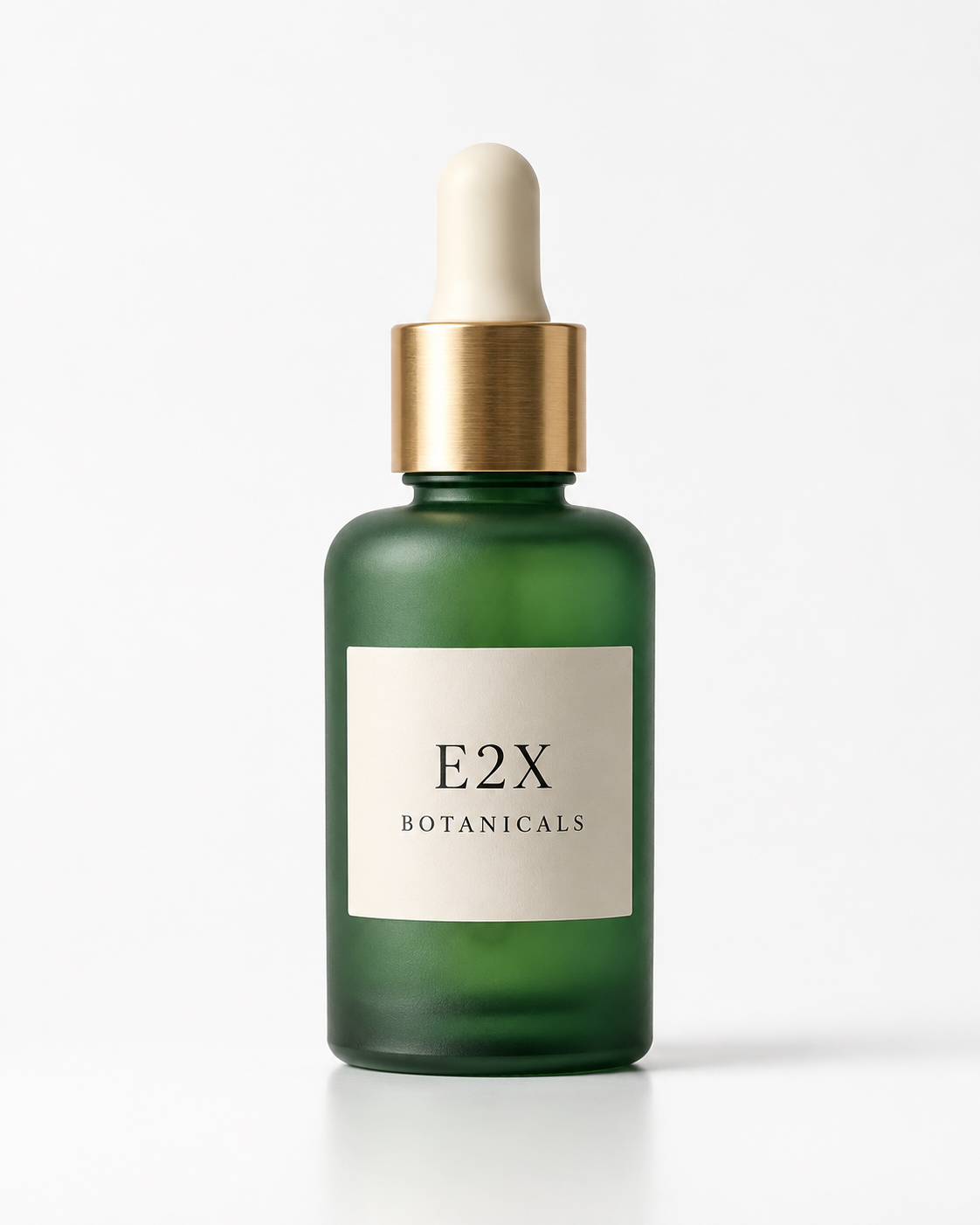
image_urls[0]): 1122×1402(4:5 影棚产品照)"Clean studio packshot of a frosted emerald glass botanical elixir bottle with a brushed brass dropper cap resting on a plain white cyclorama table, minimalist cream paper label reading \"E2X BOTANICALS\" in fine black serif type, soft neutral lighting"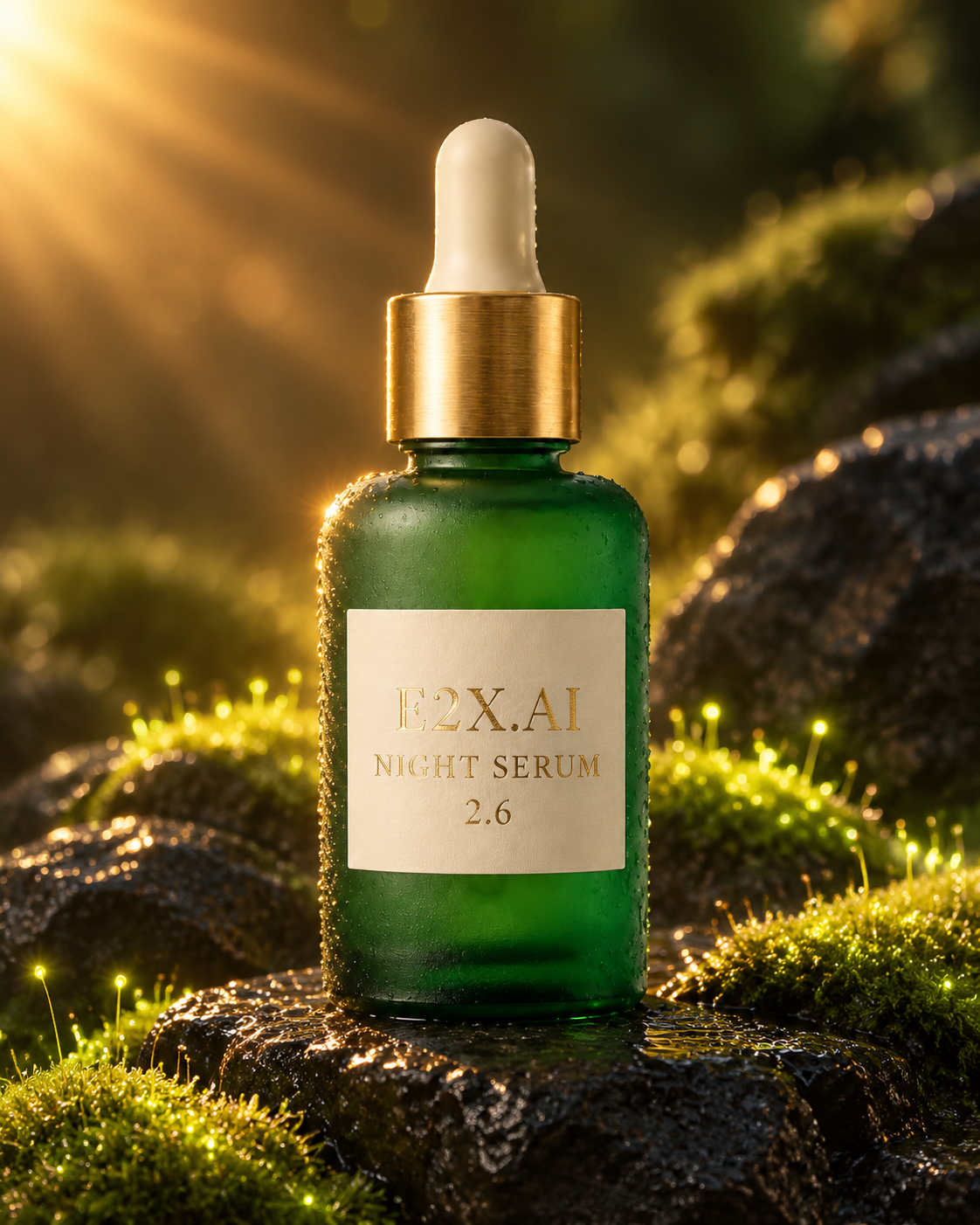
openai/gpt-image-2.6-sunburst/edit-image(aspect_ratio: "4:5",1122×1402)"Keep the exact frosted emerald glass botanical elixir bottle and brushed brass dropper cap from image 1 unchanged. Change the label text to read \"E2X.AI NIGHT SERUM 2.6\" in embossed gold foil serif lettering, and place the bottle on wet black volcanic basalt stones surrounded by glowing bioluminescent moss and warm golden sunburst rim lighting."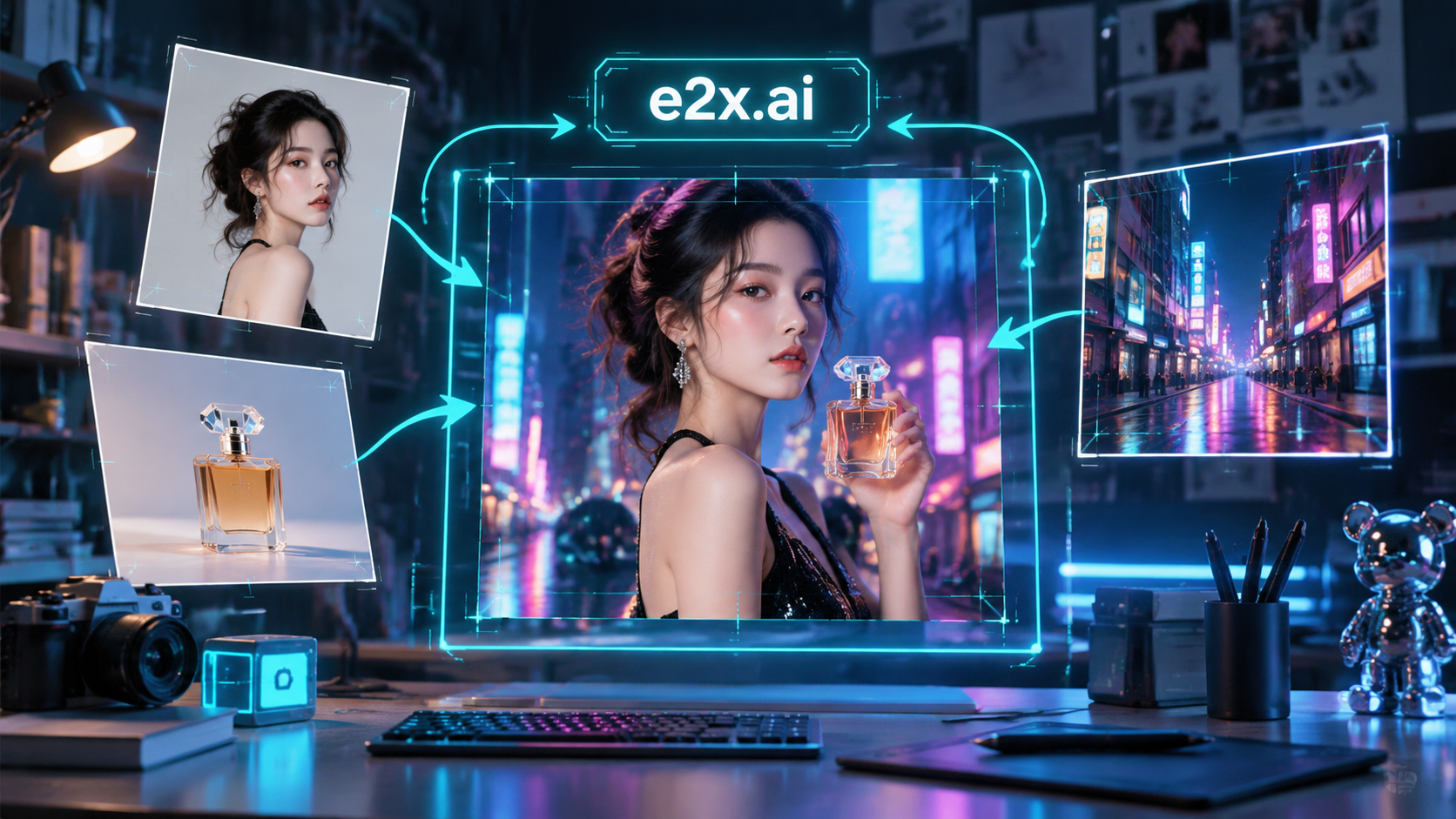
16:9,1672×941): 将角色、产品与环境参考图同视觉标注箭头和边界框相结合。"High-tech creative art direction studio workbench displaying floating reference photographs of a character, a luxury perfume bottle, and a neon street backdrop converging into a central master composite frame with glowing cyan markup annotation arrows, bounding boxes, and a crisp label reading \"e2x.ai\""aspect_ratio: "1:1")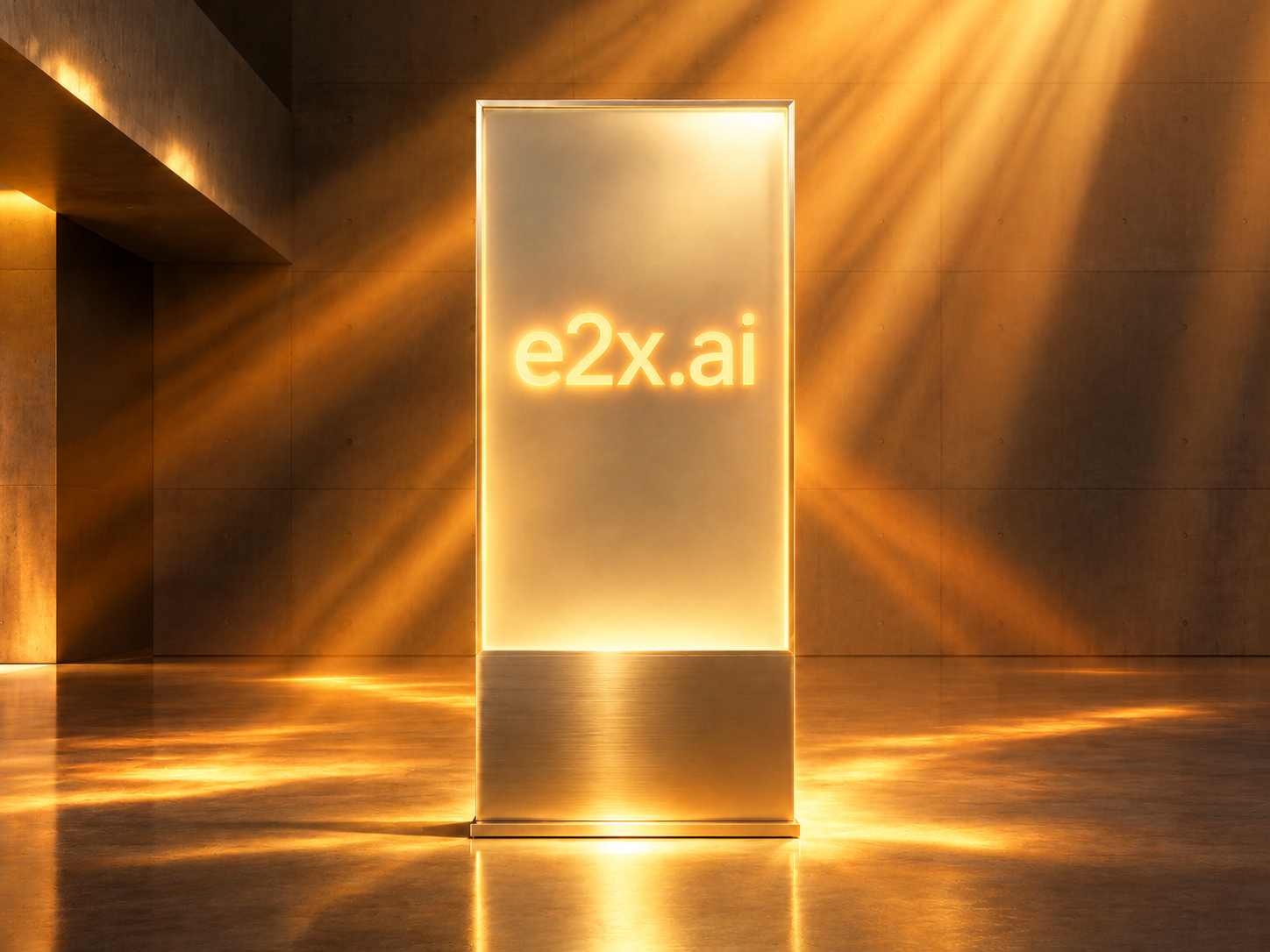
openai/gpt-image-2.6-sunburst/edit-image(aspect_ratio: "1:1",resolution: "1K",quality: "max")"Transform this gallery monolith into a radiant golden-hour sunburst monument: engrave bold, crisp, glowing warm-gold neon typography reading \"e2x.ai\" across the center of the frosted glass panel, surround the pedestal with dramatic sunburst orange and amber volumetric light beams breaking through the atrium, and add warm golden reflections on the dark floor."output_format: "gif")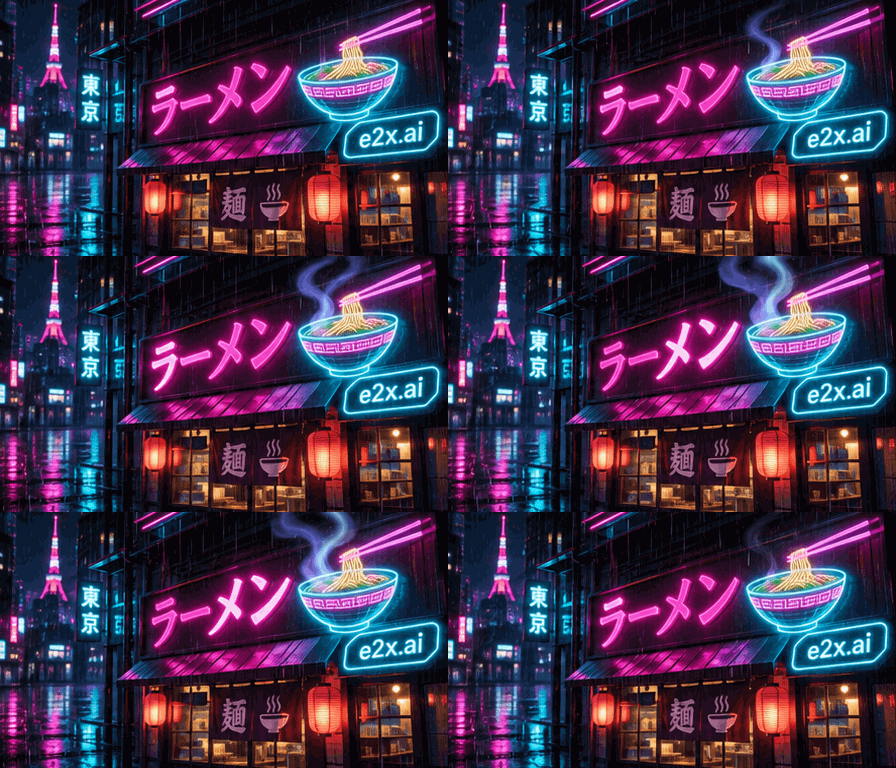
openai/gpt-image-2.6-sunburst/text-to-image(output_format: "gif",aspect_ratio: "16:9",448×256)"A glowing neon cyberpunk ramen shop sign at night in Tokyo with animated rising steam from a holographic noodle bowl, flickering magenta and cyan rain reflections, and crisp neon badge reading \"e2x.ai\", smooth looping multi-frame animation"openai/gpt-image-2.6-sunburst/edit-image 上的每次编辑请求均从 $0.03 的目录基准费率(30,000 微美分)起步,经我们的 75% 全局折扣减免至 $0.0075(7,500 微美分)后,再乘以两个参数系数:
resolution 系数:1K(默认)= ×1,2K = ×2,4K = ×3。quality 系数:low、medium(默认)、high、xhigh 和 max 均采用 ×7 系数。由于全部五个 quality 选项都将 $0.0075 的折后基准价乘以 7(1K 下为 $0.0075 × 7 = $0.0525),resolution 是唯一影响成本的变量。不同于上游 API 在高画质设置下会将 Token 消耗量倍增至最高 12×,E2X 对 xhigh 和 max 收取与 low 或 medium 完全相同的固定费率。
以下为 2026 年 11 月 6 日核实的完整单次编辑费率矩阵:
| 输出分辨率 | E2X 折后费率 | 折前目录费率 | 综合系数 | fal.ai 同等费率 | 典型编辑阶段 |
|---|---|---|---|---|---|
1K(schema 默认) | $0.0525 | $0.21 | 1 × 7 | $0.211(高出 75%) | 提示词微调、标签文案替换、xhigh/max 下的多图布局测试 |
2K | $0.1050 | $0.42 | 2 × 7 | $0.222(高出 53%) | 生产级电商产品图与营销活动合成图 |
4K | $0.1575 | $0.63 | 3 × 7 | $0.401(高出 61%) | 印刷级包装平面图与超清母版导出 |
这一价格体系让编辑循环的预算规划变得非常直观。当您调整提示词以替换瓶身标签上的烫金浮雕文字,或为多产品合成图测试三种打光方案时,可在开启 xhigh 或 max 画质的同时将 resolution 保持在 1K(每次 $0.0525)。进行 5 次探索性 1K 编辑加上 1 次最终 2K 导出($0.105),总计仅需 $0.3675。
价格和产品条款可能会有所变动。请在做出购买决定前核对各服务商的当前定价。由于调度机制、可用性和处理条件不同,Google Batch 或 Flex 定价与标准按需 API 请求并不直接等价,因此未纳入本次对比。此对比仅针对特定范围,并非声称 E2X 在任何配置下均为全球最低价选项。
image_urls): openai/gpt-image-2.6-sunburst/edit-image 将 image_urls 的 maxItems 从 10 张(GPT Image 2.5)提升至 16 个源 URL。您可以在单次 API 调用中同时传入角色三视图、产品多角度照片、材质色卡、光影参考和背景底板。mask_image)与视觉标注引导(markup_image): 除 image_urls 中的多图数组外,GPT Image 2.6 编辑架构还支持通过 mask_image(锁定非蒙版像素的 Alpha 或二值蒙版)和 markup_image(直接在参考画面上绘制手绘箭头、边界框和引线标签,以指示物体或文字的落位)进行空间区域控制。text-to-image 的提示词上限为 32,000 字符,而 edit-image 支持高达 50,000 个字符,为自动化商品目录管线留出了充足空间,可轻松注入 OCR 文本转录、品牌十六进制色值规范以及逐图索引说明(image 1 至 image 16)。1:1、1:2、2:1、1:3、3:1、2:3、3:2、3:4、4:3、4:5、5:4、9:16、16:9、9:21、21:9)构图,并导出为 png(默认)、jpeg 或 webp。在 openai/gpt-image-2.6-sunburst/edit-image 上,prompt 和 image_urls(1 至 16 个公开 HTTPS URL)是仅有的两个必填参数。aspect_ratio(默认 1:1)、resolution(默认 1K)、quality(默认 medium)和 output_format(默认 png)均为可选参数。
以下 curl 调用展示了如何以 max 画质和 2K 分辨率($0.105)提交包装标签修改与场景重打光任务:
curl -X POST https://api.e2x.ai/v1/jobs/submit \
  -H "Authorization: Bearer YOUR_API_KEY" \
  -H "Content-Type: application/json" \
  -d '{
    "model": "openai/gpt-image-2.6-sunburst/edit-image",
    "input": {
      "prompt": "Keep the exact frosted emerald glass botanical elixir bottle and brushed brass dropper cap from image 1 unchanged. Change the label text to read \"E2X.AI NIGHT SERUM 2.6\" in embossed gold foil serif lettering, and place the bottle on wet black volcanic basalt stones surrounded by glowing bioluminescent moss and warm golden sunburst rim lighting.",
      "image_urls": [
        "https://assets.e2x.ai/ui/assets/model-samples/2026/11/06/gallery-edit-before-botanical-bottle.png"
      ],
      "aspect_ratio": "4:5",
      "resolution": "2K",
      "quality": "max",
      "output_format": "png"
    }
  }'
以下是一个完整的 Node.js 示例,它在 1K($0.0525)下合成参考图像并轮询任务直至完成:
const headers = {
  Authorization: `Bearer ${process.env.E2X_API_KEY}`,
  "Content-Type": "application/json",
};

const createJob = await fetch("https://api.e2x.ai/v1/jobs/submit", {
  method: "POST",
  headers,
  body: JSON.stringify({
    model: "openai/gpt-image-2.6-sunburst/edit-image",
    input: {
      prompt: 'Transform this gallery monolith into a radiant golden-hour sunburst monument: engrave bold, crisp, glowing warm-gold neon typography reading "e2x.ai" across the center of the frosted glass panel, surround the pedestal with dramatic sunburst orange and amber volumetric light beams.',
      image_urls: [
        "https://assets.e2x.ai/ui/assets/model-samples/2026/11/05/2470bb16-0686-4960-986b-ea5f1969ed25_sunburst-ref-input.png",
      ],
      aspect_ratio: "1:1",
      resolution: "1K",
      quality: "max",
      output_format: "png",
    },
  }),
}).then((res) => res.json());

const jobId = createJob.data.jobId;

while (true) {
  await new Promise((r) => setTimeout(r, 3000));
  const statusPayload = await fetch(`https://api.e2x.ai/v1/jobs/${jobId}`, {
    headers,
  }).then((res) => res.json());

  const state = statusPayload.data.status;
  if (state === "completed") {
    console.log("Edited output URL:", statusPayload.data.outputs[0].url);
    break;
  }
  if (state === "failed" || state === "cancelled") {
    throw new Error(statusPayload.data.error?.message || `Edit job ${state}`);
  }
}
image_urls 中的每个 URL 都必须能够通过 HTTPS 公开访问,以便我们的工作节点拉取源文件。您可以在机器可读端点规范中查看完整的参数定义,或通过我们的官方 SDK 进行集成。
根据您的编辑需求是侧重于 xhigh/max 文字排版、16 图参考合成、高速周转、透明背景抠图还是大批量 4K 成本控制,在我们的图生图端点之间进行选择:
| 编辑模型 | 1K 价格 | 4K 价格 | 最大参考图数 | 核心优势 |
|---|---|---|---|---|
| GPT Image 2.6 Sunburst edit | $0.0525 | $0.1575 | 16 | 50,000 字符提示词、无额外费用的 xhigh 与 max 画质档位、16 张参考图、标注与蒙版精准控制 |
| GPT Image 2.6 Flare edit | $0.0525 | $0.1575 | 16 | 支持 16 张参考输入与 50K 提示词的高速 3 档(low、medium、high)编辑 |
| GPT Image 2.5 Sunburst edit | $0.0525 | $0.1575 | 10 | 需要 aspect_ratio: "auto" 的旧版 2.5 工作流 |
| GPT Image 2 edit | $0.0525 | $0.1575 | 10 | 同等价格下支持 background: "transparent" Alpha 通道透明 PNG 抠图 |
| Nano Banana 2.1 edit | $0.0300 | $0.0900 | — | 最低 4K 编辑价格($0.09)及最高达 8:1 的 15 种比例 |
| Nano Banana Pro edit | $0.0750 | $0.1500 | — | 跨角色参考角度的面部身份特征保持 |
当编辑提示词明确区分“锁定不变的元素”与“需要修改的内容”时,效果最佳:
"keep the exact frosted emerald glass bottle and brushed brass dropper cap from image 1 unchanged")。image_urls 中的各个 URL(例如 "take the character from image 1, the bottle from image 2, the lighting mood from image 3, and follow the cyan bounding-box layout in image 4")。")内,并描述其材质工艺(例如 "change the label text to read \"E2X.AI NIGHT SERUM 2.6\" in embossed gold foil serif lettering")。xhigh 或 max:由于 xhigh 和 max 与 medium 共享完全相同的 ×7 倍率,在编辑包装文字排版或精密机械细节时,请始终将 quality 设为 "xhigh" 或 "max"。如需了解更多基于参考图的工作流示例,请阅读我们的一致性图像生成指南和 Nano Banana 模型对比。
享受我们的 75% 折扣后,单次编辑在 resolution: "1K"(默认)下计费 $0.0525,在 2K 下为 $0.105,在 4K 下为 $0.1575,无论 quality 设为 low、medium、high、xhigh 还是 max 均完全一致。
您可以在 image_urls 数组中传入最多 16 个可公开访问的图像 URL(由 GPT Image 2.5 的 10 张提升而来)。在提示词中按编号引用每个输入("image 1"、"image 2" 直至 "image 16"),即可控制主体、纹理和布局引导图的组合方式。
除 image_urls 外,GPT Image 2.6 架构还支持用于定向局部重绘的 mask_image(锁定蒙版区域以外的像素)以及用于视觉布局引导的 markup_image——您可以直接在参考图像上绘制箭头、边界框和文字放置标记,并指示模型将这些标注转化为逼真的场景元素。
只有 prompt(最多 50,000 个字符)和 image_urls(包含 1 至 16 个图像 URL 的数组)是必填项。aspect_ratio(15 种比例,默认 "1:1")、resolution(默认 "1K")、quality(默认 "medium")和 output_format("png"、"jpeg"、"webp",默认 "png")均为可选项。
openai/gpt-image-2.6-sunburst/edit-image 端点输出 png、jpeg 和 webp 光栅图像。如需生成原生循环动态 .gif(output_format: "gif")或可缩放矢量 .svg(output_format: "svg")文件,请以相同的 $0.0525(1K)费率调用姊妹端点 GPT Image 2.6 Sunburst text-to-image。
在 xhigh 或 max 画质下测试提示词措辞、标签字体排版和多图位置时,请保持 resolution: "1K"。每次 1K 调用仅需 $0.0525,而非 $0.105(2K)或 $0.1575(4K)。仅在最终导出母版时才将 resolution 提升至 2K 或 4K。