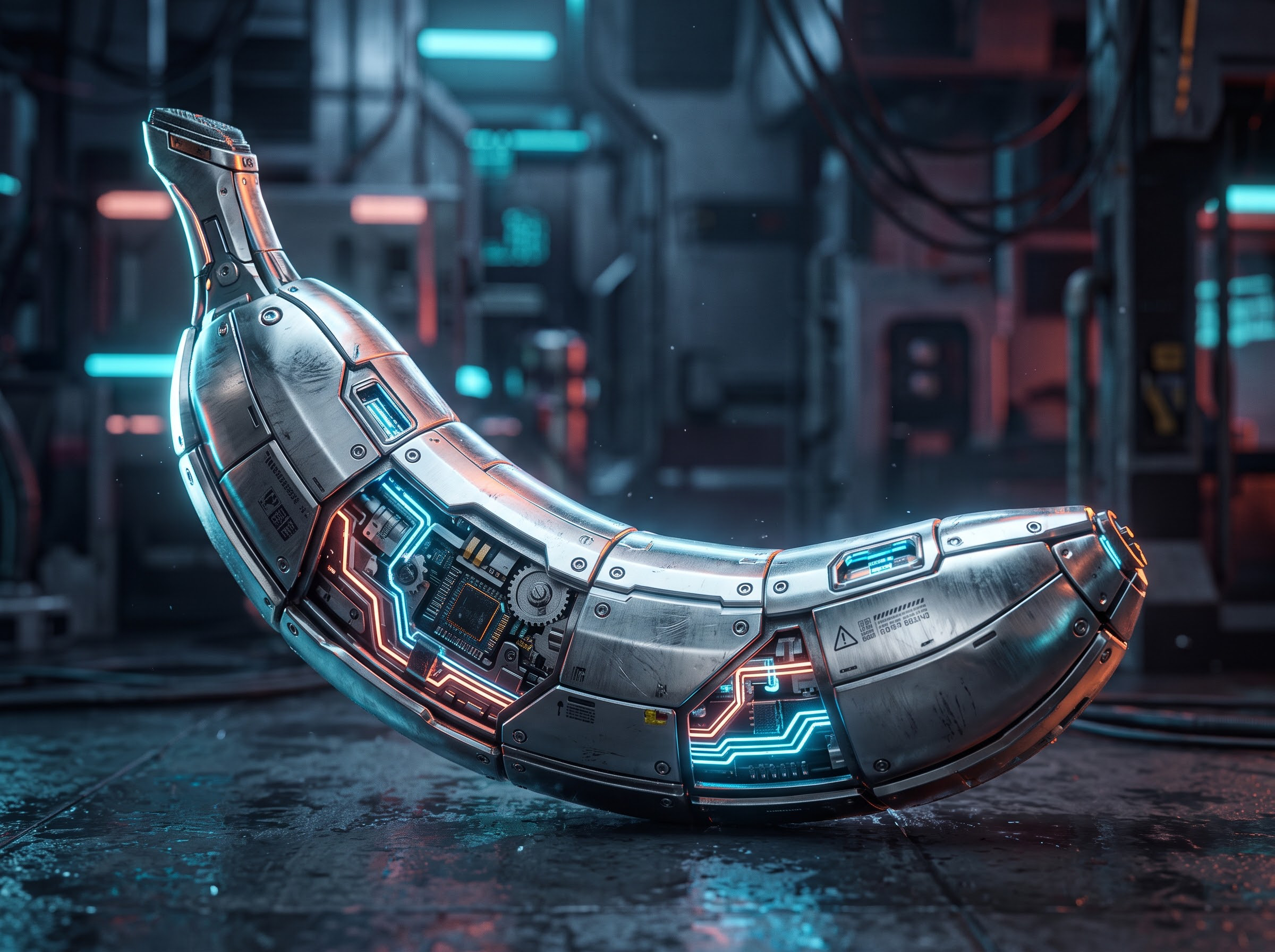
GPT Image 2.6 Flare Text-to-Image API on E2X
GPT Image 2.6 Flare is OpenAI's high-speed production text-to-image endpoint on E2X, served at openai/gpt-image-2.6-flare/text-to-image. Built for low-latency creative pipelines and interactive applications, it runs up to 2×–2.5× faster than GPT Image 2.5 Flare (~6 seconds at low quality) while carrying our standing 75% discount ($0.0525 per image at resolution: "1K" against $0.211 for the comparable high-tier request on fal.ai). GPT Image 2.6 Flare supports native multi-frame animated .gif generation (output_format: "gif"), scalable vector .svg path generation (output_format: "svg"), and three streamlined quality tiers (low, medium, high) across 1K, 2K, and 4K resolutions. Because all three quality settings share the same ×7 multiplier on E2X, you can request high at 1K for the exact same $0.0525 as low.
When a workload requires the heavier xhigh or max reasoning tiers for dense architectural blueprints or micro-engraved typography, route the request to GPT Image 2.6 Sunburst text-to-image at the exact same price. If your workflow starts with existing reference images, product packshots, or layout annotations, call GPT Image 2.6 Flare edit-image (Sunburst edit-image), which accepts up to 16 reference images via image_urls at the same $0.0525 (1K) rate.
Visual and animated GIF showcase gallery
Every visual below was generated via the GPT Image 2.6 pipeline and hosted on the E2X CDN (assets.e2x.ai), showcasing Flare's looping multi-frame .gif animations, crisp commercial product renders, scalable .svg vector paths, and a side-by-side comparison against Sunburst Max.
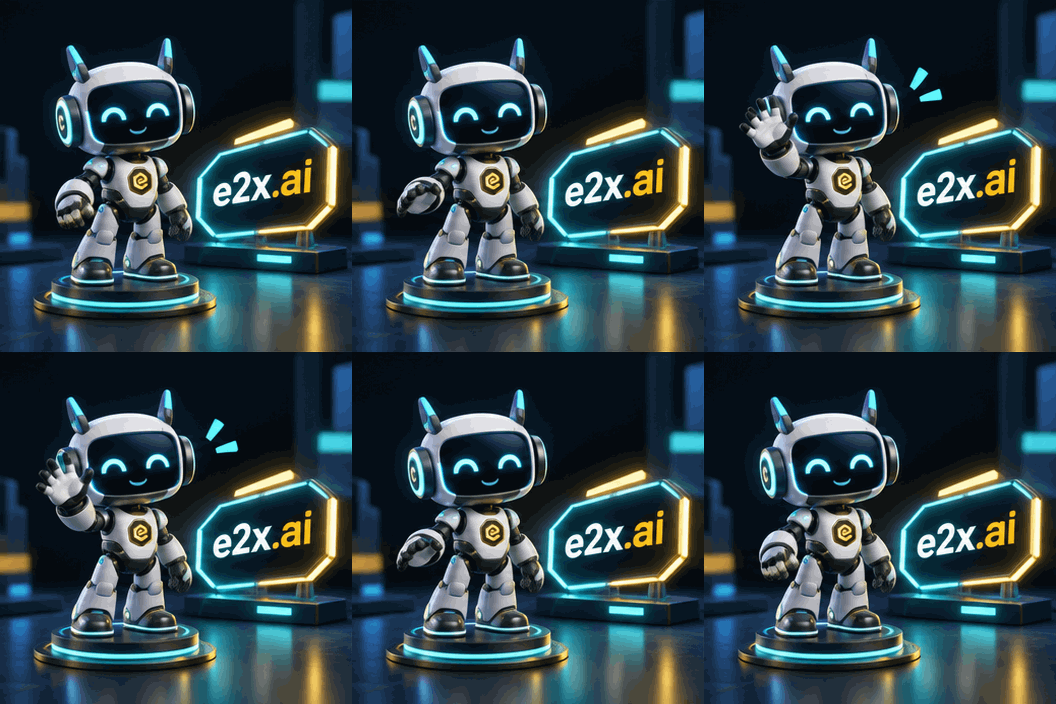
- Endpoint:
openai/gpt-image-2.6-flare/text-to-image (output_format: "gif", aspect_ratio: "1:1", frame_count: 8, frame_duration_ms: 150, 352×352)
- Prompt:
"A cute 3D isometric cyber-robot mascot character waving cheerfully beside a glowing cyan and gold neon badge reading \"e2x.ai\" in a sleek dark studio, smooth looping animation"
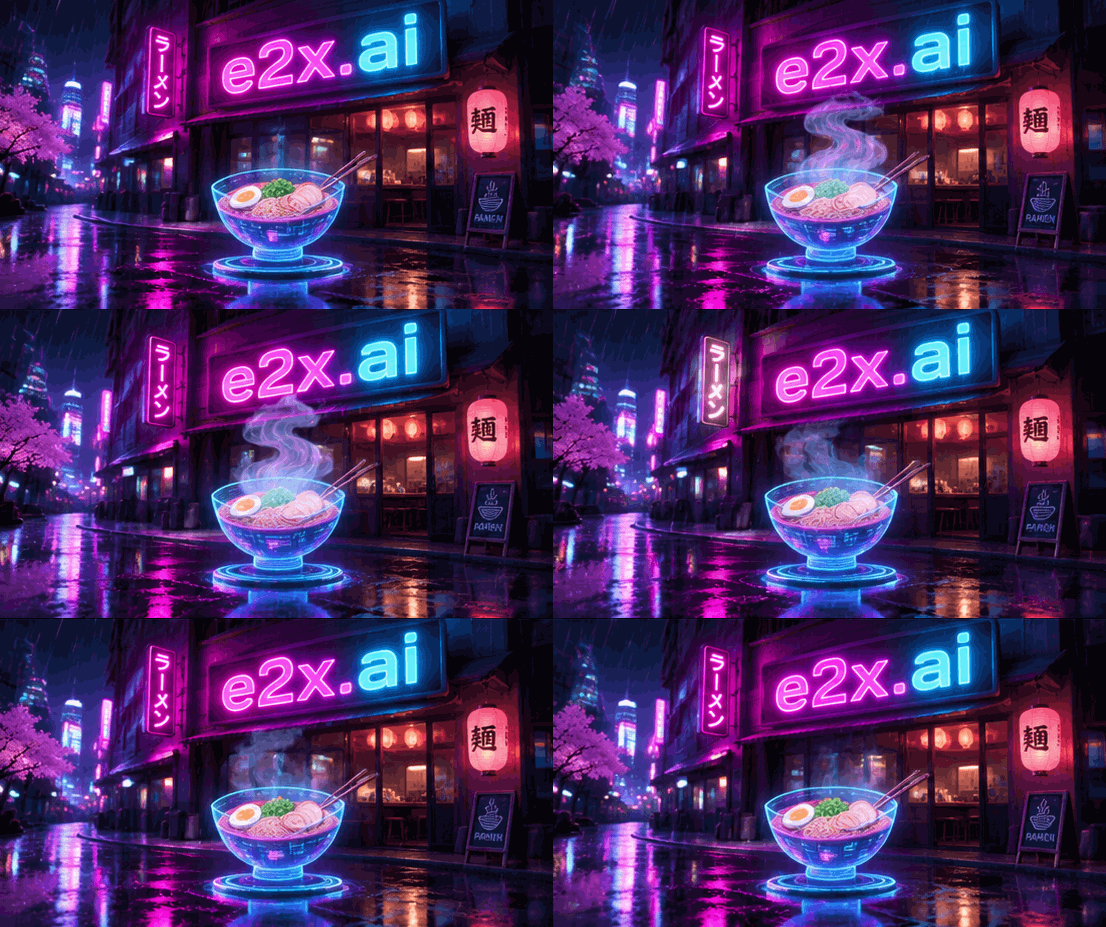
- Endpoint:
openai/gpt-image-2.6-flare/text-to-image (output_format: "gif", aspect_ratio: "16:9", 553×309)
- Prompt:
"Generate an animated GIF of a glowing neon cyberpunk ramen shop sign at night with animated rising steam from a holographic bowl and flickering magenta and cyan rain reflections, crisp neon text reading \"e2x.ai\", looping multi-frame animation"
High-speed commercial product shot: carbon-fiber helmet (aspect_ratio: "1:1")
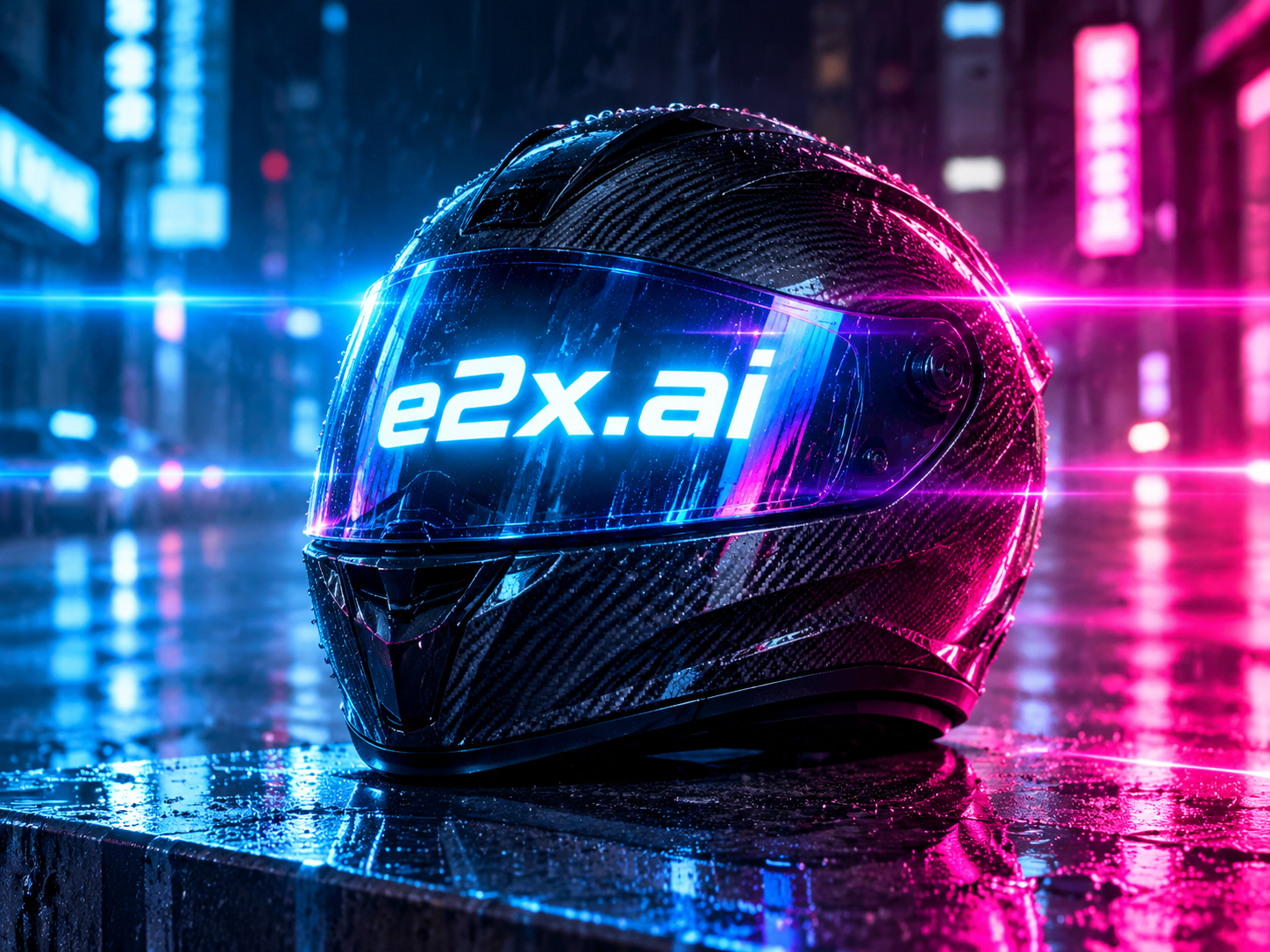
- Endpoint:
openai/gpt-image-2.6-flare/text-to-image (output_format: "png", aspect_ratio: "1:1", resolution: "1K", quality: "high")
- Prompt:
"An eye-catching editorial cyberpunk night photograph of a sleek futuristic matte-black carbon-fiber motorcycle helmet resting on a rain-slicked neon street podium in the center of the frame, with bold, crisp, ultra-legible glowing cyan-white LED typography reading \"e2x.ai\" illuminated across the curved iridescent visor. Dramatic electric blue and vibrant magenta anamorphic horizontal lens flares streak across the frame with neon bokeh reflections on the wet asphalt. Photorealistic 8K commercial shot."

- Output Format:
output_format: "svg" (aspect_ratio: "1:1", 1024×1024 scalable XML <svg>)
- Prompt:
"Clean geometric vector emblem badge for \"e2x.ai\" featuring a stylized radiant sunburst prism and orbital rings in vibrant gold, cyan, and deep obsidian navy, crisp flat vector paths"
Sunburst Max vs Flare High side-by-side comparison (aspect_ratio: "16:9")
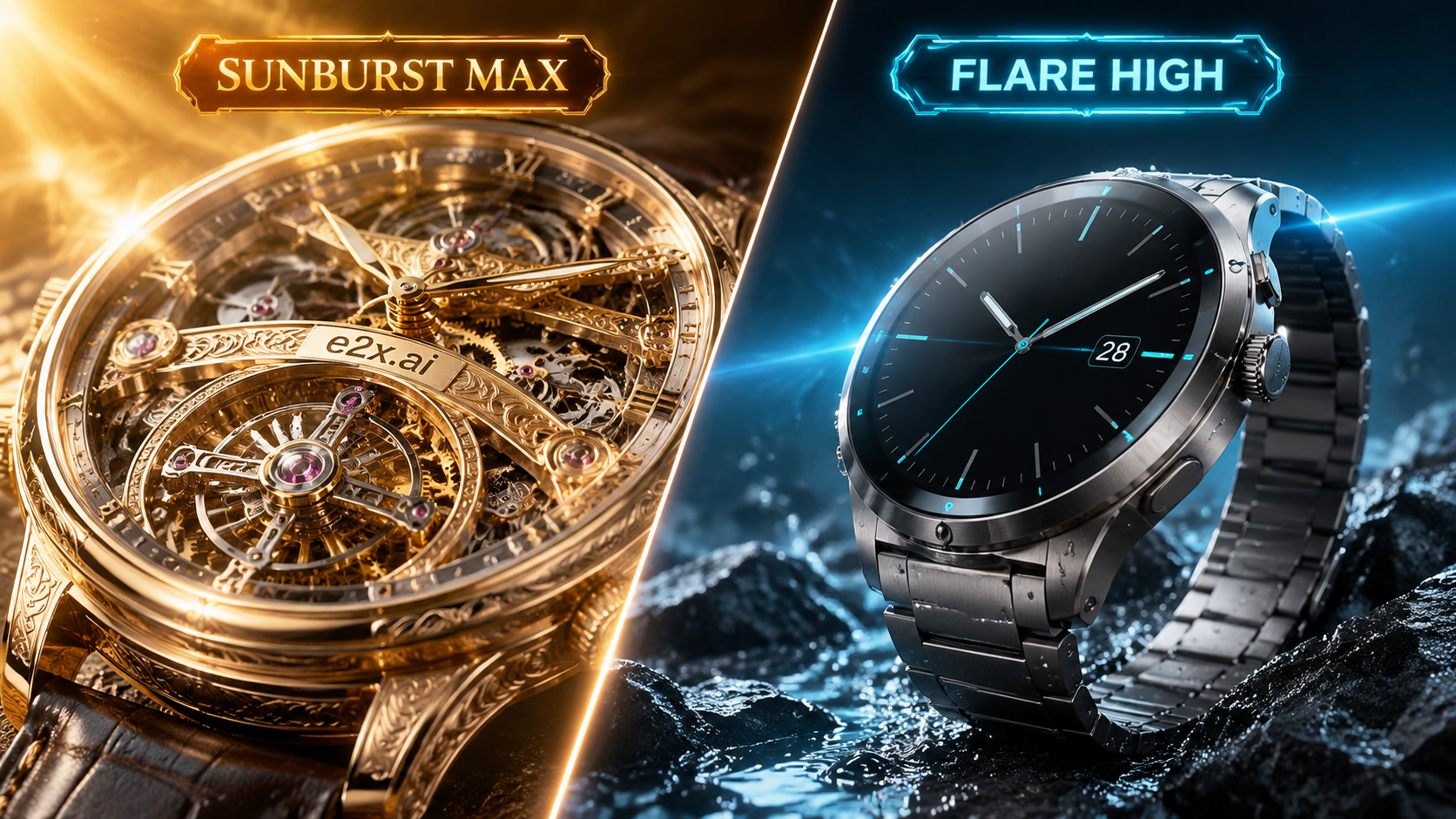
- Visual Comparison (
16:9, 1672×941): Macro open-worked tourbillon detail on Sunburst Max vs high-contrast titanium product photography on Flare High.
- Prompt:
"Split-screen visual comparison in a luxury studio: on the left side under a warm golden badge reading \"SUNBURST MAX\", an ultra-intricate macro photograph of an open-worked tourbillon mechanical watch with engraved gold bridges reading \"e2x.ai\" and warm sunburst lighting; on the right side under a sleek cyan badge reading \"FLARE HIGH\", a high-contrast commercial product shot of a matte titanium smartwatch on wet dark basalt with electric cyan lens flare"
How resolution and quality multipliers affect your bill
Every call to openai/gpt-image-2.6-flare/text-to-image starts from a $0.03 list base (30,000 micro-cents), reduced by our standing 75% global discount to a $0.0075 discounted base (7,500 micro-cents), and then multiplies by two schema factors:
resolution multiplier: 1K (default) is ×1, 2K is ×2, and 4K is ×3.quality multiplier: low, medium (default), and high all carry a ×7 multiplier.
Because every quality value (low, medium, high) multiplies the $0.0075 discounted base by 7, resolution is the only parameter that changes your per-image cost. Sending quality: "low" bills the same $0.0525 at 1K as high, so you should choose low only when you want the fastest possible (~6s) preview latency, and default to high for production assets at no extra charge.
Here is the rate table checked on November 6, 2026 against fal.ai's on-demand rates:
| Resolution | Multiplier | E2X list price ($0.03 × 7) | E2X price (75% off) | fal.ai (high tier) | E2X savings |
|---|
1K (default) | ×1 × 7 | $0.21 | $0.0525 | $0.211 | 75% lower |
2K | ×2 × 7 | $0.42 | $0.1050 | $0.222 | 53% lower |
4K | ×3 × 7 | $0.63 | $0.1575 | $0.401 | 61% lower |
That curve shapes how you should structure an iterative pipeline. Keep resolution at 1K ($0.0525) while you test composition, lighting, and quoted lettering at high. Ten 1K iterations plus a single 4K master render ($0.1575) come to $0.6825 in total, compared to $1.7325 if you ran all eleven calls at 4K.
Prices and product terms can change. Check each provider's current pricing before making a purchasing decision. Google Batch or Flex pricing is not directly equivalent to a standard on-demand API request because scheduling, availability, and processing conditions differ; it is therefore excluded from this comparison. This is a scoped comparison, not a claim that E2X is the world's cheapest option in every configuration.
What changed in GPT Image 2.6 Flare vs Sunburst and 2.5
Price is identical across GPT Image 2.6 Flare, GPT Image 2.6 Sunburst, and GPT Image 2.5 Flare ($0.0525 at 1K, $0.105 at 2K, $0.1575 at 4K), so your selection comes down to four architectural upgrades in 2.6:
- Native animated
.gif and vector .svg output (output_format). Alongside png (default), jpeg, and webp, openai/gpt-image-2.6-flare/text-to-image accepts output_format: "gif" and output_format: "svg". Setting "gif" generates looping multi-frame animations directly from a text prompt (upstream schemas support 2 to 16 frames and 20 to 2,000 ms frame duration, snapping dimensions to multiples of 16). Setting "svg" outputs clean, scalable XML <svg> vector path graphics for icons, badges, and UI illustrations.
- 2×–2.5× faster inference across 3 quality tiers (
low, medium, high). GPT Image 2.6 Flare focuses on high-throughput generation (~6 seconds at low quality) across low, medium (default), and high. When you need xhigh or max quality tiers for complex mechanical cutaways or dense multi-paragraph posters, switch to GPT Image 2.6 Sunburst for the exact same $0.0525 (1K) price.
- 15 fixed aspect ratios and spatial planning. GPT Image 2.6 Flare supports 15 aspect ratios (
1:1, 1:2, 2:1, 1:3, 3:1, 2:3, 3:2, 3:4, 4:3, 4:5, 5:4, 9:16, 16:9, 9:21, 21:9), defaulting to 1:1, backed by pre-drawing spatial planning (complexity: low, medium, high).
- Up to 16 reference images on
edit-image. The companion GPT Image 2.6 Flare edit-image route expands image_urls from 10 to 16 reference images with 50,000-character delta prompts, mask inpainting (mask_image), and visual markup guidance (markup_image).
Submitting a generation job via the E2X API
Every model on E2X uses the same asynchronous job queue. Post a JSON payload to https://api.e2x.ai/v1/jobs/submit using your bearer token and poll https://api.e2x.ai/v1/jobs/{jobId} until the status reaches completed, or pass a webhookUrl in the submit payload.
Only prompt is required (up to 32,000 characters). Here is a curl example that generates an animated .gif mascot at 1K resolution and high quality ($0.0525):
curl -X POST https://api.e2x.ai/v1/jobs/submit \
  -H "Authorization: Bearer YOUR_API_KEY" \
  -H "Content-Type: application/json" \
  -d '{
    "model": "openai/gpt-image-2.6-flare/text-to-image",
    "input": {
      "prompt": "A cute 3D isometric cyber-robot mascot character waving cheerfully beside a glowing cyan and gold neon badge reading \"e2x.ai\" in a sleek dark studio, smooth looping animation",
      "aspect_ratio": "1:1",
      "resolution": "1K",
      "quality": "high",
      "output_format": "gif"
    }
  }'
For high-resolution raster or vector .svg generation, set output_format to "png", "webp", or "svg" and bump resolution to 2K ($0.105) or 4K ($0.1575) in your Node.js code:
const headers = {
  Authorization: `Bearer ${process.env.E2X_API_KEY}`,
  "Content-Type": "application/json",
};

const submitRes = await fetch("https://api.e2x.ai/v1/jobs/submit", {
  method: "POST",
  headers,
  body: JSON.stringify({
    model: "openai/gpt-image-2.6-flare/text-to-image",
    input: {
      prompt: 'Editorial cyberpunk night photograph of a matte-black carbon-fiber motorcycle helmet on a neon street podium with glowing cyan-white LED typography reading "e2x.ai" across the visor, electric blue anamorphic lens flare.',
      aspect_ratio: "16:9",
      resolution: "2K",
      quality: "high",
      output_format: "png",
    },
  }),
});

const { data: submitted } = await submitRes.json();

for (let poll = 0; poll < 120; poll++) {
  await new Promise((r) => setTimeout(r, 3000));
  const statusRes = await fetch(
    `https://api.e2x.ai/v1/jobs/${submitted.jobId}`,
    { headers }
  );
  const { data: job } = await statusRes.json();

  if (job.status === "completed") {
    console.log("Generated asset URL:", job.outputs[0].url);
    break;
  }
  if (job.status === "failed" || job.status === "cancelled") {
    throw new Error(job.error?.message || `Job ended with status ${job.status}`);
  }
}
Two implementation notes worth keeping in mind: resolution values must be uppercase (1K, 2K, 4K), and output URLs returned in data.outputs should be copied to your own storage bucket if you plan to serve them long-term. The full schema is published in our machine-readable model spec, and official client libraries are listed on the E2X SDKs page.
Choosing the right text-to-image model on E2X
Pick across our OpenAI and Google endpoints based on whether your pipeline prioritizes speed, xhigh/max detail, native .gif and .svg synthesis, transparent PNG cutouts, or budget 4K banners:
| Model | 1K price | 4K price | Max resolution | Output formats | Best fit |
|---|
| GPT Image 2.6 Flare | $0.0525 | $0.1575 | 4K | png, jpeg, webp, gif, svg | High-speed 3-tier (low, medium, high) generation, animated GIFs, vector SVGs, interactive UI feeds |
| GPT Image 2.6 Sunburst | $0.0525 | $0.1575 | 4K | png, jpeg, webp, gif, svg | Flagship 5-tier quality (xhigh and max at no extra cost) for dense typography and macro detail |
| GPT Image 2.5 Flare | $0.0525 | $0.1575 | 4K | png, jpeg, webp | Legacy 2.5 workflows requiring aspect_ratio: "auto" |
| GPT Image 2 | $0.0525 | $0.1575 | 4K | png, jpeg, webp | Native transparent PNG cutouts (background: "transparent") at the same price |
| Nano Banana 2.1 | $0.0300 | $0.0900 | 4K | png, jpeg, webp | Lowest 4K price ($0.09) and extreme 8:1 / 1:8 banner ratios |
| Nano Banana 2 Lite | $0.0238 | — | 1K | png, jpeg, webp | High-volume 1K batch generation under 2.5 cents |
Compare every capability side by side in the text-to-image category or browse the full E2X model catalog.
Constraints and operational notes
- Rate limits and concurrency: The endpoint allows up to 100 requests per minute, 5,000 requests per hour, 50,000 requests per day, and 100 concurrent jobs per account.
- Processing time: Low-tier 1K previews can complete in ~6 seconds, while
high quality, multi-frame .gif generation, and 2K/4K upscaling steps average 15 to 60 seconds. Use webhooks or a 3-second polling interval in production.
- Aspect ratio bounds: The 15 supported ratios span from
3:1 and 21:9 horizontal frames to 1:3 and 9:21 vertical frames (1:1, 1:2, 2:1, 1:3, 3:1, 2:3, 3:2, 3:4, 4:3, 4:5, 5:4, 9:16, 16:9, 9:21, 21:9). If a layout requires 4:1 or 8:1 ribbon headers, route that job to Nano Banana 2.1.
- Provenance metadata: Outputs from the OpenAI image family carry standard C2PA provenance metadata and pixel-level attribution markers that social platforms read to display AI generation labels.
Prompting advice for GPT Image 2.6 Flare
With a 32,000-character limit, write direct declarative sentences ordered from primary subject to lighting and format cues:
- Subject and surface finish first: Name the core object, its material texture, and camera angle ("matte-black carbon-fiber motorcycle helmet centered on a rain-slicked neon street podium").
- Exact text in quotation marks: Wrap badge copy, store signs, or UI labels in double quotes and request
quality: "high" so lettering renders cleanly without character drift.
- Motion loops for
output_format: "gif": Specify a stationary anchor object plus a continuous cyclical action ("waving cheerfully beside a glowing neon badge, smooth looping animation") for clean multi-frame GIF loops.
- Vector structure for
output_format: "svg": Prompt for flat geometric shapes, clean outlines, and solid color palettes ("clean geometric vector emblem badge, crisp flat vector paths") when exporting scalable SVGs.
For a deeper breakdown of how OpenAI and Google models interpret prompt structure, see our image generator selection guide and our automated image generation pipeline guide.
Frequently asked questions
How much does GPT Image 2.6 Flare text-to-image cost on E2X?
With our 75% discount, GPT Image 2.6 Flare costs $0.0525 per image at resolution: "1K" (the default), $0.105 per image at resolution: "2K", and $0.1575 per image at resolution: "4K", regardless of whether you select low, medium, or high quality or png, jpeg, webp, gif, or svg output format.
How is the $0.0525 price calculated from the base rate?
The list base rate is $0.03 per request, which our 75% global discount lowers to $0.0075. Every quality setting (low, medium, high) applies a ×7 multiplier ($0.0075 × 7 = $0.0525), and resolution multiplies on top (1K = ×1, 2K = ×2, 4K = ×3).
Does changing quality from low or medium to high cost more?
No. All three quality tiers (low, medium, high) carry the same ×7 multiplier on E2X ($0.0525 at 1K). Only resolution (1K, 2K, 4K) changes your per-image bill. Use low when you want ~6-second rapid drafts, and use high for final renders. If you need xhigh or max quality tiers, use GPT Image 2.6 Sunburst at the exact same rate.
How do I generate animated GIFs and vector SVGs with GPT Image 2.6 Flare?
Set "output_format": "gif" in the input payload to synthesize a looping multi-frame animated GIF from your text prompt, or set "output_format": "svg" to output clean XML <svg> vector path graphics. Standard raster formats ("png", "jpeg", "webp") are also supported.
How is GPT Image 2.6 Flare different from GPT Image 2.6 Sunburst?
GPT Image 2.6 Flare is tuned for speed and high-volume production across three quality tiers (low, medium, high), running up to 2×–2.5× faster than 2.5 Flare. GPT Image 2.6 Sunburst adds xhigh and max quality tiers for heavier spatial reasoning and dense micro-typography. Both models cost the exact same $0.0525 at 1K on E2X.
What aspect ratios does GPT Image 2.6 Flare support?
It accepts 15 fixed aspect ratios, defaulting to 1:1 when omitted: 1:1, 1:2, 2:1, 1:3, 3:1, 2:3, 3:2, 3:4, 4:3, 4:5, 5:4, 9:16, 16:9, 9:21, and 21:9.
What is the maximum prompt length and reference image limit?
The prompt field accepts up to 32,000 characters on openai/gpt-image-2.6-flare/text-to-image. If you need up to 50,000 characters alongside up to 16 reference images (image_urls), use the companion GPT Image 2.6 Flare edit-image endpoint.
 Image
 openaiNew