GPT Image 2.6 マルチ画像編集ガイド:最大16枚の参照画像合成とビジュアルマークアップ活用術
ECの商品カタログ制作、ゲームのキャラクターデザイン、広告キャンペーンのクリエイティブ展開において、最も難しい課題は「元のプロダクトの形状やキャラクターの顔立ちを1ミリも崩さずに、背景・照明・ラベルの文字だけを自在に差し替えること」です。
OpenAIのGPT Image 2.6は、E2Xのopenai/gpt-image-2.6-sunburst/edit-imageおよびopenai/gpt-image-2.6-flare/edit-imageエンドポイントを通じて、1回のリクエストで渡せる参照画像(image_urls)の上限を従来の10枚から最大16枚へと拡大しました。さらに最大50,000文字の編集デルタプロンプトと視覚的なマークアップ指示(markup_image)を組み合わせることで、複雑なスタジオ合成を1Kあたり**$0.0525**(75%オフ)で自動化できます。
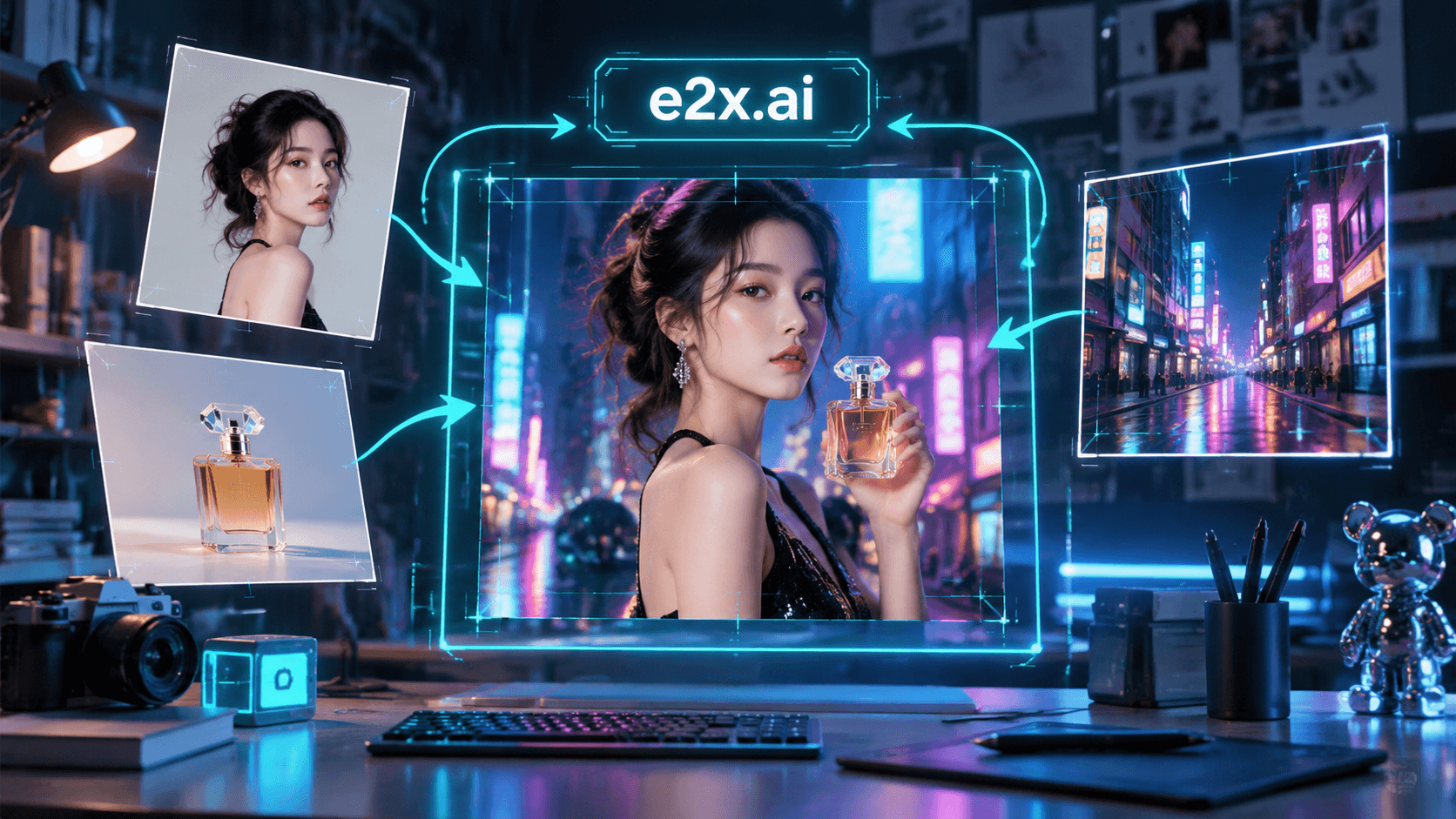
本ガイドでは、16枚の参照画像スロットの戦略的な割り当て方法、実際のBefore/After編集ペア3組の徹底解剖、ビジュアルマークアップの活用法、そして本番用のPython・TypeScript実装コードを解説します。
GPT Image 2.6 edit-image エンドポイントの主要スペック
| パラメータ | openai/gpt-image-2.6-sunburst/edit-image | openai/gpt-image-2.6-flare/edit-image |
|---|---|---|
image_urls(参照画像配列) | 必須・最小1枚〜最大**16枚**のHTTPS URL | 必須・最小1枚〜最大**16枚**のHTTPS URL |
prompt(編集指示文字数) | 最大 50,000文字 | 最大 50,000文字 |
quality(品質ティア) | low, medium, high, xhigh, max | low, medium, high |
resolution(出力解像度) | "1K" ($0.0525), "2K" ($0.105), "4K" ($0.1575) | "1K" ($0.0525), "2K" ($0.105), "4K" ($0.1575) |
aspect_ratio(アスペクト比) | 全15種類("1:1", "4:5", "16:9", "21:9"など) | 全15種類("1:1", "4:5", "16:9", "21:9"など) |
output_format(出力形式) | "png", "jpeg", "webp" | "png", "jpeg", "webp" |
実例で見るBefore / After 3選:参照画像から完成カットへの変換プロセス
E2X上で実際にopenai/gpt-image-2.6-sunburst/edit-imageおよびopenai/gpt-image-2.6-flare/edit-imageを使って生成された3組のBefore/Afterペアを見ていきましょう。
ペア1:Sunburstによる高精度な被写体保持とスタジオライティング・環境リメイク
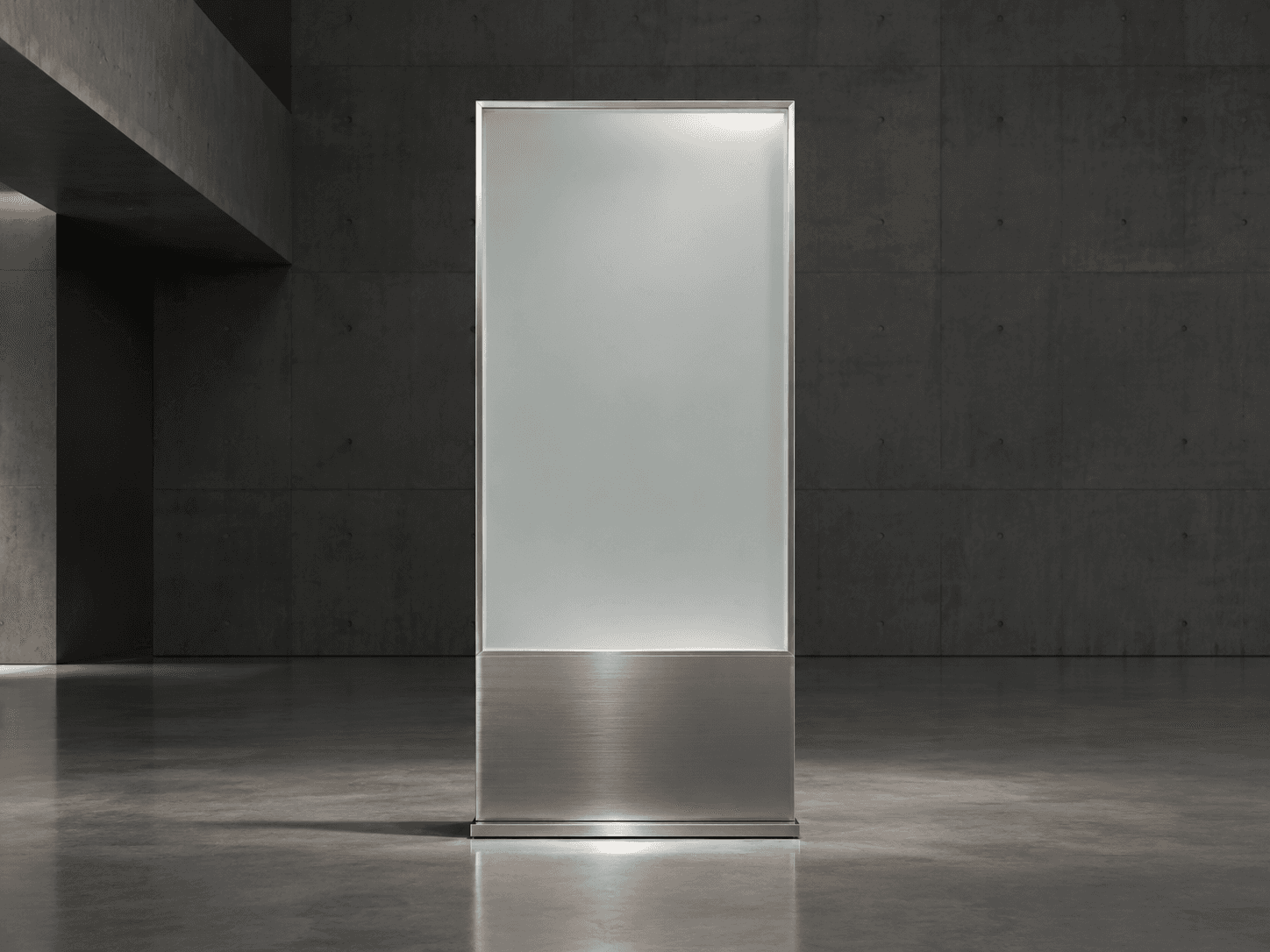
1組目は、openai/gpt-image-2.6-sunburst/edit-imageに入力参照画像(sunburst-ref-input.png)を渡し、被写体のコアな造形やプロポーションを維持したまま、ライティングと背景ディテールをアップグレードした例です。
Before(入力参照画像 image_urls[0]):
After(Sunburst edit-image 出力結果):
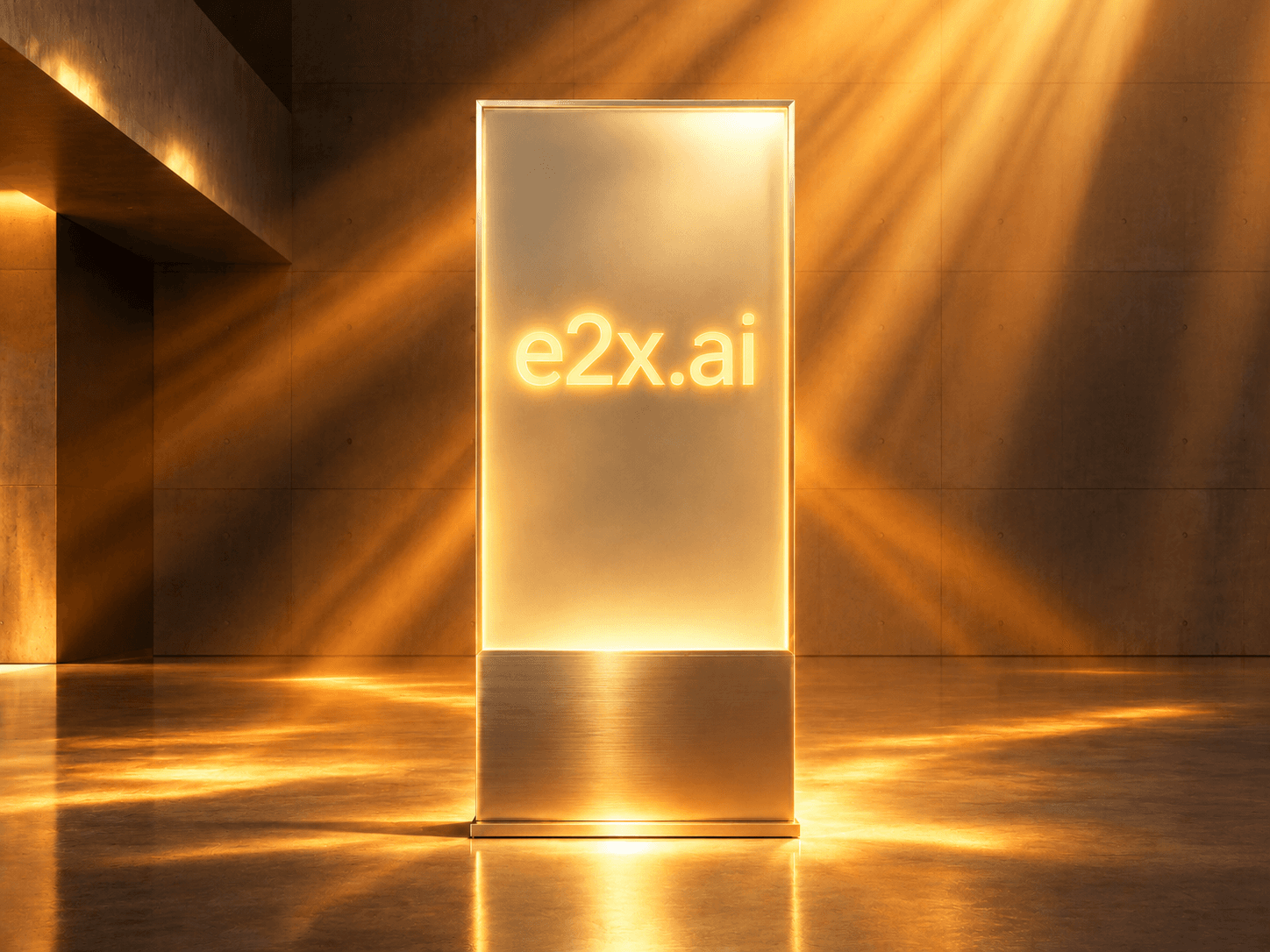
Sunburstのxhigh / maxティアは、参照画像の微細なエッジや表面の反射特性を正確に読み取り、新しい光源環境に合わせて自然なハイライトとシャドウを再計算します。
ペア2:Flareによる高速リファレンス編集とスタイル・シーン変換
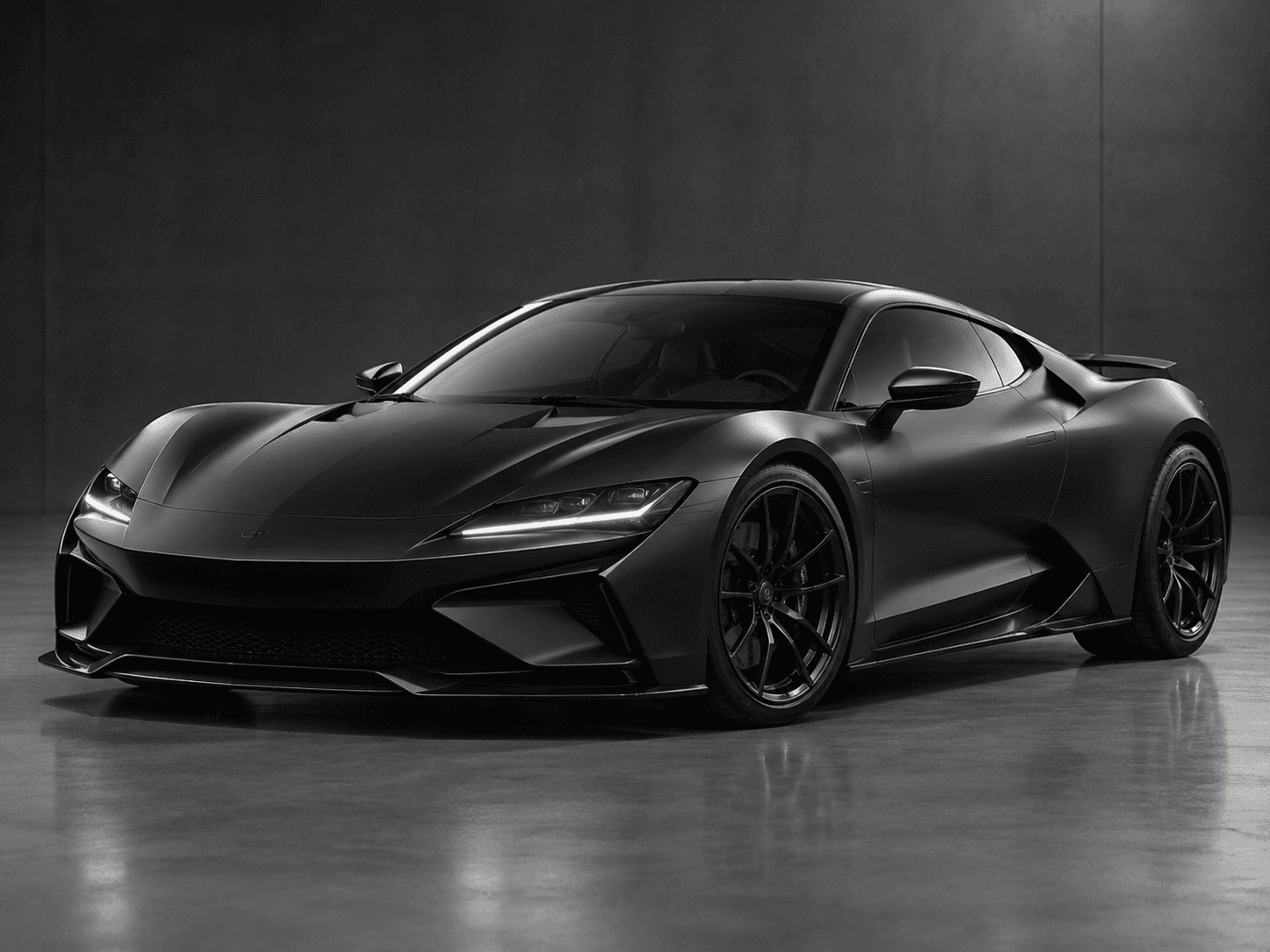
2組目は、高速推論モデルのopenai/gpt-image-2.6-flare/edit-imageに入力参照画像(flare-ref-input.png)を渡し、素早くシーン全体のムードと背景演出を刷新した例です。
Before(入力参照画像 image_urls[0]):
After(Flare edit-image 出力結果):
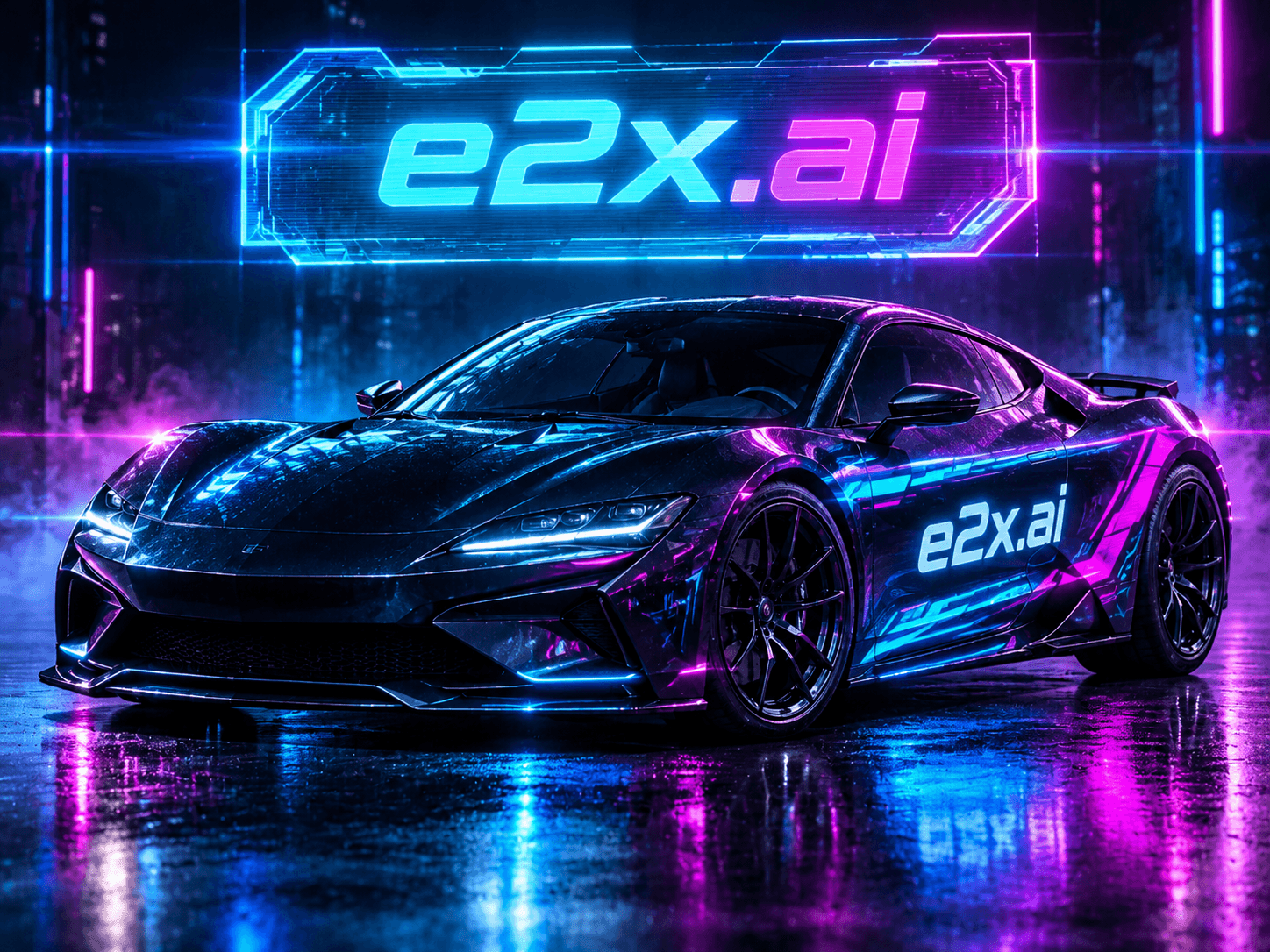
Flareは高い構図維持能力を備えながら生成時間を大幅に短縮できるため、ECサイトの数千SKUにわたる季節別キャンペーン背景の自動生成や、ユーザーのリアルタイム編集プレビューに最適です。
ペア3:商品ボトル形状の完全ロック+金箔ラベル書き換え+火山岩と発光苔の背景合成
3組目は、広告制作で最も需要の高い「商品の容器デザインを一切変えずに、ラベルの印字テキストを変更し、ラグジュアリーなロケーションへ配置する」ワークフローです。
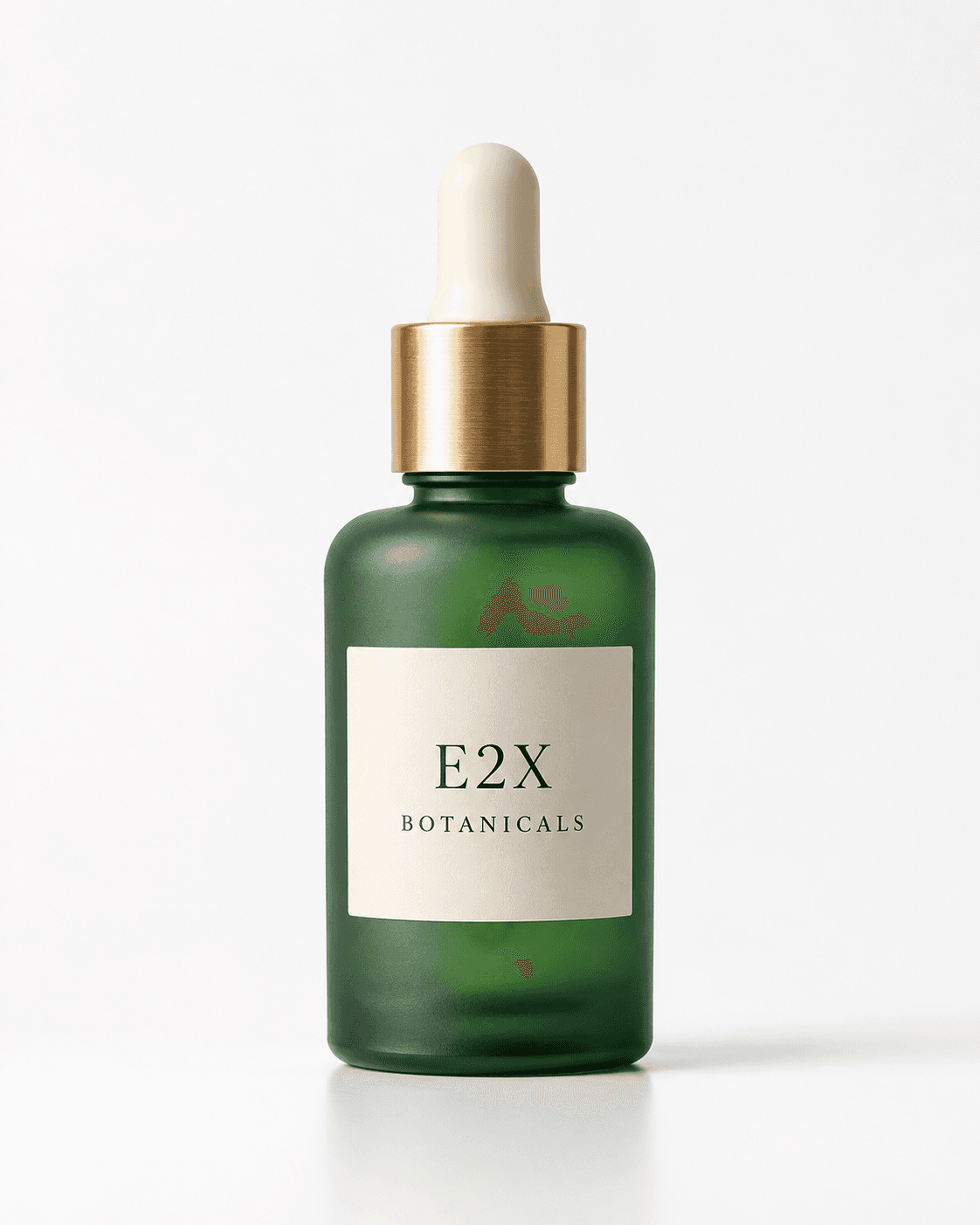
Before(白背景のスタジオパックショット gallery-edit-before-botanical-bottle.png):
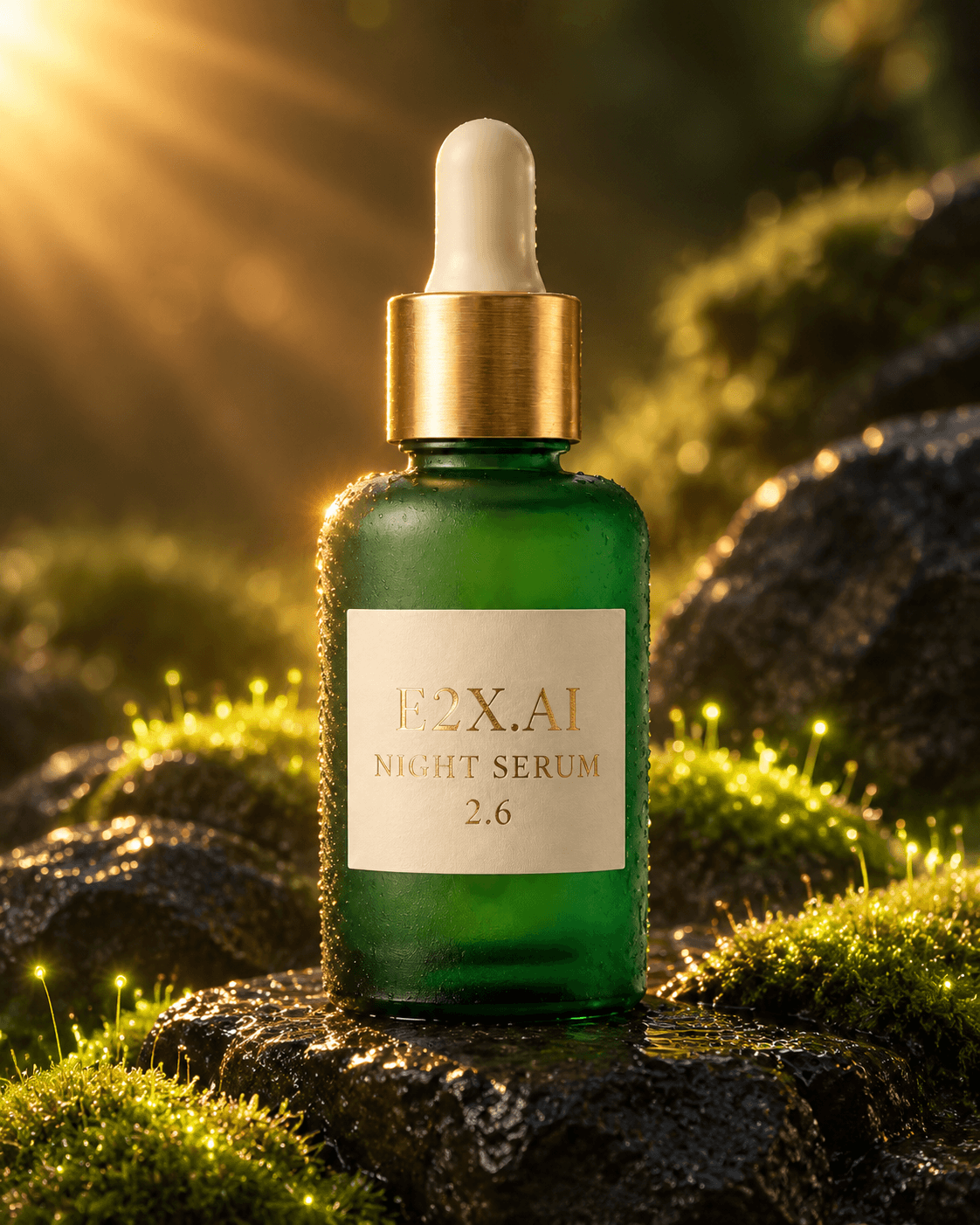
After(ラベル変更&背景リライティング後 gallery-edit-after-botanical-serum.png):
使用した編集プロンプト:
Keep the exact frosted emerald glass botanical elixir bottle and brushed brass dropper cap from image 1 unchanged. Change the label text to read "E2X.AI NIGHT SERUM 2.6" in embossed gold foil serif lettering, and place the bottle on wet black volcanic basalt stones surrounded by glowing bioluminescent moss and warm golden sunburst rim lighting.
注目すべきは、フロストガラスの緑の色味、肩の丸み、ヘアライン加工された真鍮キャップの溝の数まで元のパックショットと完全に一致している点です。その上で、ラベルのテキストだけが"E2X BOTANICALS"から"E2X.AI NIGHT SERUM 2.6"の金箔エンボスに書き換えられ、周囲の発光する苔とゴールドのリムライトがガラスの輪郭に正しく反射しています。
最大16枚の参照画像(image_urls)を編成するベストプラクティス
image_urls配列に複数の画像を渡す場合、プロンプト内で各画像のインデックス(image 1、image 2...)と役割を明示的にマッピングすると、モデルの空間推論精度が飛躍的に高まります。
| 配列スロット例 | 参照画像の役割 | プロンプトでの指示の書き方(例) |
|---|---|---|
image 1 〜 image 3 | メインキャラクター・主役プロダクトの多角度カット(正面・斜め・背面) | "Preserve the exact facial identity and outfit structure of the protagonist shown in images 1, 2, and 3." |
image 4 〜 image 7 | サブキャラクターまたは組み合わせる複数商品・アクセサリー | "Place the wristwatch from image 4 on the character's left wrist and the leather bag from image 5 on the table." |
image 8 〜 image 11 | 背景建築・インテリア・ロケーションの参照 | "Use the brutalist concrete gallery interior from images 8 and 9 as the background environment." |
image 12 〜 image 14 | ライティング・カラーグレーディング・質感スウォッチ | "Apply the warm tungsten rim lighting and wet reflection palette from image 12." |
image 15 〜 image 16 | ブランドロゴ・タイポグラフィ・ビジュアルマークアップ(markup_image) | "Follow the cyan arrow placement annotations in image 16 and render the badge from image 15 on the top right." |
デルタプロンプト(差分指示)の3原則
- 「何を変えないか(Keep unchanged)」を最初の1文で宣言する:
"Keep the exact frosted emerald glass bottle from image 1 unchanged."のように、ロックしたい要素を冒頭で明示します。 - 「何を変えるか(Change / Replace)」を具体的に記述する:ラベルの文言を変える場合は、新しい文字列をダブルクォーテーション
""で囲み、フォントスタイルや材質("in embossed gold foil serif lettering")まで指定します。 - 新しい環境光が被写体に与える影響を記述する:ただ背景を差し替えるだけでなく、
"warm golden sunburst rim lighting reflecting on the glass edges"のように背景と被写体を馴染ませる照明指示を加えると、合成感のない自然な仕上がりになります。
TypeScript & cURLによるマルチ画像編集の実装コード
cURLによるリファレンス編集リクエスト
curl -X POST https://api.e2x.ai/v1/jobs/submit \
  -H "Authorization: Bearer $E2X_API_KEY" \
  -H "Content-Type: application/json" \
  -d '{
    "model": "openai/gpt-image-2.6-sunburst/edit-image",
    "input": {
      "prompt": "Keep the exact frosted emerald glass botanical elixir bottle and brushed brass dropper cap from image 1 unchanged. Change the label text to read \"E2X.AI NIGHT SERUM 2.6\" in embossed gold foil serif lettering, and place the bottle on wet black volcanic basalt stones surrounded by glowing bioluminescent moss and warm golden sunburst rim lighting.",
      "image_urls": [
        "https://assets.e2x.ai/ui/assets/blog/gpt-image-2.6/gallery-edit-before-botanical-bottle.png"
      ],
      "aspect_ratio": "4:5",
      "resolution": "2K",
      "quality": "max",
      "output_format": "png"
    }
  }'
TypeScriptによる最大16枚のマルチリファレンス合成関数
const E2X_API_KEY = process.env.E2X_API_KEY!;

export async function runMultiImageEdit(params: {
  variant: "sunburst" | "flare";
  imageUrls: string[];
  prompt: string;
  aspectRatio?: "1:1" | "4:5" | "16:9" | "9:16" | "3:2" | "2:3";
  resolution?: "1K" | "2K" | "4K";
}) {
  if (params.imageUrls.length === 0 || params.imageUrls.length > 16) {
    throw new Error("image_urls must contain between 1 and 16 HTTPS URLs.");
  }

  const model =
    params.variant === "sunburst"
      ? "openai/gpt-image-2.6-sunburst/edit-image"
      : "openai/gpt-image-2.6-flare/edit-image";

  const response = await fetch("https://api.e2x.ai/v1/jobs/submit", {
    method: "POST",
    headers: {
      Authorization: `Bearer ${E2X_API_KEY}`,
      "Content-Type": "application/json",
    },
    body: JSON.stringify({
      model,
      input: {
        prompt: params.prompt,
        image_urls: params.imageUrls,
        aspect_ratio: params.aspectRatio ?? "4:5",
        resolution: params.resolution ?? "1K",
        quality: params.variant === "sunburst" ? "max" : "high",
        output_format: "png",
      },
    }),
  });

  if (!response.ok) {
    throw new Error(`E2X API error: ${response.status} ${await response.text()}`);
  }

  return response.json();
}
よくある質問(FAQ)
参照画像を1枚渡した場合と16枚渡した場合でAPI料金は変わりますか?
いいえ、E2Xでは参照画像の枚数(1枚でも16枚でも)によって料金が増えることはありません。上流のトークン課金APIでは入力画像枚数に応じて入力トークンコストが加算されますが、E2Xでは1Kあたり**$0.0525、2Kあたり$0.105、4Kあたり$0.1575**の完全定額で利用できます。
image_urlsにはどのような形式の画像URLを渡せますか?
E2Xのワーカーがフェッチ可能な公開HTTPS URL(または署名付きS3/R2 URL)を渡してください。PNG、JPEG、WebP形式の参照画像に対応しています。
編集プロンプト(prompt)はどのくらい詳しく書けますか?
edit-imageエンドポイントは最大**50,000文字**のプロンプトをサポートしています。16枚の参照画像それぞれの役割、維持すべきディテール、照明の色温度、カメラレンズの焦点距離、そして変更後のテキスト文字列まで、文字数制限を気にせず綿密に記述できます。